


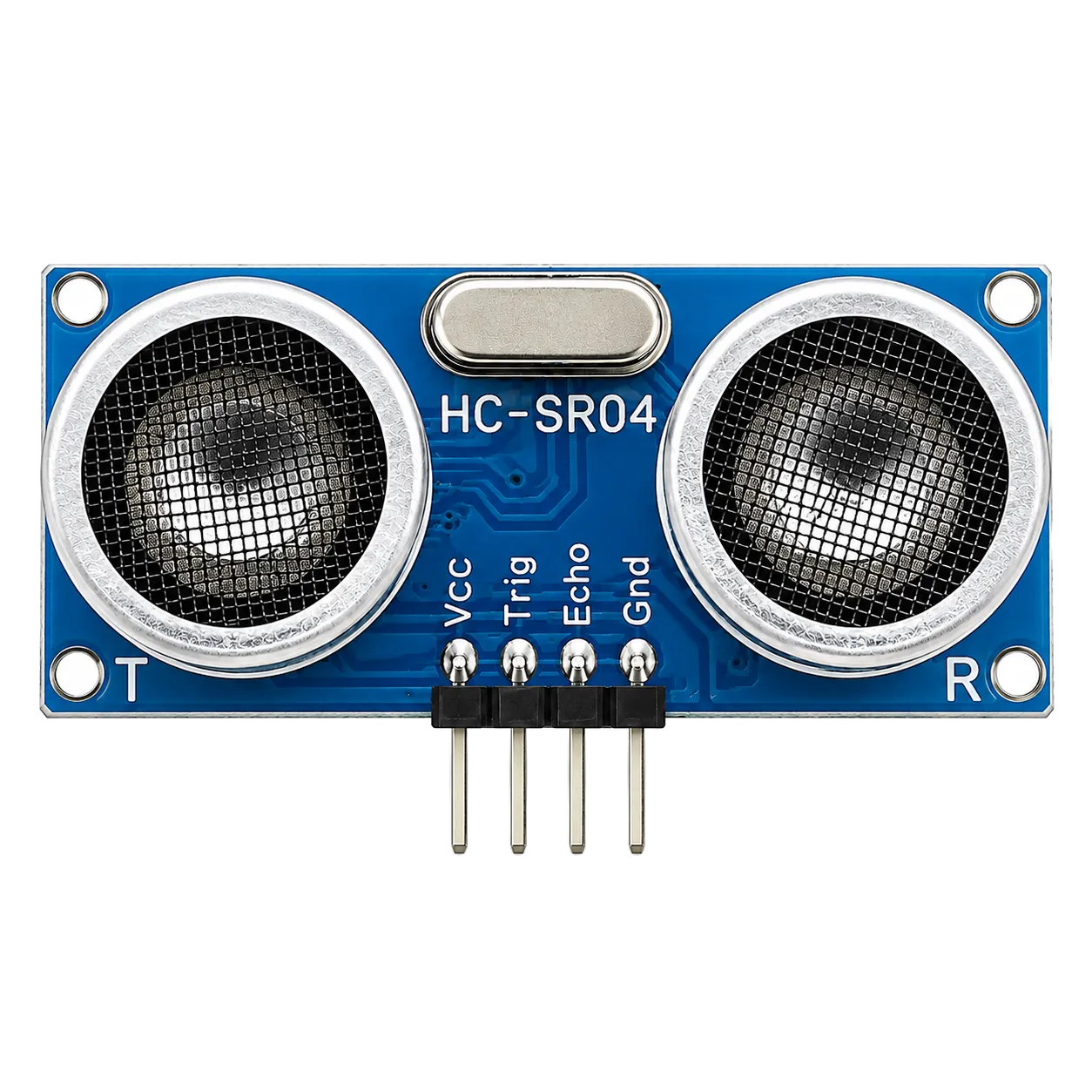
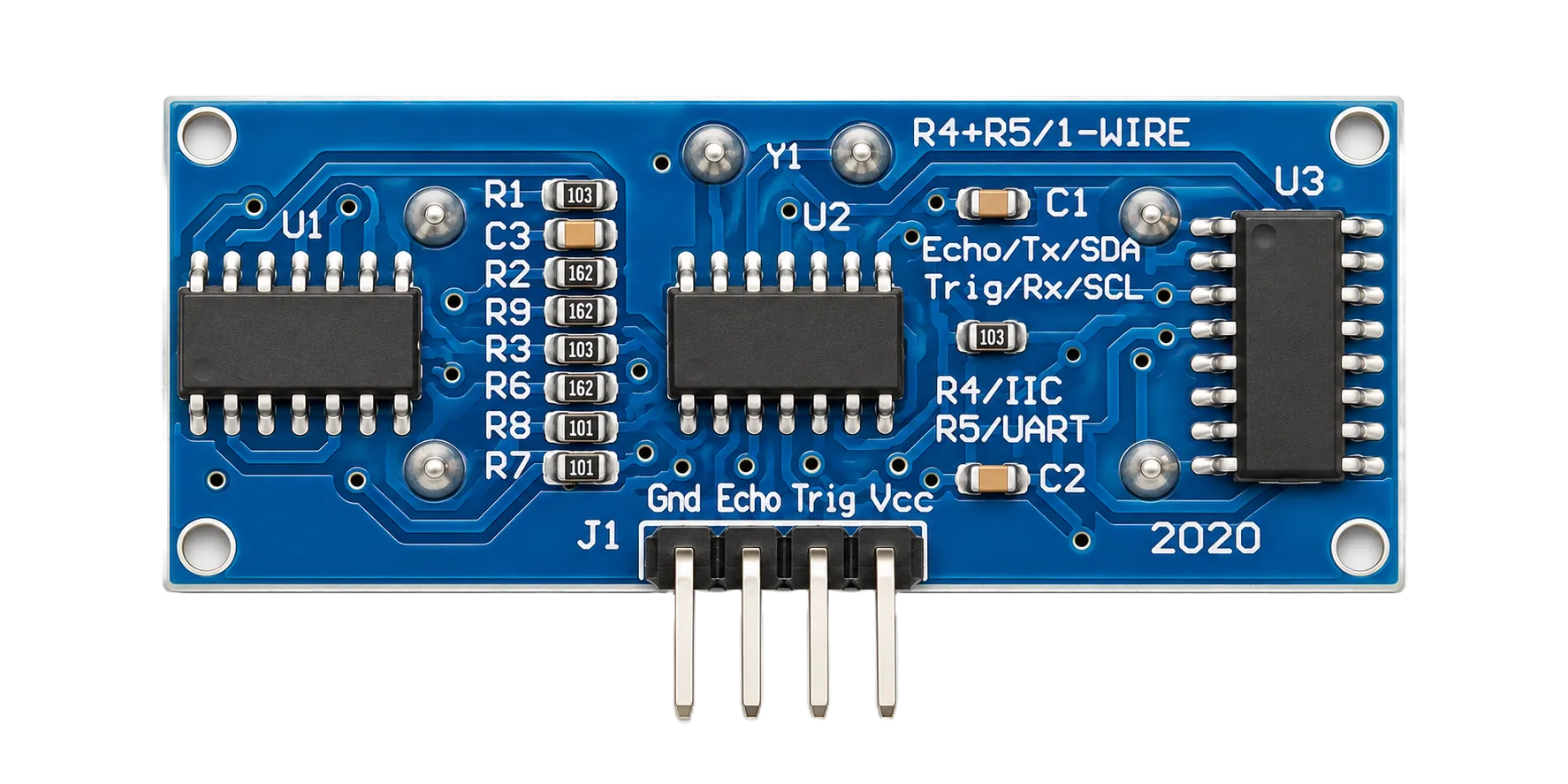
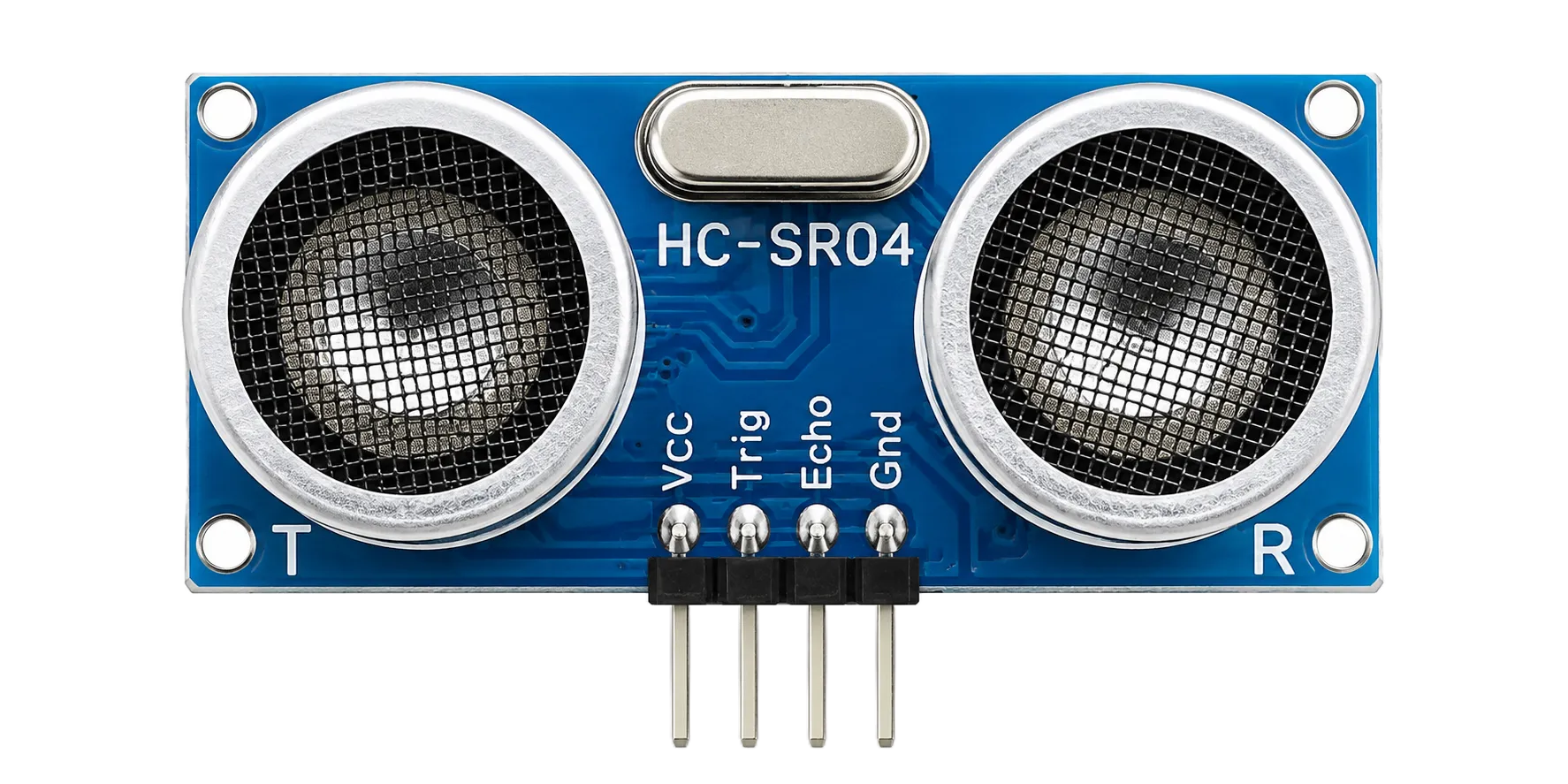
HC-SR04 Ultrasonic Distance Sensor Module – 4 Pin (Blue PCB)
- The HC-SR04 Ultrasonic Sensor Module is a 4-pin, 5V distance-measuring sensor designed to detect nearby objects using ultrasonic sound waves. It is widely used in Arduino, robotics, obstacle detection, distance measurement and DIY electronics projects.Key Features:
- HC-SR04 ultrasonic distance sensor
- Non-contact distance measurement
- Typical measuring range: 2–400 cm
- 40 kHz ultrasonic operating frequency
- 5V DC operating voltage
- Four pins: VCC, Trig, Echo and GND
- Separate ultrasonic transmitter and receiver
- Distance calculation using echo pulse timing
- Suitable for Arduino Uno, Nano, Mega and compatible microcontrollers
- Usable with ESP32 through suitable 5V-to-3.3V Echo level shifting
- Ideal for obstacle-avoiding robots, distance alarms and smart parking prototypes
Package Includes: 1 × HC-SR04 Ultrasonic Distance Sensor Module – Blue PCB.
Note: Actual measurement accuracy depends on the target surface, distance, angle and environmental conditions. The sensor is not waterproof.
Buy the HC-SR04 Ultrasonic Sensor online from Yagobotix with shipping across India and same-day delivery or pickup available in Surat.
₹81.00 ₹105.00 (incl. GST)
HC-SR04 Ultrasonic Distance Sensor Module – 4 Pin (Blue PCB)
1. What Is an HC-SR04 Ultrasonic Sensor?
The HC-SR04 Ultrasonic Sensor is an electronic distance-measuring module designed to detect objects and measure their distance using ultrasonic sound waves.
It features an ultrasonic transmitter, ultrasonic receiver, onboard signal-processing circuitry and a four-pin interface.
The sensor emits high-frequency sound waves and measures the time required for the reflected waves to return.
This allows Arduino and compatible microcontrollers to calculate the approximate distance between the sensor and an object.
The HC-SR04 Ultrasonic Sensor Module is commonly used in robotics, obstacle detection, smart parking systems, distance alarms and educational electronics projects.
2. What Can You Build With an HC-SR04 Ultrasonic Sensor?
The HC-SR04 Ultrasonic Sensor Module can be used for:
- Arduino obstacle-avoiding robots
- Ultrasonic distance measurement systems
- Smart parking assistance prototypes
- Contactless distance indicators
- Obstacle detection alarms
- Robotic vehicle navigation
- Automatic distance-based LED indicators
- Object proximity monitoring
- Ultrasonic distance displays
- Contactless interaction projects
- Tank level estimation prototypes
- Smart dustbin projects
- Robotics and STEM experiments
The sensor is particularly useful when a project needs approximate distance measurements rather than a simple obstacle-present signal.
3. Who Is It For?
The HC-SR04 Ultrasonic Sensor is suitable for:
- Beginners learning Arduino
- School and college students
- Engineering students
- Robotics enthusiasts
- Arduino and ESP32 developers
- STEM educators and trainers
- DIY electronics makers
- IoT project developers
It helps students understand ultrasonic sensing, time-of-flight measurement, digital input/output, distance calculations and microcontroller programming.
4. How Does an HC-SR04 Ultrasonic Sensor Work?
The HC-SR04 works using the ultrasonic time-of-flight principle.
The module contains two circular transducers:
Transmitter (T): Emits ultrasonic sound waves at approximately 40 kHz.
Receiver (R): Detects ultrasonic waves reflected by an object.
Working Process
- Arduino sends a HIGH pulse of approximately 10 microseconds to the Trig pin.
- The HC-SR04 transmits a short burst of ultrasonic sound waves.
- The sound travels through the air towards an object.
- The object reflects some of the sound back to the sensor.
- The receiver detects the returning echo.
- The Echo pin produces a pulse representing the round-trip travel time.
- Arduino measures the pulse duration and calculates distance.
Working Principle:
Arduino Trigger → Ultrasonic Transmission → Object Reflection → Ultrasonic Receiver → Echo Signal → Distance Calculation
Distance Formula
Distance (cm) = Echo Duration (µs) × 0.0343 / 2
Here:
- Echo Duration is the measured round-trip travel time.
- 0.0343 cm/µs is the approximate speed of sound at 20°C.
- Division by 2 accounts for the outward and return travel.
The sensor does not directly send a distance value in centimetres. The connected controller calculates distance from the Echo pulse duration.
5. Technical Specifications
| Specification | Details |
|---|---|
| Product Name | HC-SR04 Ultrasonic Sensor Module |
| Sensor Model | HC-SR04 |
| Sensor Type | Ultrasonic Distance Sensor |
| PCB Colour | Blue |
| Operating Voltage | 5V DC |
| Typical Operating Current | Approximately 15 mA |
| Ultrasonic Frequency | 40 kHz |
| Reference Measuring Range | 2–400 cm |
| Reference Ranging Accuracy | Up to approximately 3 mm under suitable conditions |
| Reference Measuring Angle | Approximately 15° |
| Trigger Signal | 10 µs HIGH pulse |
| Echo Output | Digital pulse-width signal |
| Number of Pins | 4 |
| Pin Names | VCC, Trig, Echo, GND |
| Interface | Trigger/Echo |
| Transducers | 1 transmitter and 1 receiver |
| Mounting | Four PCB mounting holes |
| Water Resistance | Not waterproof |
| Applications | Distance measurement, robotics, obstacle detection |
Important Technical Notes
- The published detection range and accuracy are reference specifications, not guaranteed performance for every object or environment.
- Soft or sound-absorbing surfaces can reduce detection reliability.
- Angled surfaces can reflect sound away from the receiver.
- Measurements can vary with temperature and air conditions.
- Very close objects may be inside the minimum sensing distance.
- The sensor is not intended for underwater operation.
- The standard HC-SR04 Echo output is a 5V logic signal and requires suitable interfacing with 3.3V microcontrollers.
6. HC-SR04 Ultrasonic Sensor Pinout
The HC-SR04 Ultrasonic Sensor features four connection pins.
| Pin | Name | Function |
|---|---|---|
| 1 | VCC | 5V power supply |
| 2 | Trig | Trigger input |
| 3 | Echo | Echo pulse output |
| 4 | GND | Ground |
When viewing the front of the sensor with the two circular transducers facing you and the connector pins pointing downward, the pin order from left to right is:
VCC → Trig → Echo → GND
Pin Functions
VCC: Supplies 5V DC to the sensor.
Trig: Receives a trigger pulse from the microcontroller to begin a distance measurement.
Echo: Outputs a pulse whose duration is used to calculate distance.
GND: Connects to the common circuit ground.
7. How to Connect HC-SR04 Ultrasonic Sensor to Arduino
The HC-SR04 Ultrasonic Sensor can be connected directly to an Arduino Uno using four jumper wires.
Components Required
- 1 × HC-SR04 Ultrasonic Sensor Module
- 1 × Arduino Uno
- 4 × Jumper Wires
Arduino Wiring Connections
| HC-SR04 Sensor | Arduino Uno |
|---|---|
| VCC | 5V |
| Trig | D9 |
| Echo | D10 |
| GND | GND |
Connection Procedure
- Connect HC-SR04 VCC to Arduino 5V.
- Connect GND to Arduino GND.
- Connect Trig to Arduino digital pin D9.
- Connect Echo to Arduino digital pin D10.
- Power the Arduino.
- Upload the distance measurement program.
- Open the Serial Monitor.
- Place an object in front of the sensor and observe the measured distance.
For Arduino Uno, the standard 5V logic levels are suitable for the HC-SR04 interface.
8. Arduino Example Code
The following Arduino code measures distance using the HC-SR04 Ultrasonic Sensor and displays the result in centimetres.
Arduino Code
const int trigPin = 9;
const int echoPin = 10;

void setup() {
  pinMode(trigPin, OUTPUT);
  pinMode(echoPin, INPUT);

  digitalWrite(trigPin, LOW);

  Serial.begin(9600);
}

void loop() {
  // Generate a 10 microsecond trigger pulse
  digitalWrite(trigPin, LOW);
  delayMicroseconds(2);

  digitalWrite(trigPin, HIGH);
  delayMicroseconds(10);

  digitalWrite(trigPin, LOW);

  // Read echo pulse with a timeout
  unsigned long duration =
    pulseIn(echoPin, HIGH, 30000UL);

  if (duration == 0) {
    Serial.println("No valid echo");
  } else {
    float distanceCm =
      duration * 0.0343 / 2.0;

    Serial.print("Distance: ");
    Serial.print(distanceCm, 1);
    Serial.println(" cm");
  }

  delay(100);
}
How to Test the Sensor
- Connect the HC-SR04 module to Arduino.
- Upload the program using Arduino IDE.
- Open the Arduino Serial Monitor.
- Set the baud rate to 9600.
- Place a flat object in front of the sensor.
- Move the object closer and farther away.
- Observe the distance readings in centimetres.
The code includes an Echo timeout to prevent indefinitely waiting for a missing signal.
A timeout means no valid Echo pulse was measured; it does not establish the exact distance to the object.
9. Beginner Project: Ultrasonic Distance Warning Alarm
Build a simple distance warning system using the HC-SR04 Ultrasonic Sensor and Arduino Uno.
Project Objective
Turn on a red LED when an object comes within approximately 15 cm of the sensor.
Components Required
- 1 × HC-SR04 Ultrasonic Sensor
- 1 × Arduino Uno
- 1 × 5mm Red LED
- 1 × 330Ω Resistor
- Breadboard
- Jumper Wires
Wiring Connections
| Component | Arduino Uno |
|---|---|
| HC-SR04 VCC | 5V |
| HC-SR04 GND | GND |
| HC-SR04 Trig | D9 |
| HC-SR04 Echo | D10 |
| Red LED Anode | D8 through 330Ω resistor |
| Red LED Cathode | GND |
Arduino Code
const int trigPin = 9;
const int echoPin = 10;
const int ledPin = 8;

const float warningDistance = 15.0;

void setup() {
  pinMode(trigPin, OUTPUT);
  pinMode(echoPin, INPUT);
  pinMode(ledPin, OUTPUT);

  digitalWrite(trigPin, LOW);
  digitalWrite(ledPin, LOW);

  Serial.begin(9600);
}

void loop() {
  digitalWrite(trigPin, LOW);
  delayMicroseconds(2);

  digitalWrite(trigPin, HIGH);
  delayMicroseconds(10);

  digitalWrite(trigPin, LOW);

  unsigned long duration =
    pulseIn(echoPin, HIGH, 30000UL);

  if (duration > 0) {
    float distance =
      duration * 0.0343 / 2.0;

    Serial.print("Distance: ");
    Serial.print(distance);
    Serial.println(" cm");

    if (distance < warningDistance) {
      digitalWrite(ledPin, HIGH);
    } else {
      digitalWrite(ledPin, LOW);
    }
  } else {
    // No valid measurement
    digitalWrite(ledPin, LOW);
    Serial.println("No valid echo");
  }

  delay(100);
}
Project Working
- Arduino triggers an ultrasonic measurement.
- The sensor transmits sound waves and receives the returning echo.
- Arduino calculates the approximate object distance.
- If the measured distance is below 15 cm, the red LED turns ON.
- If the distance is 15 cm or more, the LED turns OFF.
- If no valid Echo is received, the LED remains OFF in this demonstration.
What Will Students Learn?
- Ultrasonic distance measurement
- Digital input and output
- Pulse duration measurement
- Distance calculations
- Arduino programming
- Threshold-based alerts
This is an educational distance warning prototype and should not be used as a safety-critical collision avoidance system.
10. Related Products
Complete your electronics and robotics projects with these Yagobotix components:
- Arduino Uno R3 Compatible Board
- Arduino Nano Development Board
- ESP32 Development Board
- IR Obstacle Avoidance Sensor Module
- PIR Motion Sensor Module
- BO Motor Dual Shaft
- 65mm BO Motor Wheel
- Motor Driver Module
- SG90 Servo Motor
- 16×2 LCD Display
- 16×2 LCD Display with I2C Interface
- TM1637 4-Digit Seven Segment Display
- 5mm Red LED
- 5mm Green LED
- 5V Passive Buzzer
- Breadboard
- Jumper Wires
- Resistors
11. Related Tutorials
Explore these electronics learning topics:
- How to Use HC-SR04 Ultrasonic Sensor with Arduino
- HC-SR04 Ultrasonic Sensor Pinout Explained
- How Ultrasonic Distance Measurement Works
- Build an Obstacle-Avoiding Robot with Arduino
- HC-SR04 vs IR Obstacle Avoidance Sensor
- How to Connect HC-SR04 to ESP32 Safely
- How to Display Ultrasonic Distance on a 16×2 LCD
- Arduino Smart Parking Sensor Project
- Ultrasonic Distance Alarm Project
- How to Measure Distance Using Arduino
- How to Reduce Incorrect Ultrasonic Readings
12. Frequently Asked Questions
What is an HC-SR04 Ultrasonic Sensor?
The HC-SR04 is an ultrasonic distance measurement module that calculates the distance to an object using reflected sound waves.
What is the operating voltage of HC-SR04?
The standard HC-SR04 uses a 5V DC power supply.
What is the detection range of the HC-SR04 sensor?
Published reference specifications commonly state a range of approximately 2–400 cm under suitable conditions.
Can the HC-SR04 measure exact distance?
It provides approximate distance measurements. Actual accuracy depends on object characteristics and environmental conditions.
What is the ultrasonic frequency of HC-SR04?
The standard module uses ultrasonic sound waves at approximately 40 kHz.
How many pins does the HC-SR04 have?
It has four pins: VCC, Trig, Echo and GND.
Can I use HC-SR04 with Arduino Uno?
Yes. The module is widely used with Arduino Uno for distance measurement and obstacle detection projects.
Can I use HC-SR04 with ESP32?
Yes, but the standard 5V Echo output must be reduced to a safe voltage using suitable level shifting before connecting to ESP32 GPIO.
What is the purpose of the Trig pin?
The Trig pin receives a short trigger pulse to start an ultrasonic measurement.
What is the purpose of the Echo pin?
The Echo pin produces a digital pulse whose duration is used to calculate the approximate distance.
Does HC-SR04 work in darkness?
Yes. Ultrasonic distance measurement does not depend on visible light.
Can the sensor detect transparent objects?
It can detect some transparent objects because it uses sound rather than light. Detection still depends on the object’s shape, surface and acoustic properties.
Can the HC-SR04 detect soft objects?
Some soft materials absorb sound and may produce weaker reflections, reducing measurement reliability.
Can HC-SR04 detect moving objects?
Yes, although rapidly moving objects can make readings less stable.
Can HC-SR04 be used in an obstacle-avoiding robot?
Yes. It is commonly used in Arduino robotic cars for distance-based obstacle detection.
Is HC-SR04 waterproof?
No. The standard open-transducer HC-SR04 module is not waterproof.
Can HC-SR04 be used in a water level project?
It can estimate the distance to a water surface in an appropriate protected installation, but the standard board must be kept away from water and moisture.
Does the HC-SR04 require an Arduino library?
No. Basic distance measurement can be performed using Arduino’s built-in pulse timing functions. Optional libraries can simplify more advanced projects.
What is the difference between an ultrasonic sensor and an IR obstacle sensor?
An ultrasonic sensor estimates distance using sound-wave travel time. A typical IR obstacle sensor detects reflected infrared light and provides a threshold-based object detection signal.
Can I connect HC-SR04 directly to Raspberry Pi?
Not without suitable Echo voltage-level protection. Raspberry Pi GPIO is not 5V tolerant.
Where can I buy an HC-SR04 Ultrasonic Sensor in Surat?
You can purchase the HC-SR04 Ultrasonic Sensor online from Yagobotix, with same-day delivery and pickup available in Surat.
13. What Is Included?
- 1 × HC-SR04 Ultrasonic Distance Sensor Module – Blue PCB
The assembled sensor includes:
- Ultrasonic transmitter
- Ultrasonic receiver
- Onboard control circuitry
- Four-pin connection header
- Blue PCB with mounting holes
Not included:
- Arduino or ESP32 board
- Breadboard
- Jumper wires
- External LEDs
- Mounting hardware
- Motor driver or robot chassis
14. Compatibility
The HC-SR04 Ultrasonic Sensor can be used with suitably interfaced platforms including:
- Arduino Uno
- Arduino Nano
- Arduino Mega
- ESP32 Development Boards
- ESP8266 NodeMCU
- Raspberry Pi
- STM32 Development Boards
- Other compatible microcontrollers
Compatibility Notes
Arduino Uno, Nano and Mega:
These commonly use 5V logic and can interface with a standard 5V HC-SR04.
ESP32 and ESP8266:
These use 3.3V GPIO. Use appropriate voltage-level protection for the Echo output.
Raspberry Pi:
Use a voltage divider or suitable level shifter between Echo and the Raspberry Pi GPIO.
Important: Standard HC-SR04 modules require 5V power. Do not assume reliable operation from 3.3V simply because the connected controller uses 3.3V logic.
15. Buy HC-SR04 Ultrasonic Sensor Online in India
Build distance measurement and robotics projects with the HC-SR04 Ultrasonic Sensor Module – 4 Pin (Blue PCB) from Yagobotix.
Featuring a 40 kHz ultrasonic transmitter and receiver, standard four-pin interface and non-contact distance measurement, the HC-SR04 is ideal for Arduino, robotics, smart parking projects, distance alarms and educational electronics.
Whether you are developing an obstacle-avoiding robot, creating a digital distance display or learning ultrasonic sensing, the HC-SR04 provides a practical platform for your project.
Why Choose Yagobotix?
- HC-SR04 ultrasonic distance sensor module
- Four-pin interface for easy integration
- Suitable for Arduino and compatible robotics projects
- Electronics components for students, hobbyists and engineers
- Shipping across India
- Same-day delivery available in Surat
- Same-day pickup available in Surat
Same-day services are subject to stock availability, delivery coverage and applicable order cut-off times.
Add the HC-SR04 Ultrasonic Sensor Module to your cart and start building your next robotics or distance measurement project with Yagobotix!
| Weight | 20 g |
|---|---|
| Dimensions | 5 × 4 × 3 cm |
| Model No. | HC-SR04 |
| Operating Voltage | 5V DC |
| Measuring Range | 2 cm to 400 cm |
| Frequency (Hz) | 40000 |
| Accuracy | ±3 mm |
| Sensor Type | Ultrasonic Distance Sensor |
| Compatibility | Arduino and Arduino-compatible boards |
| Programming Platforms | Arduino IDE, MicroPython, mBlock, and others |
| Interface | Trigger and Echo digital pins |
Based on 0 reviews
Only logged in customers who have purchased this product may leave a review.
Related products
-
Sensors, Gas & Environment
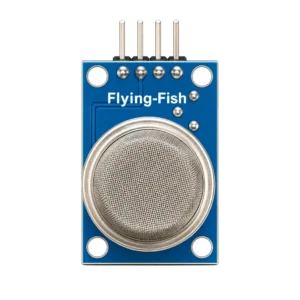
MQ2 Gas Sensor Module – Smoke & Flammable Gas Detection
The MQ2 Gas Sensor Module is a semiconductor-based gas detection sensor designed to detect smoke and combustible gases such as LPG, propane, methane and hydrogen. Featuring analog and digital outputs and an adjustable detection threshold, it is ideal for gas monitoring experiments, smoke alarm prototypes, IoT applications and DIY electronics projects.
Key Features:
- MQ-2 semiconductor gas sensing element
- Detects smoke and various combustible gases
- 5V operating supply
- Analog (AO) and digital (DO) outputs
- Adjustable digital detection threshold
- Blue PCB with 4-pin interface
- Suitable for Arduino, ESP32 and other compatible microcontroller circuits
Buy the MQ2 Gas Sensor Module online from Yagobotix with shipping across India and same-day delivery or pickup available in Surat.
Note: Intended for educational, experimental and prototype applications. Not a replacement for certified gas leakage or smoke alarms.
SKU: YGB-SEN-MQ2 -
Sensors, Distance & Motion
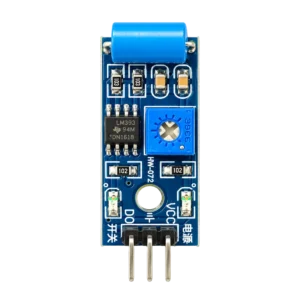
SW-420 Vibration Sensor Module
- Detect vibrations and physical disturbances in your electronics projects with the SW-420 Vibration Sensor Module. Featuring an LM393 comparator and adjustable sensitivity potentiometer, this module provides a digital output for vibration detection, shock alarms, security systems and DIY robotics projects.Features:
- SW-420 vibration detection sensor
- LM393 comparator
- Adjustable sensitivity
- 3-pin digital output: DO, GND and VCC
- Compatible with Arduino, ESP32 and other suitable microcontroller boards
- Ideal for vibration alarms and robotics projects
Order online from Yagobotix with shipping across India and same-day delivery or pickup available in Surat.
SKU: YGB-SEN-SW420 - Detect vibrations and physical disturbances in your electronics projects with the SW-420 Vibration Sensor Module. Featuring an LM393 comparator and adjustable sensitivity potentiometer, this module provides a digital output for vibration detection, shock alarms, security systems and DIY robotics projects.Features:
-
Light & Sound, Sensors
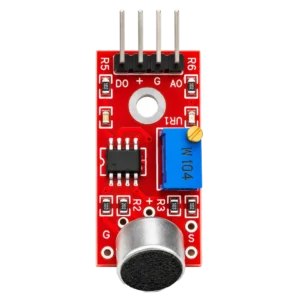
4 Pin Sound Sensor Module – Red PCB (Analog & Digital)
The 4 Pin Sound Sensor Module is a microphone-based sound detection sensor featuring analog and digital outputs, an adjustable detection threshold and a compact red PCB design. It is ideal for sound-activated lights, clap-controlled switches, noise detection experiments and interactive robotics projects.
Key Features:
- Built-in microphone for sound detection
- Analog (AO) and digital (DO) outputs
- Adjustable sound detection threshold
- Red PCB with onboard LED indicators
- Simple 4-pin interface
- Suitable for Arduino, ESP32 and other compatible microcontrollers
Buy the 4 Pin Sound Sensor Module online from Yagobotix with shipping across India and same-day delivery or pickup available in Surat.
SKU: YGB-SEN-SND-04-R -
Gas & Environment, Sensors
Water Level Sensor for Arduino | Water Level Sensor Module | Compatible with Arduino, ESP32 & ESP8266
-26%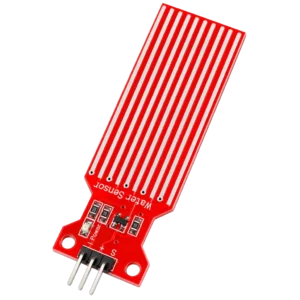 Gas & Environment, Sensors
Water Level Sensor for Arduino | Water Level Sensor Module | Compatible with Arduino, ESP32 & ESP8266
Detect water presence and monitor water levels in your DIY electronics projects with the Water Level Sensor Module. Compatible with Arduino Uno, Nano, ESP32, ESP8266 and other supported microcontroller boards, it is ideal for water detection, tank monitoring, automatic water alarms and IoT projects.
Features:
- Compatible with Arduino, ESP32 and ESP8266
- Easy to connect and use
- Suitable for DIY electronics and robotics projects
- Ideal for water detection and monitoring applications
Order online from Yagobotix with shipping across India, plus same-day delivery and pickup in Surat.
SKU: n/a
There are no reviews yet.