



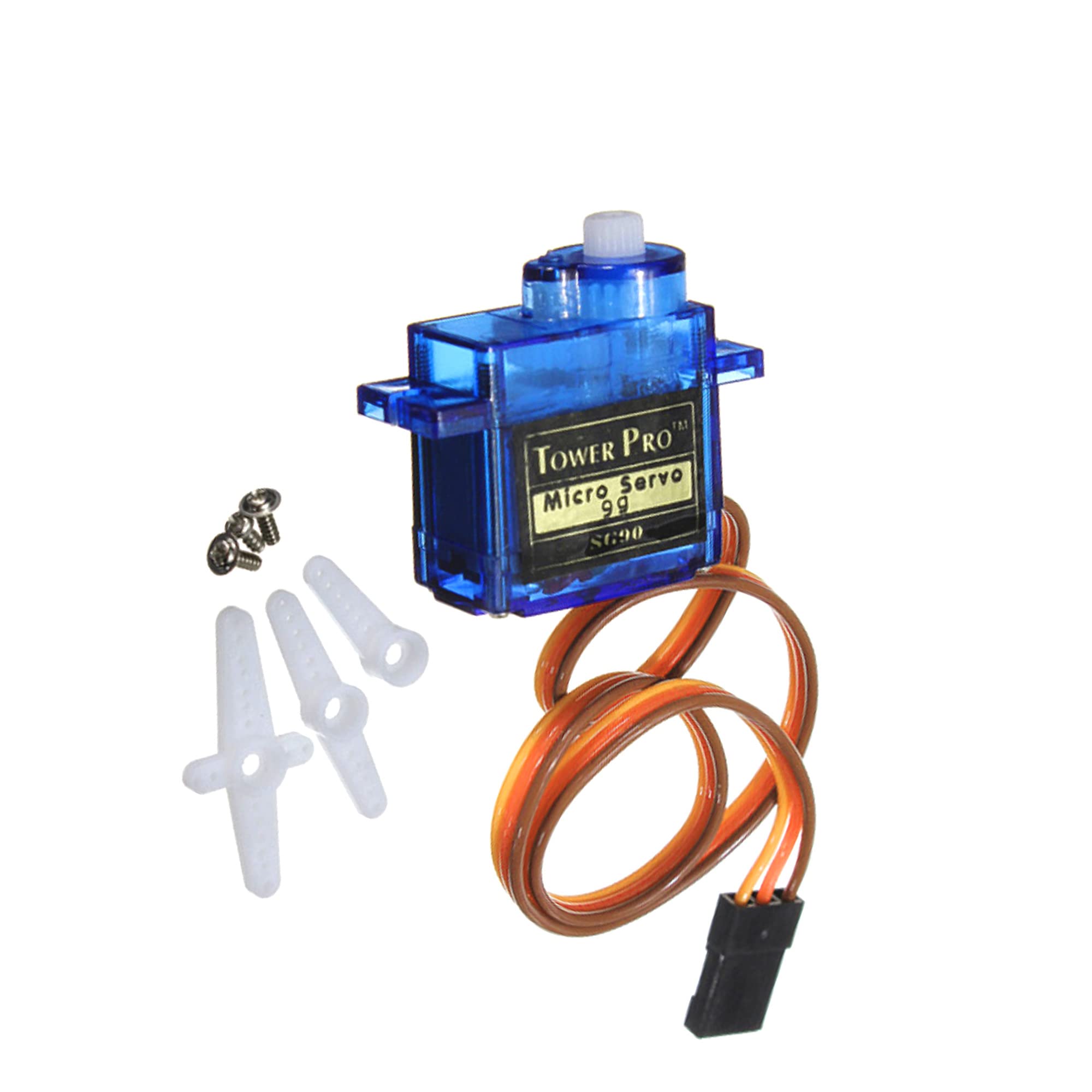
Tower Pro SG90 Servo Motor – 9g Mini/Micro Servo Motor
- Compact 9g micro servo motor
- Lightweight and suitable for small robotic projects
- Precise angular positioning
- Easy to control using Arduino and other microcontrollers
- Compatible with Arduino, ESP32, Raspberry Pi and other controllers
₹110.00 ₹130.00 (incl. GST)
Tower Pro SG90 Servo Motor 9g | Mini Micro Servo Motor for Arduino & Robotics
The Tower Pro SG90 9g Micro Servo Motor is a compact, lightweight servo motor designed for small robotics, Arduino projects, RC models, automation and DIY electronics.
Its small size and simple 3-wire control interface make it easy to connect to Arduino and other microcontroller boards. Unlike a standard DC motor, a servo motor allows you to control the angular position of the output shaft, making it useful for mechanisms that need controlled movement.
1. What is it?
The SG90 9g Micro Servo Motor is a small positional servo motor commonly used in beginner electronics and robotics projects.
It combines a small DC motor, gearbox, control electronics and position feedback mechanism inside a compact housing.
Instead of simply spinning continuously like a DC motor, the SG90 can be commanded to move its shaft to a particular position.
For example:
Arduino → Servo Signal → SG90 → Shaft moves to desired angle
It is an excellent choice for learning servo control and building small mechanical mechanisms.
2. What can you build with it?
The SG90 can be used in projects such as:
- 🤖 Robot arms
- 🚗 Steering mechanisms
- 🚪 Automatic door prototypes
- 📡 Sensor scanning systems
- 🎯 Pan-and-tilt mechanisms
- 🦾 Small robotic mechanisms
- 🐦 Moving wings and mechanisms
- 🔐 Servo-based locking prototypes
- 📦 Automatic dispenser mechanisms
- 🎓 School and college projects
- 🛩️ Small RC models
- 🧪 Arduino experiments
A popular beginner project is combining an ultrasonic sensor + SG90 servo to create a scanning system.
3. Who is it for?
Beginners
Learn how servo motors work and control them using Arduino.
Students
Build robotics, electronics and STEM projects.
Robotics learners
Use controlled angular movement in small robotic mechanisms.
Arduino users
Control mechanical components directly from a microcontroller.
Makers & hobbyists
Create compact automated mechanisms and prototypes.
Teachers & trainers
Useful for robotics classes, workshops and demonstrations.
4. How does it work?
The SG90 uses a 3-wire interface:
- Power
- Ground
- Control Signal
The control signal is typically a PWM-style servo control signal.
The Arduino sends a control signal corresponding to the desired shaft position.
For example:
Arduino → 0° → Servo moves toward one end
Arduino → 90° → Servo moves toward the center
Arduino → 180° → Servo moves toward the other end
The exact usable angular range can vary by servo and should not be forced beyond its mechanical limits.
5. Technical Specifications
| Specification | Details |
|---|---|
| Model | SG90 |
| Type | Micro Servo Motor |
| Weight | Approx. 9g |
| Operating Voltage | Typically 4.8V–6V |
| Control | Servo PWM signal |
| Interface | 3-wire |
| Motor Type | Geared DC motor with position control |
| Suitable For | Arduino, robotics, RC & DIY projects |
| Gearbox | Plastic gears |
| Servo Type | Positional servo |
| Connector | 3-pin servo connector |
Typical SG90 characteristics
Depending on the manufacturer and version, SG90 servos are commonly specified around:
- Operating angle: approximately 180°
- Compact size: approximately 23 × 12.2 × 29 mm
- Speed: around 0.1 sec/60° at approximately 4.8V
Note: Specifications can vary between genuine Tower Pro SG90 units and compatible/cloned versions. Check the actual product specification supplied by Yagobotix for guaranteed values.
6. Pinout
The SG90 uses three connections.
| Wire | Function | Connection |
|---|---|---|
| Red | VCC | 5V |
| Brown/Black | GND | GND |
| Orange/Yellow | Signal | Arduino PWM-capable/control pin |
Important
Wire colors can vary between manufacturers.
Do not rely only on wire color. Check the connector and product labeling before powering the servo.
7. Wiring Diagram
SG90 → Arduino Uno
| SG90 | Arduino Uno |
|---|---|
| VCC | 5V |
| GND | GND |
| Signal | D9 |
Basic connection
Red → 5V
Brown/Black → GND
Orange/Yellow → D9
For a single small servo, the Arduino 5V supply may work for basic experiments. However, servos can draw significant current, particularly when starting or under mechanical load.
For projects using multiple servos or higher loads, use a suitable external 5V power supply and connect its GND to Arduino GND.
8. Example Code
Move SG90 from 0° to 180°
#include <Servo.h>

Servo myServo;

void setup() {
  myServo.attach(9);
}

void loop() {

  myServo.write(0);
  delay(1000);

  myServo.write(90);
  delay(1000);

  myServo.write(180);
  delay(1000);
}
What does this code do?
The Arduino moves the SG90 to:
0° → 90° → 180°
and repeats the sequence.
You can change the angle values to create different movements for your project.
9. Beginner Project
🤖 Arduino Servo-Controlled Barrier
Build a simple automatic parking barrier using:
Components
- Arduino Uno
- SG90 Servo Motor
- Ultrasonic Sensor
- Breadboard
- Jumper wires
- Optional LEDs
Working
The ultrasonic sensor detects an approaching object.
When an object comes within the programmed distance:
Object detected → Arduino → SG90 rotates → Barrier opens
After a delay:
SG90 returns → Barrier closes
This project teaches:
- Servo control
- Sensor input
- Conditional programming
- Distance measurement
- Basic automation
10. Related Products
Pair the SG90 with:
- Arduino Uno R3 Compatible Board
- Arduino Nano
- Ultrasonic Sensor HC-SR04
- Breadboard
- Jumper Wire Kit
- 5V Power Supply
- Servo Extension Cable
- Potentiometer
- Joystick Module
- PIR Motion Sensor
- IR Sensor Module
- Robot Chassis
- Servo Brackets
Recommended beginner combination
Arduino Uno + SG90 + HC-SR04 + Breadboard + Jumper Wires
This combination can be used for several beginner robotics projects.
11. Related Tutorials
Recommended tutorials for this product:
- How to Control an SG90 Servo with Arduino
- Arduino Servo Motor Tutorial for Beginners
- How to Control Servo Angle Using a Potentiometer
- Arduino Ultrasonic Sensor + Servo Project
- Build an Automatic Barrier with Arduino
- Build a Servo-Based Pan-and-Tilt System
- How PWM Controls a Servo Motor
- Arduino Robotics Projects for Beginners
12. Frequently Asked Questions
What is an SG90 servo motor?
The SG90 is a compact micro servo motor commonly used for Arduino, robotics, RC and DIY projects.
Is the SG90 compatible with Arduino?
Yes. It can be controlled directly from Arduino using the Servo library.
What voltage does the SG90 use?
Typical SG90 servos operate around 4.8V–6V, but always verify the specification of your particular unit.
How many wires does the SG90 have?
It normally has three wires:
Power + Ground + Signal
Can I control the SG90’s angle?
Yes. The servo is designed for positional control. You can command different shaft positions using Arduino.
Can it rotate continuously?
A standard SG90 is a positional servo, not a continuous-rotation servo. Do not assume a standard SG90 will provide continuous 360° rotation.
Can I power the servo directly from Arduino?
A single small servo may work from the Arduino 5V supply during light-load experiments, but servo current can fluctuate significantly.
For multiple servos or mechanically loaded applications, use an appropriate external power supply.
Can I use it for a robot arm?
Yes, for small and lightweight mechanisms. The SG90 is not intended for heavy robotic arms or high-load applications.
Can I use multiple SG90 servos?
Yes. However, multiple servos can require considerably more current. An external power supply is recommended for multi-servo projects.
Which Arduino pin should I use?
The signal wire can be connected to a suitable digital pin. In the example above, D9 is used.
13. What is Included?
Package Contents:
- 1 × SG90 9g Micro Servo Motor
- Servo horn/accessories, if included with the specific product variant
Note: Arduino board, breadboard, jumper wires and other components shown in project examples are not included unless specifically mentioned in the product package.
14. Compatibility
The SG90 can be used with many development platforms and control systems capable of generating the appropriate servo control signal.
Compatible platforms include:
- Arduino Uno
- Arduino Nano
- Arduino Mega
- ESP32*
- ESP8266*
- Raspberry Pi* with suitable servo control hardware/software
- RC receivers
- Other compatible microcontroller boards
*Check the control-signal voltage requirements and provide an appropriate power supply for the servo.
15. Start Building with Controlled Motion
Add precise mechanical movement to your next electronics or robotics project with the SG90 9g Micro Servo Motor.
From robot arms and automatic barriers to pan-and-tilt systems and sensor-based automation, the SG90 is a practical way to introduce controlled motion into your projects.
👉 Add the SG90 Servo Motor to your cart and start building with Yagobotix.
Based on 0 reviews
Only logged in customers who have purchased this product may leave a review.
Related products
-
DC Motors, Motors & Actuators
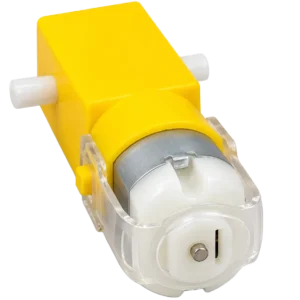
BO Motor Dual Shaft for Robot Car
Build your own robotic vehicle with this BO Motor Dual Shaft DC Geared Motor. Featuring a compact yellow gearbox and dual-sided output shafts, it is suitable for DIY robot cars, obstacle-avoiding robots, line-following robots and educational robotics projects.
Features:
- Dual-sided output shaft design
- Compact BO-style geared motor
- Suitable for DIY robot cars and robotics projects
- Compatible with suitable motor driver modules
- Can be used in Arduino and ESP32-based robotics projects
Order online from Yagobotix with shipping across India and same-day delivery or pickup available in Surat.
SKU: YGB-MOT-BO-DS -
Motors & Actuators, Water Pumps
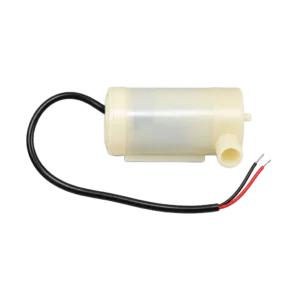
Mini Submersible Water Pump – 3–6V DC
The Mini Submersible Water Pump is a compact 3–6V DC water pump designed for small water circulation systems, automatic plant watering, mini fountains and DIY electronics projects. Its lightweight plastic housing and horizontal design make it suitable for educational models and water automation prototypes.
Key Features:
- Operating voltage: 3–6V DC
- Compact horizontal submersible design
- Lightweight plastic housing
- Simple two-wire power connection
- Suitable for Arduino and ESP32 projects using a compatible driver circuit
- Ideal for smart irrigation, mini fountains and automatic watering systems
Note: Keep the pump submerged in water during operation. Do not run it dry.
Buy the Mini Submersible Water Pump online from Yagobotix with shipping across India and same-day delivery or pickup available in Surat.
SKU: YGB-PMP-SUB-36V
There are no reviews yet.