


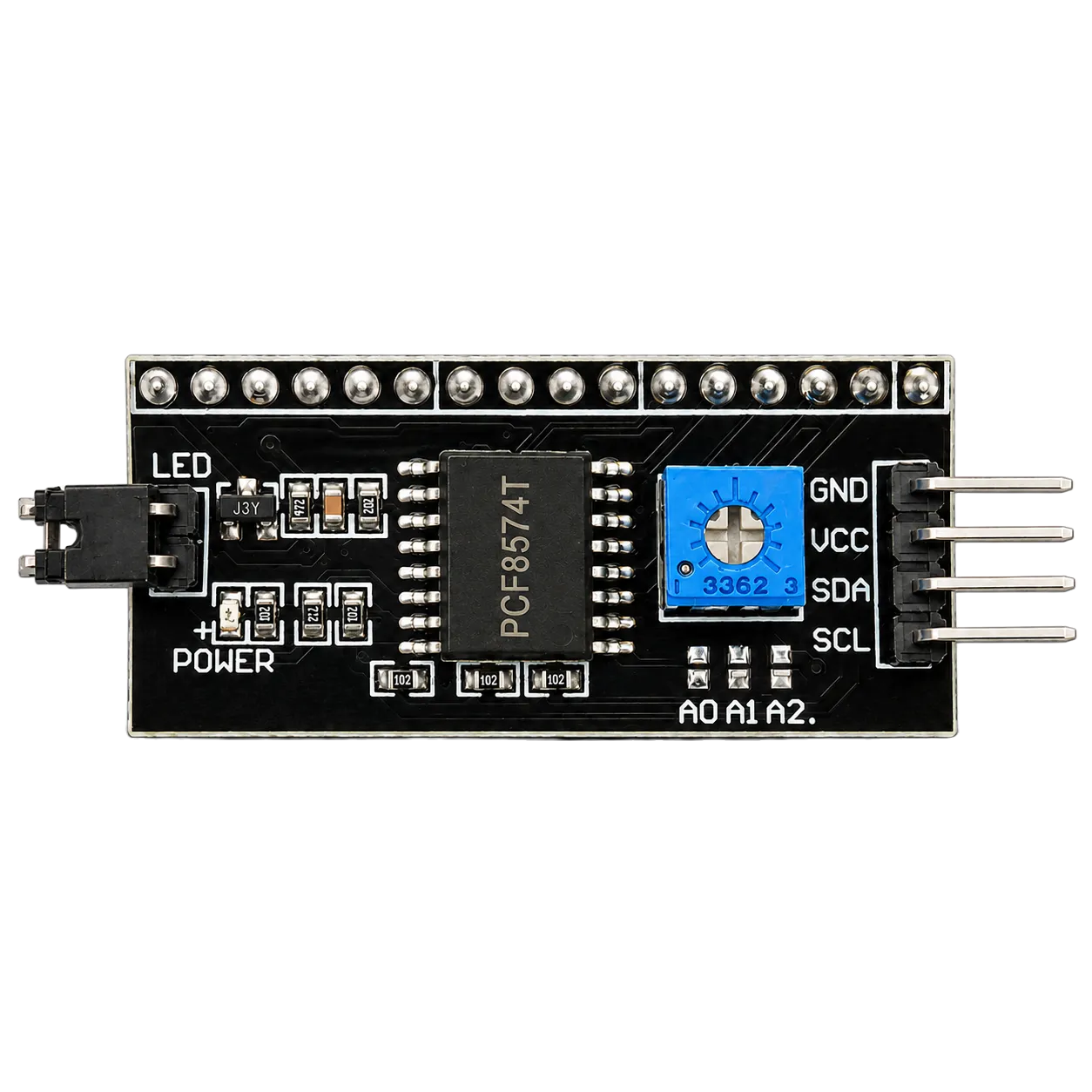
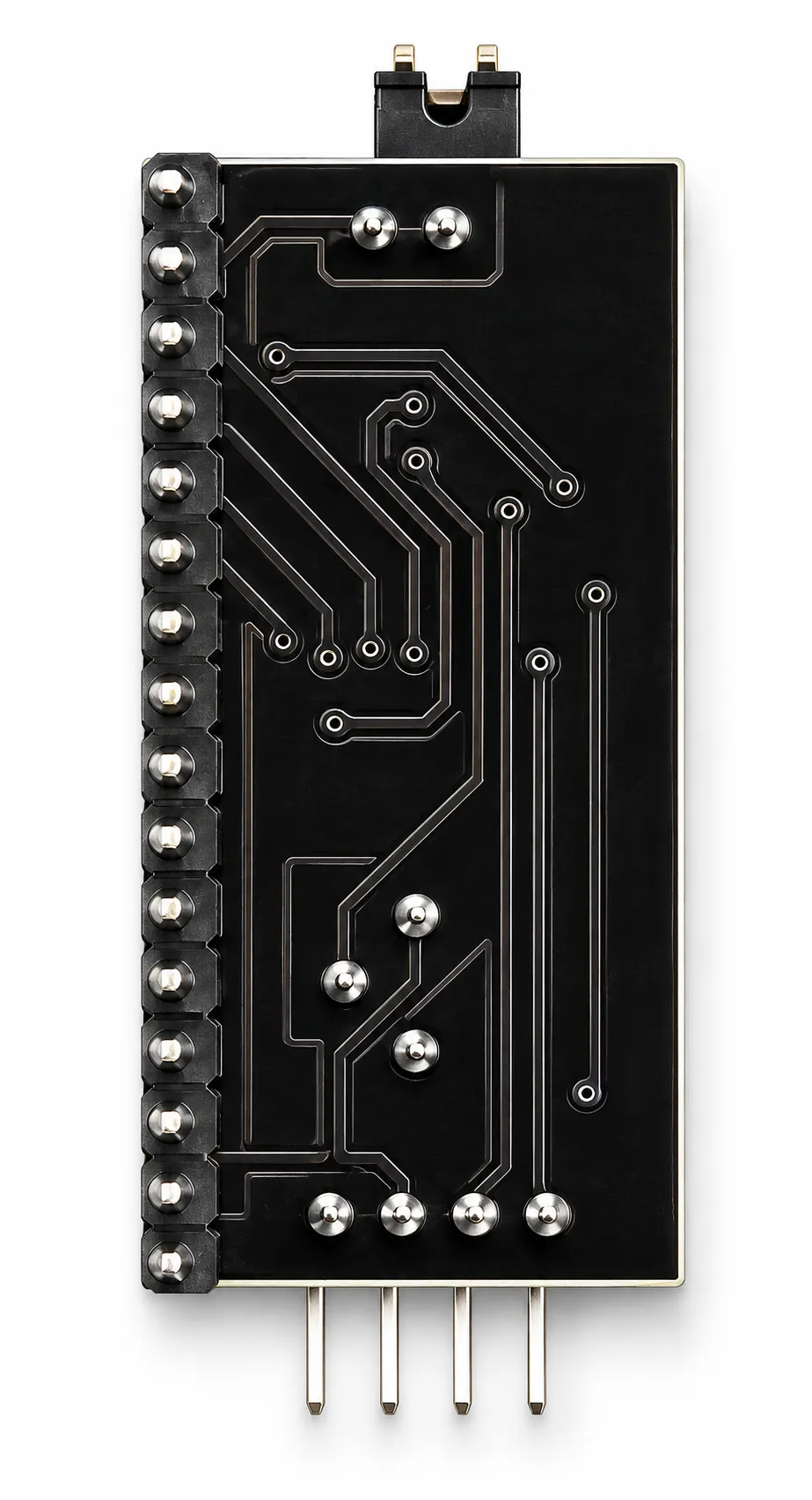
I2C Interface Adapter Module for 16×2/20×4 LCD
The I2C LCD Adapter Module is a serial interface converter designed for compatible 16×2 and 20×4 character LCD displays. It reduces the number of microcontroller connections required by allowing the LCD to communicate using an I2C interface.
Key Features:
- I2C interface for compatible character LCDs
- Common PCF8574-based design
- 4-pin connection: GND, VCC, SDA and SCL
- Onboard LCD contrast adjustment potentiometer
- Simplifies Arduino LCD wiring
- Compatible with 16×2 and 20×4 HD44780-type LCD modules
- Suitable for Arduino and other compatible microcontrollers
Package Includes: 1 × I2C LCD Interface Adapter Module only.
Important: The LCD display is NOT included. Soldering may be required to attach the adapter to your existing LCD.
Buy the I2C LCD Adapter Module online from Yagobotix, with shipping across India and same-day delivery or pickup available in Surat.
₹60.00 (incl. GST)
I2C Interface Adapter Module for 16×2/20×4 LCD
1. What Is an I2C LCD Adapter Module?
The I2C LCD Adapter Module is a compact interface board designed to convert compatible parallel character LCD displays into I2C-controlled displays.
It is commonly used with 16×2 and 20×4 LCD modules that follow the HD44780-compatible interface.
The adapter reduces the wiring required between a microcontroller and the LCD, making display projects easier to assemble.
This product includes the adapter module only. The LCD screen is sold separately.
2. What Can You Build With It?
- Arduino LCD interfaces
- Digital sensor monitoring displays
- Temperature and humidity monitoring projects
- Electronic timers
- Embedded control panels
- Smart home monitoring prototypes
- Robotics information screens
- Custom microcontroller projects
- Upgrades to existing parallel LCD displays
3. Who Is It For?
The I2C LCD Adapter Module is suitable for:
- Arduino beginners
- Students and electronics hobbyists
- Robotics developers
- Embedded systems enthusiasts
- DIY electronics makers
- Users upgrading an existing 16×2 or 20×4 LCD
It is especially useful for projects where the microcontroller has limited available GPIO pins.
4. How Does an I2C LCD Adapter Work?
The adapter uses an I2C I/O expander, commonly the PCF8574 or PCF8574A, to control the LCD’s parallel interface.
Instead of connecting several LCD control and data lines directly to the microcontroller, the adapter receives data through two I2C communication signals:
- SDA – Serial Data
- SCL – Serial Clock
The adapter then drives the appropriate LCD control and data connections.
Communication process:
Microcontroller → I2C SDA/SCL → Interface Adapter → LCD Parallel Signals → Displayed Characters
The adapter also commonly provides an onboard potentiometer for adjusting LCD contrast.
5. Technical Specifications
| Specification | Details |
|---|---|
| Product Type | LCD I2C Interface Adapter |
| Typical Controller | PCF8574 / PCF8574A |
| Communication Protocol | I2C |
| Connection Pins | 4 |
| Pin Functions | GND, VCC, SDA, SCL |
| Typical Module Supply | 5V DC |
| Common Default Address | 0x27 or 0x3F |
| Address Configuration | Depends on IC and solder jumpers |
| LCD Compatibility | Common 16×2 and 20×4 HD44780-type displays |
| Contrast Adjustment | Onboard potentiometer |
| LCD Interface | 16-position parallel connection |
| LCD Screen Included | No |
The exact I2C address and controller depend on the adapter variant.
6. I2C LCD Adapter Pinout
| Pin | Function |
|---|---|
| GND | Ground |
| VCC | Positive power supply |
| SDA | I2C serial data |
| SCL | I2C serial clock |
The adapter also features a connection area that mates with a compatible LCD’s 16-pin header.
Verify the printed pin labels and connector orientation before installation.
7. How to Connect the I2C LCD Adapter to Arduino
Required components:
- I2C LCD Adapter Module
- Compatible 16×2 LCD display
- Arduino Uno
- Jumper wires
- Soldering equipment if the adapter is not already fitted
Arduino Uno wiring:
| I2C Adapter | Arduino Uno |
|---|---|
| GND | GND |
| VCC | 5V |
| SDA | A4 |
| SCL | A5 |
The adapter must be correctly attached to the compatible LCD before displaying text.
8. Arduino Example Code
The following program identifies the address of an I2C device connected to Arduino.
It is useful when identifying the I2C address of an LCD adapter.
#include <Wire.h>

void setup() {
  Wire.begin();
  Serial.begin(9600);
  Serial.println("I2C Scanner");
}

void loop() {
  for (byte address = 1; address < 127; address++) {
    Wire.beginTransmission(address);

    if (Wire.endTransmission() == 0) {
      Serial.print("Found: 0x");

      if (address < 16) {
        Serial.print("0");
      }

      Serial.println(address, HEX);
    }
  }

  delay(3000);
}
Open the Serial Monitor at 9600 baud to view detected I2C addresses.
Common addresses for LCD backpacks include 0x27 and 0x3F, although other addresses are possible.
9. Beginner Project: Convert a Parallel LCD to I2C
Project goal: Upgrade an existing 16×2 LCD to an I2C-controlled display.
Required components:
- 16×2 LCD Display
- I2C LCD Adapter Module
- Arduino Uno
- Jumper wires
- Soldering equipment, if required
Project steps:
- Identify the LCD’s 16-pin interface.
- Check that the adapter is compatible.
- Align the adapter and LCD connections correctly.
- Solder the adapter to the LCD if necessary.
- Connect GND, VCC, SDA and SCL to Arduino.
- Upload the I2C scanner program.
- Identify the adapter address.
- Install a compatible I2C LCD library.
- Display text on the LCD.
This project demonstrates I2C communication and the conversion of a parallel display into a simplified serial interface.
10. Related Products
- 16×2 LCD Display Module – Without I2C
- 16×2 LCD Display with I2C Interface
- Arduino Uno R3 Compatible Board
- Arduino Nano
- ESP32 Development Board
- Jumper Wires
- Soldering Accessories
- Breadboard
11. Related Tutorials
- How to Connect an I2C LCD Adapter to Arduino
- How to Convert a 16×2 LCD to I2C
- I2C LCD Address Scanner Tutorial
- How to Fix a Blank I2C LCD Screen
- PCF8574 I2C Adapter Explained
- Parallel LCD vs I2C LCD
12. Frequently Asked Questions
Does this product include the LCD screen?
No. This product includes only the I2C interface adapter.
What is the purpose of the adapter?
It allows a compatible parallel character LCD to communicate using I2C.
Can it be used with a 16×2 LCD?
Yes, if the LCD has a compatible HD44780-style interface and pin layout.
Can it be used with a 20×4 LCD?
Many 20×4 character LCDs use a compatible interface, but the specific display and adapter must be checked.
Does this adapter need soldering?
Soldering may be required to attach the adapter to the LCD, depending on the supplied connector arrangement.
What is the default I2C address?
Many adapters use 0x27 or 0x3F. The address should be verified using an I2C scanner.
Does the adapter contain a potentiometer?
The common PCF8574-style LCD backpack has an onboard contrast adjustment potentiometer.
Does this product work without an LCD?
The adapter can be addressed over I2C, but it cannot display text without a compatible LCD connected.
13. What Is Included?
- 1 × I2C LCD Interface Adapter Module
Not included: 16×2 LCD, 20×4 LCD, Arduino, jumper wires and soldering equipment.
Any loose pin headers should be listed separately if they are supplied.
14. Compatibility
Designed for compatible parallel character LCD displays, including many 16×2 and 20×4 modules.
Common controller platforms include:
- Arduino Uno
- Arduino Nano
- Arduino Mega
- ESP32 with suitable interface voltage compatibility
- Raspberry Pi with suitable level shifting
- STM32 development boards
A typical 5V LCD backpack is not automatically safe for direct connection to 3.3V GPIO because the I2C pull-up voltages must also be considered.
15. Buy I2C LCD Adapter Module Online in India
Simplify the wiring of your existing character LCD with the I2C LCD Adapter Module from Yagobotix.
This compact interface board allows compatible 16×2 and 20×4 displays to communicate through I2C, helping reduce microcontroller pin usage.
The product is ideal for upgrading LCD modules, Arduino projects and embedded electronics.
Shipping is available across India, with same-day delivery and pickup services in Surat, subject to availability.
Add the I2C LCD Adapter Module to your cart and upgrade your LCD project today!
Based on 0 reviews
Only logged in customers who have purchased this product may leave a review.
Related products
-
Display Modules, Modules
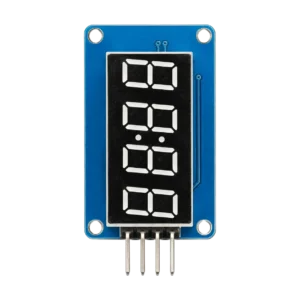
TM1637 4 Digit Display Module
The TM1637 4 Digit Display Module is a digital LED display designed to show numbers, time, counters and other numeric information in electronics projects. Featuring an onboard TM1637 driver IC and a simple 2-wire communication interface, it can be easily connected to Arduino, ESP32 and other compatible microcontroller boards.
Features:
- Four-digit 7-segment LED display
- Built-in TM1637 display driver IC
- Simple CLK and DIO communication interface
- Colon separator for clock and timer projects
- Four-pin connection: VCC, GND, CLK and DIO
- Suitable for Arduino, ESP32 and DIY electronics projects
Ideal for digital clocks, timers, counters, temperature displays and robotics projects. Order online from Yagobotix with shipping across India and same-day delivery or pickup available in Surat.
SKU: YGB-DSP-TM1637 -
Modules, Display Modules, Pre-Soldered Electronic Modules
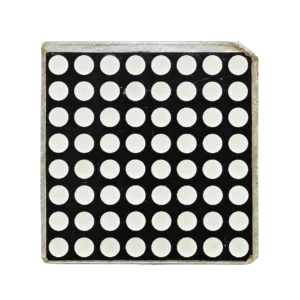
MAX7219 8×8 LED Matrix Module
The MAX7219 8×8 LED Matrix Module is a compact dot matrix display featuring 64 LED pixels controlled by a MAX7219 driver IC. It is ideal for displaying characters, numbers, symbols, animations and scrolling messages in electronics projects.
Key Features:
- 8×8 LED dot matrix with 64 pixels
- MAX7219 LED display driver IC
- 5V DC operating supply
- Three-wire serial communication interface
- Programmable display brightness
- Supports cascading multiple compatible modules
- Suitable for Arduino, ESP32 and other compatible microcontrollers
Available Assembly Options:
- Pre-Soldered: Ready to connect, no assembly soldering required.
- Unsoldered: DIY assembly kit for electronics enthusiasts and soldering practice.
Buy the MAX7219 8×8 LED Matrix Module online from Yagobotix with shipping across India and same-day delivery or pickup available in Surat.
SKU: n/a -
Display Modules, Modules
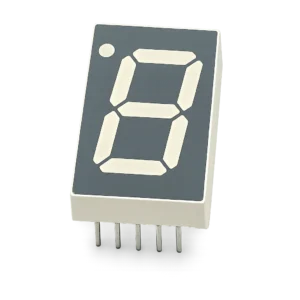
Single Digit 7 Segment Display – 0.56 Inch Red Common Anode
The Common Anode 7 Segment Display is a compact, single-digit LED display designed to show numbers from 0 to 9, selected characters and a decimal point. Featuring a common positive connection and individually controlled LED segments, it is ideal for digital counters, numeric indicators, timers and DIY electronics projects.
Key Features:
- Single-digit seven-segment LED display
- Common anode (CA) configuration
- Individually controlled LED segments
- Through-hole PCB mounting
- Suitable for Arduino, ESP32 and custom electronic circuits
- Ideal for counters, timers and educational electronics projects
Buy the Common Anode 7 Segment Display online from Yagobotix with shipping across India and same-day delivery or pickup available in Surat.
SKU: YGB-DSP-7SEG-056-CA -
Display Modules, Modules
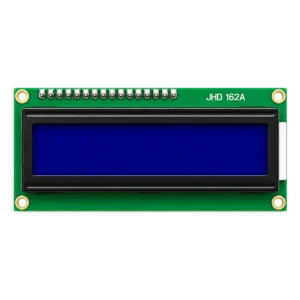
16×2 LCD Display with I2C Interface – Blue Backlight
The 16×2 LCD Display with I2C Interface – Blue Backlight combines a 16-character × 2-line LCD with a compatible I2C interface adapter, allowing simple text display using only four microcontroller connections.
Key Features:
- 16 characters × 2 lines
- Blue backlight with light-coloured characters
- I2C interface with GND, VCC, SDA and SCL connections
- Compatible PCF8574-based adapter design
- Adjustable display contrast
- Typical 5V supply
- Reduced wiring compared with a standard 16-pin parallel LCD
- Suitable for Arduino, sensor displays and embedded projects
- Pre-soldered and tested by Yagobotix, when ordered as the assembled version
Package Includes: 1 × 16×2 LCD Display + 1 × compatible I2C interface adapter, assembled together.
Important: This is the complete LCD + I2C combination, not the standalone LCD or standalone adapter.
Buy online from Yagobotix with shipping across India and same-day delivery or pickup available in Surat.
SKU: YGB-DIS-LCD1602-I2C
There are no reviews yet.