


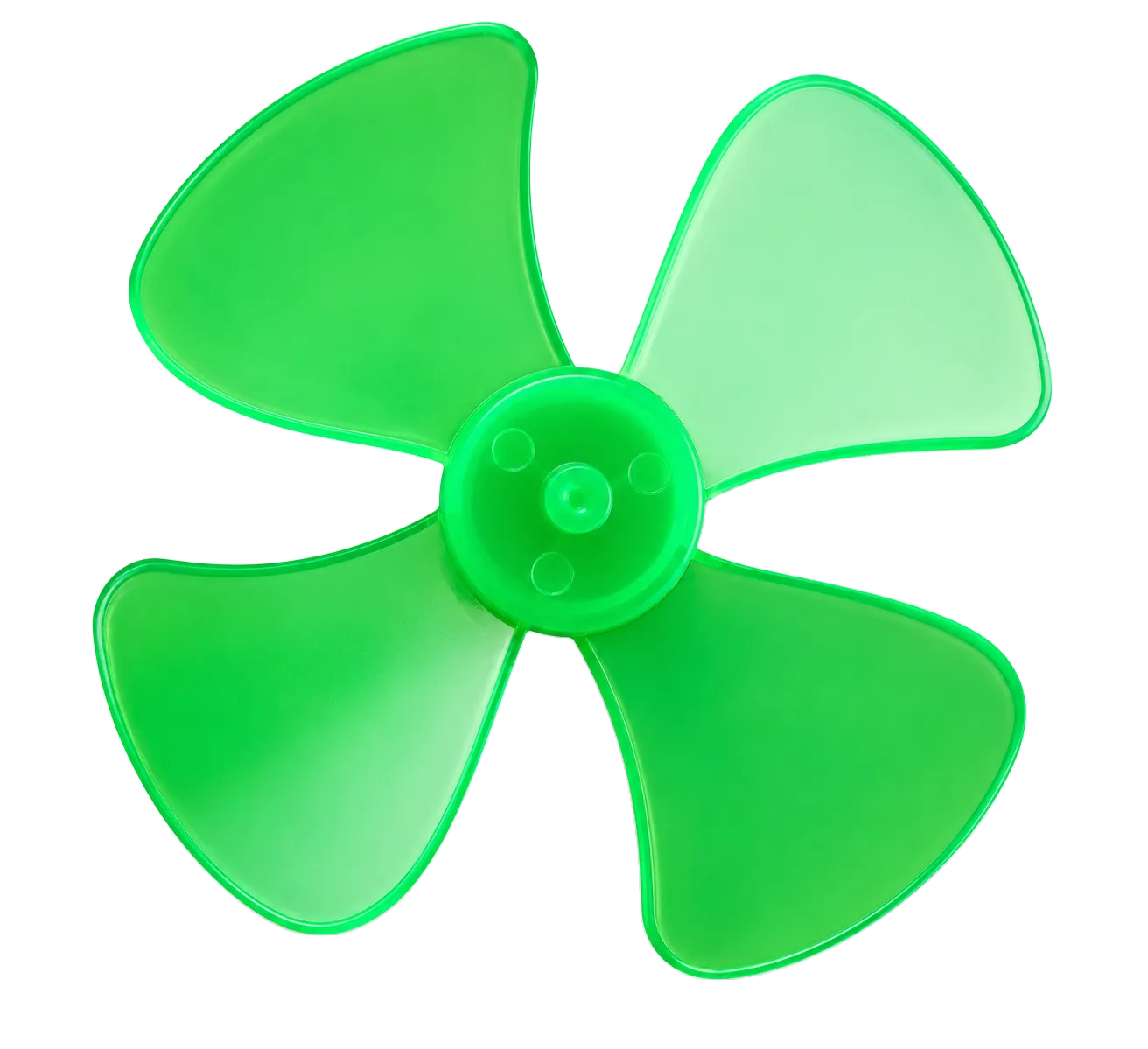
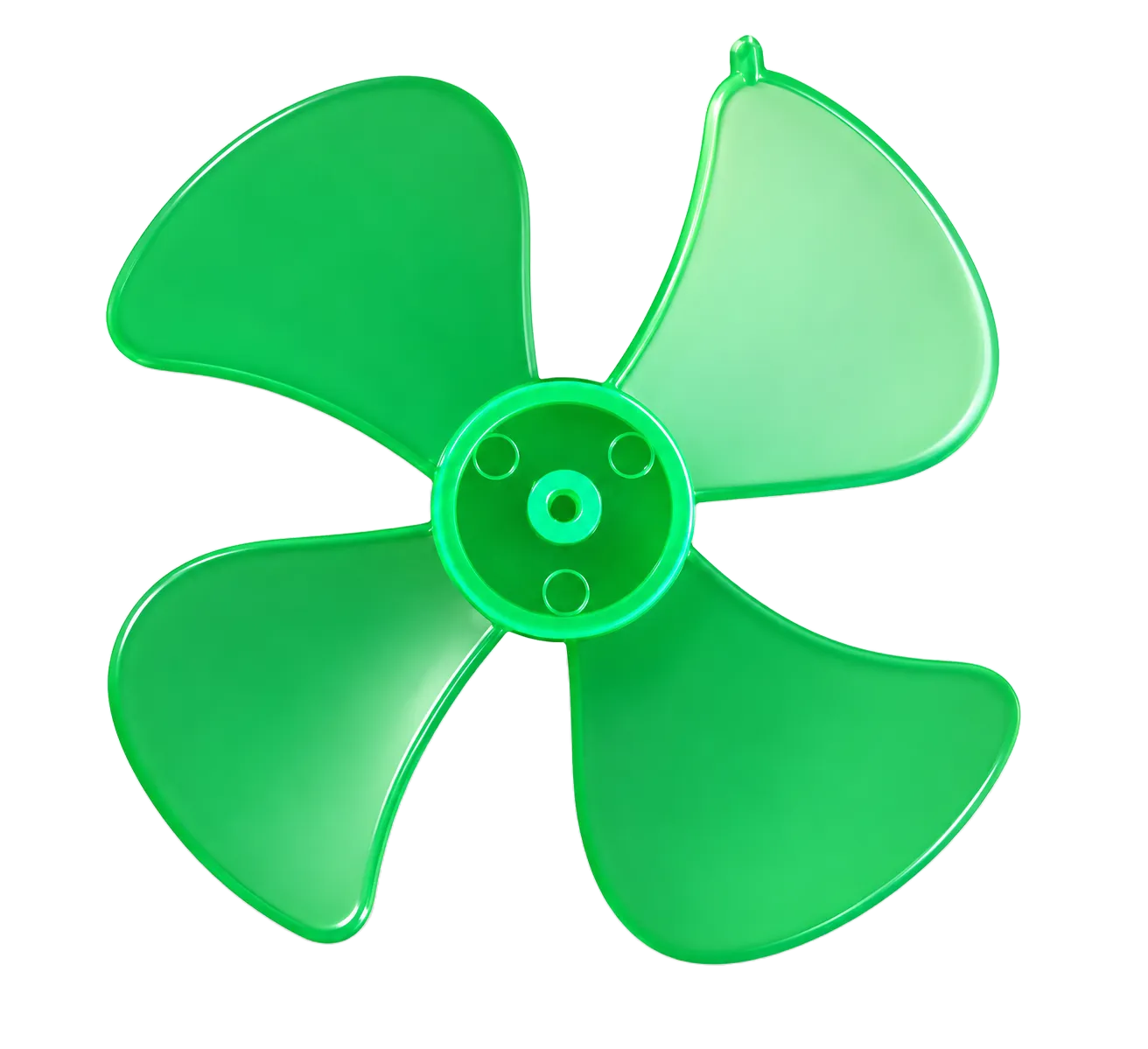
DC Motor Fan Blade – 4 Blade Plastic Propeller (Green)
The DC Motor Fan Blade – 4 Blade Plastic Propeller (Green) is a lightweight fan attachment designed for compatible miniature DC motors. Featuring four curved plastic blades, a central mounting hub and a translucent green finish, it is suitable for DIY mini fans, science experiments, motor demonstrations and educational robotics projects.
Key Features:
- Four-blade plastic fan propeller
- Translucent green colour
- Lightweight construction for small DC motor applications
- Central mounting hole for attachment to compatible motor shafts
- Designed for miniature fan and airflow experiments
- Suitable for DIY electronics and school science projects
- Can be used with compatible DC toy motors
- No soldering required for the fan blade itself
- Reusable for educational experiments
- Ideal for beginners, makers and robotics enthusiasts
Package Includes: 1 × DC Motor Fan Blade – 4 Blade Plastic Propeller (Green).
Important: DC motor, wires, batteries and power supply are not included. Check the fan blade’s central mounting hole against your motor shaft before purchasing. Always operate with appropriate guarding and keep fingers, hair and loose objects away from rotating blades.
Buy the DC Motor Fan Blade online from Yagobotix with delivery across India and same-day delivery options in Surat, subject to availability.
DC Motor Fan Blade – 4 Blade Plastic Propeller (Green)
1. What Is a DC Motor Fan Blade?
The DC Motor Fan Blade is a lightweight plastic propeller designed to fit onto the shaft of a compatible miniature DC motor.
It features four curved blades that rotate with the motor shaft to move air.
This Yagobotix version comes in a translucent green colour with a central mounting hub.
The fan blade is commonly used for DIY mini fans, science projects, airflow experiments and beginner electronics activities.
This product includes the fan blade only. A DC motor must be purchased separately.
2. What Can You Build With a DC Motor Fan Blade?
The DC Motor Fan Blade is suitable for projects such as:
- DIY mini electric fans
- Battery-powered fan experiments
- Arduino-controlled mini fan prototypes
- DC motor speed control experiments
- School science projects
- Airflow demonstrations
- Motor rotation experiments
- Educational STEM activities
- Miniature ventilation demonstrations
- Simple robotics prototypes
- PWM motor speed control projects
- Basic electronics learning kits
The fan blade is intended for small educational and hobby applications rather than industrial ventilation.
3. Who Is It For?
This DC Motor Fan Blade is suitable for:
- School students
- College and engineering students
- Arduino beginners
- Robotics enthusiasts
- Electronics hobbyists
- DIY makers
- STEM educators
- Science exhibition participants
It is particularly useful for learning how electrical energy can be converted into mechanical rotation and airflow.
4. How Does a DC Motor Fan Blade Work?
A DC motor converts electrical energy into mechanical rotation.
When the fan blade is fitted securely onto the motor shaft, it rotates along with the motor.
The curved blades move air as they rotate, producing airflow.
Working Principle
DC Power Supply → DC Motor → Rotating Shaft → Fan Blade → Airflow
Factors Affecting Performance
The airflow produced depends on:
- Motor rotational speed
- Blade size and shape
- Direction of rotation
- Motor torque
- Supply voltage
- Mechanical fit between the shaft and hub
The fan blade does not contain electrical components or generate airflow by itself. It requires a suitable rotating motor.
5. Technical Specifications
| Specification | Details |
|---|---|
| Product | DC Motor Fan Blade |
| Type | Plastic Fan Propeller |
| Number of Blades | 4 |
| Colour | Translucent Green |
| Material | Plastic |
| Mounting | Central hub |
| Fan Diameter | To be verified |
| Shaft Hole Diameter | To be verified |
| Motor Compatibility | Compatible miniature DC motor shafts |
| Power Requirement | Depends on connected motor |
| Electrical Contacts | None |
| Soldering Required | No |
| Motor Included | No |
| Quantity | 1 Piece |
Important Technical Notes
- Fan dimensions must be verified before confirming compatibility.
- The fan blade itself has no voltage rating.
- The required voltage depends on the selected DC motor.
- A loose fan blade can detach during rotation.
- Do not force the hub onto an oversized motor shaft.
- Avoid operating the fan at excessive speeds.
- Use a suitable protective enclosure or guard when operating the fan.
- Do not use this hobby propeller in safety-critical or industrial cooling systems.
6. DC Motor Fan Blade Mounting Hole
The fan blade has a central mounting hole located in its circular hub.
This hole is designed to fit onto a compatible motor shaft.
Unlike electronic sensor modules, the fan blade has no VCC, GND, signal pins or electronic pinout.
Mounting Information
| Component | Function |
|---|---|
| Central hole | Accepts compatible motor shaft |
| Central hub | Supports attachment to the motor |
| Four curved blades | Move air during rotation |
| Outer blade edges | Define the fan’s overall diameter |
Compatibility Note
Small DC hobby motors are available with different shaft diameters.
Measure the hole and motor shaft before fitting the fan. A secure, correctly sized connection is essential for safe rotation.
7. How to Attach a DC Motor Fan Blade
Required Components
- 1 × DC Motor Fan Blade
- 1 × Compatible Mini DC Motor
- Suitable DC power supply
- Connecting wires
- Motor mounting bracket or stable support
Installation Steps
- Disconnect the motor from its power supply.
- Check the motor shaft diameter.
- Compare the shaft with the fan blade’s centre hole.
- Align the fan blade hub with the motor shaft.
- Gently press the fan onto the shaft without bending the blades.
- Ensure that the fan is centred and securely attached.
- Mount the motor securely.
- Keep the rotating area clear and use appropriate guarding.
- Apply power according to the motor’s specifications.
- Observe the fan from a safe distance.
Do not operate a loose or damaged fan blade.
8. Does a DC Motor Fan Blade Require Arduino Code?
No. The fan blade is a mechanical component and does not require programming.
It rotates when an appropriately powered DC motor drives its shaft.
However, Arduino can be used to control the speed of a compatible motor through a motor driver or suitable transistor/MOSFET circuit.
Arduino PWM Motor Speed Example
The following code generates a PWM control signal on Arduino pin D9.
const int motorControlPin = 9;

void setup() {
  pinMode(motorControlPin, OUTPUT);
}

void loop() {
  // Low speed
  analogWrite(motorControlPin, 80);
  delay(3000);

  // Medium speed
  analogWrite(motorControlPin, 160);
  delay(3000);

  // Higher speed
  analogWrite(motorControlPin, 230);
  delay(3000);

  // Stop motor
  analogWrite(motorControlPin, 0);
  delay(2000);
}
Important
Arduino D9 must connect to the control input of a properly designed motor driver.
Never connect a DC motor directly to an Arduino GPIO pin.
Use an appropriate external motor supply, motor driver and flyback protection.
9. Beginner Project: DIY Mini DC Motor Fan
Project Objective
Build a small battery-powered fan using a DC motor and plastic fan blade.
Components Required
- 1 × DC Motor Fan Blade
- 1 × Compatible Mini DC Motor
- 1 × Suitable Battery Holder
- Suitable Batteries
- 1 × On/Off Switch
- Connecting Wires
- Motor Mount or Holder
Connection Diagram
Battery Positive (+) → On/Off Switch → DC Motor Positive Terminal
DC Motor Negative Terminal → Battery Negative (−)
How the Project Works
- Attach the fan blade to the motor shaft.
- Mount the motor securely.
- Connect the switch in series with the battery and motor.
- Ensure that the motor supply matches its specifications.
- Keep the rotating blades guarded.
- Turn on the switch to power the motor.
- The motor shaft rotates, turning the fan blade.
- Turn off the switch to stop the motor.
What Will Students Learn?
- DC motor operation
- Electrical circuits
- Mechanical rotation
- Energy conversion
- Battery and switch connections
- Basic airflow principles
- Safe mechanical assembly
10. Related Products
Complete your DC motor fan project with:
- Mini DC Toy Motor
- DC Motor Driver Module
- Arduino Uno R3 Compatible Board
- Arduino Nano Development Board
- Tactile Push Button Switch
- On/Off Switch
- Battery Holder
- Connecting Wires
- GL-12 840 Points Solderless Breadboard
- DC Power Jack Male Connector
- Female DC Power Jack Socket
- Suitable Motor Mounting Accessories
Motor compatibility must be verified before recommending a specific model as a direct fit.
11. Related Tutorials
Explore these educational topics:
- How to Make a Mini Fan Using a DC Motor
- How to Attach a Plastic Fan Blade to a DC Motor
- DC Motor Working Principle
- How to Control DC Motor Speed with Arduino
- Simple Battery-Powered Fan Project
- PWM Motor Speed Control Explained
- How to Connect a DC Motor with a Switch
- Understanding Motor Shaft Sizes
- Electrical to Mechanical Energy Conversion
- DIY School Science Projects with DC Motors
12. Frequently Asked Questions
What is a DC Motor Fan Blade?
It is a plastic propeller designed to rotate when attached to a compatible DC motor shaft.
How many blades does this fan have?
It has four blades.
What is the colour of this fan blade?
The fan blade is translucent green.
Is the fan made of plastic?
Yes. It has a lightweight plastic construction.
Does the package include a DC motor?
No. This listing includes one fan blade only.
Can I use this fan with a toy DC motor?
Yes, provided the motor shaft fits the mounting hole and the motor can safely operate the fan.
Can I use this with a BO geared motor?
Compatibility has not been established. BO geared motors commonly use different output shaft shapes from miniature round-shaft hobby motors.
Does the fan blade require electricity?
The blade itself does not require an electrical connection, but it needs a motor to rotate.
What voltage does this fan require?
The fan blade has no voltage rating. The operating voltage depends on the motor used.
Can I use this with a 3V DC motor?
It may be suitable if the shaft dimensions and motor performance are compatible.
Can I use this with a 6V DC motor?
It may be suitable with a mechanically compatible motor, provided the rotating speed and load are safe.
Can Arduino control this fan?
Yes. Arduino can control a suitably rated DC motor driver to change the fan speed.
Can I connect the motor directly to Arduino?
No. Use a proper motor driver or switching circuit.
Is soldering required to attach the fan?
No soldering is required for the plastic fan attachment itself.
What is the diameter of the fan?
The exact diameter of this Yagobotix product is awaiting measurement.
What is the shaft hole diameter?
The mounting hole diameter must be verified against the actual stock.
Can I use this for a school science project?
Yes. It is suitable for educational motor and airflow demonstrations with appropriate supervision.
Can I make a battery-powered mini fan?
Yes. Combine the blade with a compatible DC motor, battery holder, switch and safe mounting arrangement.
Is this suitable for industrial cooling?
No. It is intended for small hobby and educational applications.
Can this propeller be used on a drone?
It should not be used for drone flight. It has not been specified or tested as a flight-rated propeller.
Where can I buy a DC Motor Fan Blade in Surat?
You can order the DC Motor Fan Blade from Yagobotix, with local delivery options in Surat and shipping across India.
13. What Is Included?
Package Contents:
- 1 × DC Motor Fan Blade – 4 Blade Plastic Propeller (Green)
Not Included:
- DC motor
- Battery
- Battery holder
- Switch
- Jumper wires
- Motor driver
- Arduino board
- Motor mount
14. Compatibility
The fan blade is intended for use with suitably matched miniature DC motors.
Potentially Compatible Applications
- Mini DC toy motor projects
- DIY fan projects
- Educational motor demonstration kits
- Small robotics experiments
- Battery-powered fan prototypes
Compatibility Requirements
Before installation, verify:
- Motor shaft diameter
- Fan hub hole diameter
- Shaft shape
- Available shaft length
- Motor rotational speed
- Motor torque
- Blade clearance
- Safe mechanical mounting
Compatibility is determined by the physical fit and operating conditions, not solely by motor voltage.
15. Buy DC Motor Fan Blade Online in India
Build DIY mini fans and educational motor projects with the DC Motor Fan Blade – 4 Blade Plastic Propeller (Green) from Yagobotix.
Featuring four curved plastic blades, a lightweight structure and a central mounting hub, this fan attachment is suitable for compatible miniature DC motors.
Whether you are working on a school science project, learning how a DC motor operates or creating a miniature fan demonstration, this propeller provides a convenient mechanical accessory.
Why Choose Yagobotix?
- Four-blade plastic propeller
- Translucent green finish
- Suitable for compatible hobby DC motor projects
- Lightweight construction
- Useful for DIY electronics and STEM learning
- Shipping across India
- Same-day delivery options in Surat
Same-day services are subject to stock availability, order cut-off times and delivery coverage.
Add the DC Motor Fan Blade to your cart and build your next DIY electronics project with Yagobotix!
Based on 0 reviews
Only logged in customers who have purchased this product may leave a review.
Related products
-
Mounts & Wheels, Accessories
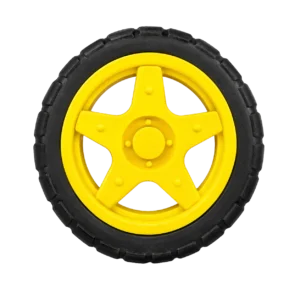
65mm BO Motor Wheel with Rubber Tyre (1 wheel)
Build your own robotic vehicle with this 65mm BO Motor Wheel with Rubber Tyre. Featuring a yellow plastic hub and black rubber tyre, this wheel is designed for compatible BO geared motors and is ideal for DIY robot cars, obstacle-avoiding robots, line-following robots and educational robotics projects.
- Wheel diameter: 65mm
- Wheel width: 26mm
- Yellow plastic hub with black rubber tyre
- Compatible with BO geared motors
- Sold individually (1 wheel per unit)
Order online from Yagobotix with shipping across India and same-day delivery or pickup available in Surat.
SKU: YGB-WHL-065
There are no reviews yet.