


HC-SR501 PIR Motion Sensor Module – RCW-0506 Green PCB
The PIR Motion Sensor Module – RCW-0506 Green PCB (HC-SR501 Type) is a passive infrared sensor designed to detect movement of people and other warm objects by sensing changes in infrared radiation.
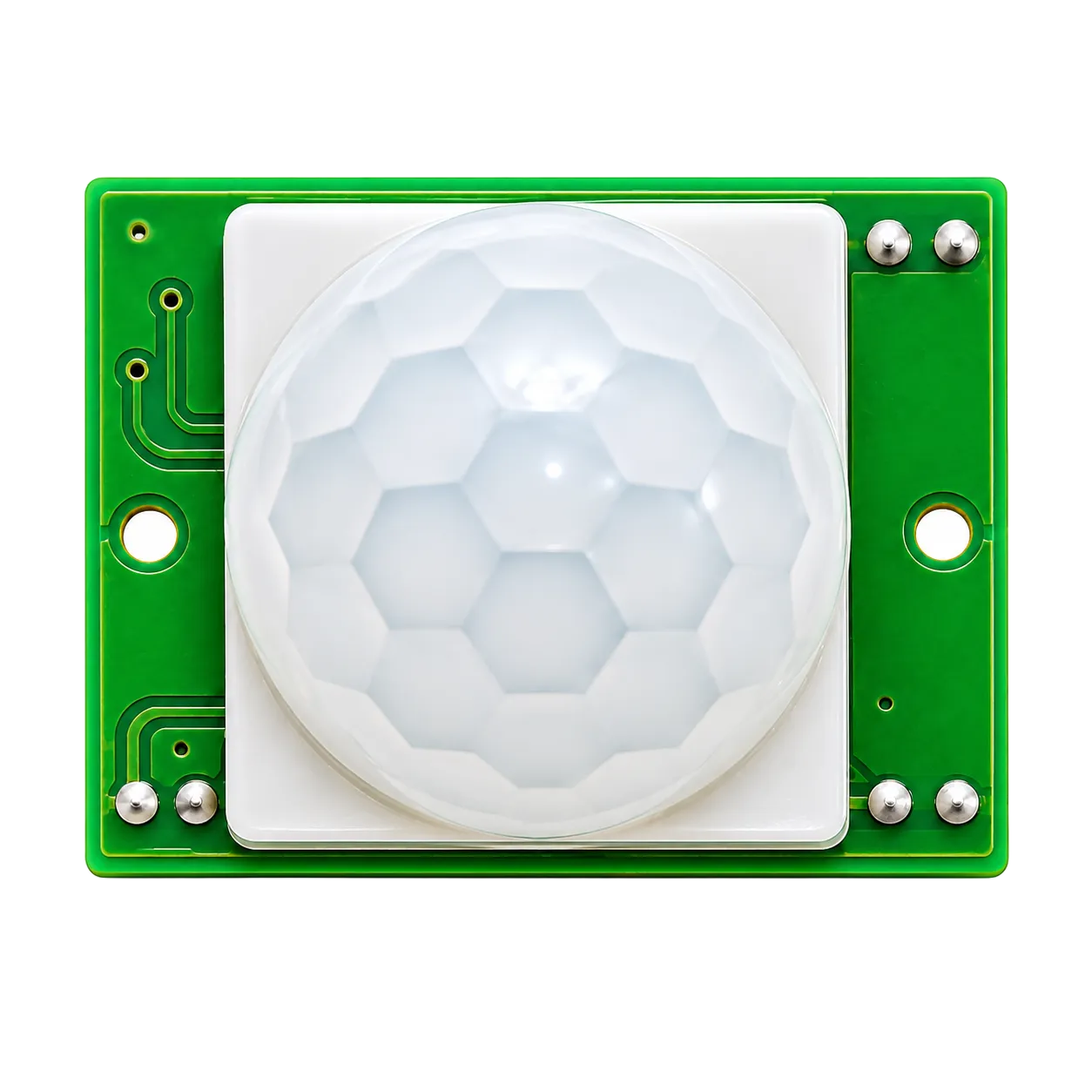
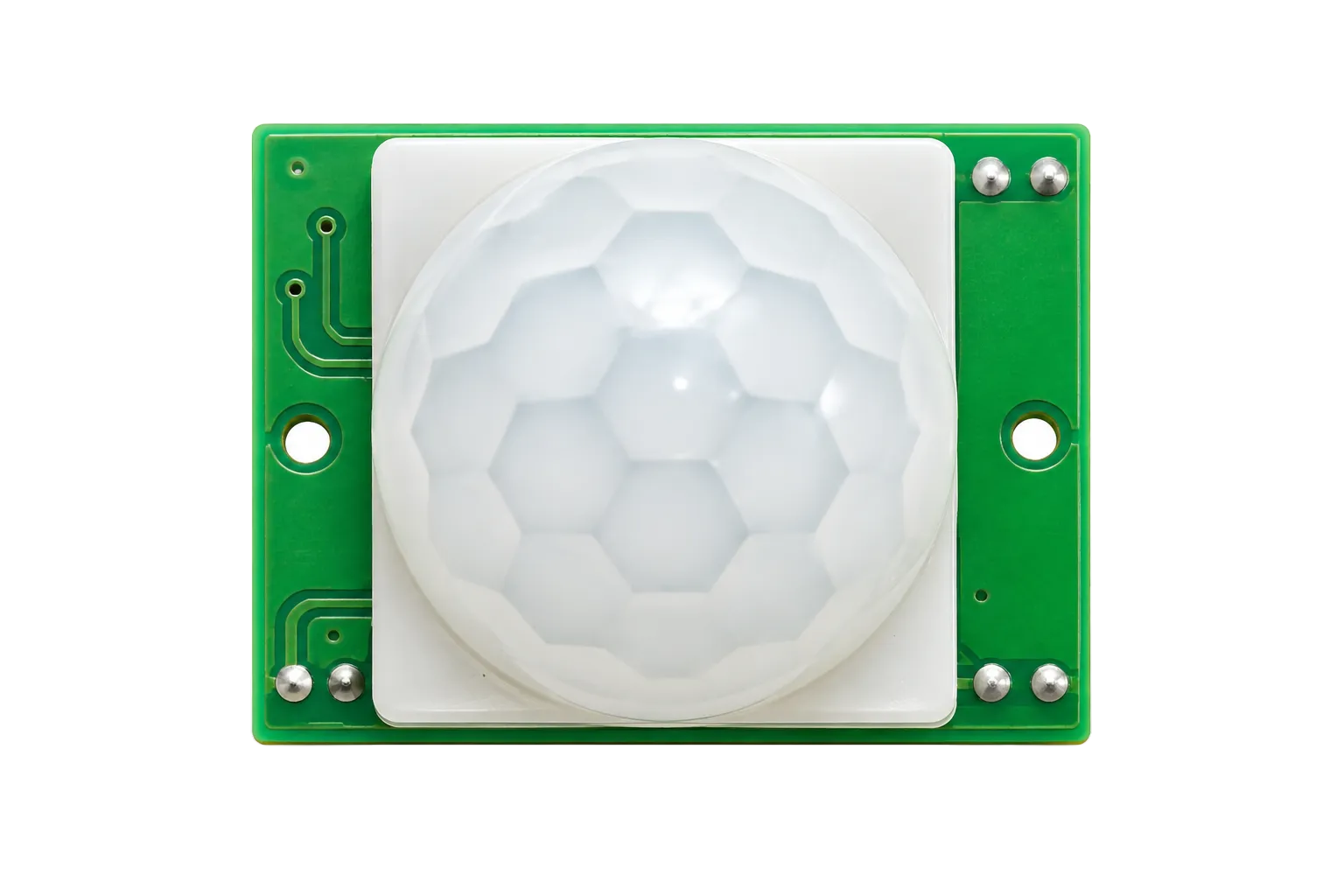
Featuring a white Fresnel lens, green PCB and digital output interface, this sensor is suitable for Arduino, ESP32, motion-activated lights, security alarm prototypes and DIY electronics projects.
Key Features:
- Passive Infrared (PIR) motion detection
- RCW-0506 green PCB variant
- HC-SR501-type motion sensing functionality
- White Fresnel lens for infrared detection
- Digital motion detection output (OUT)
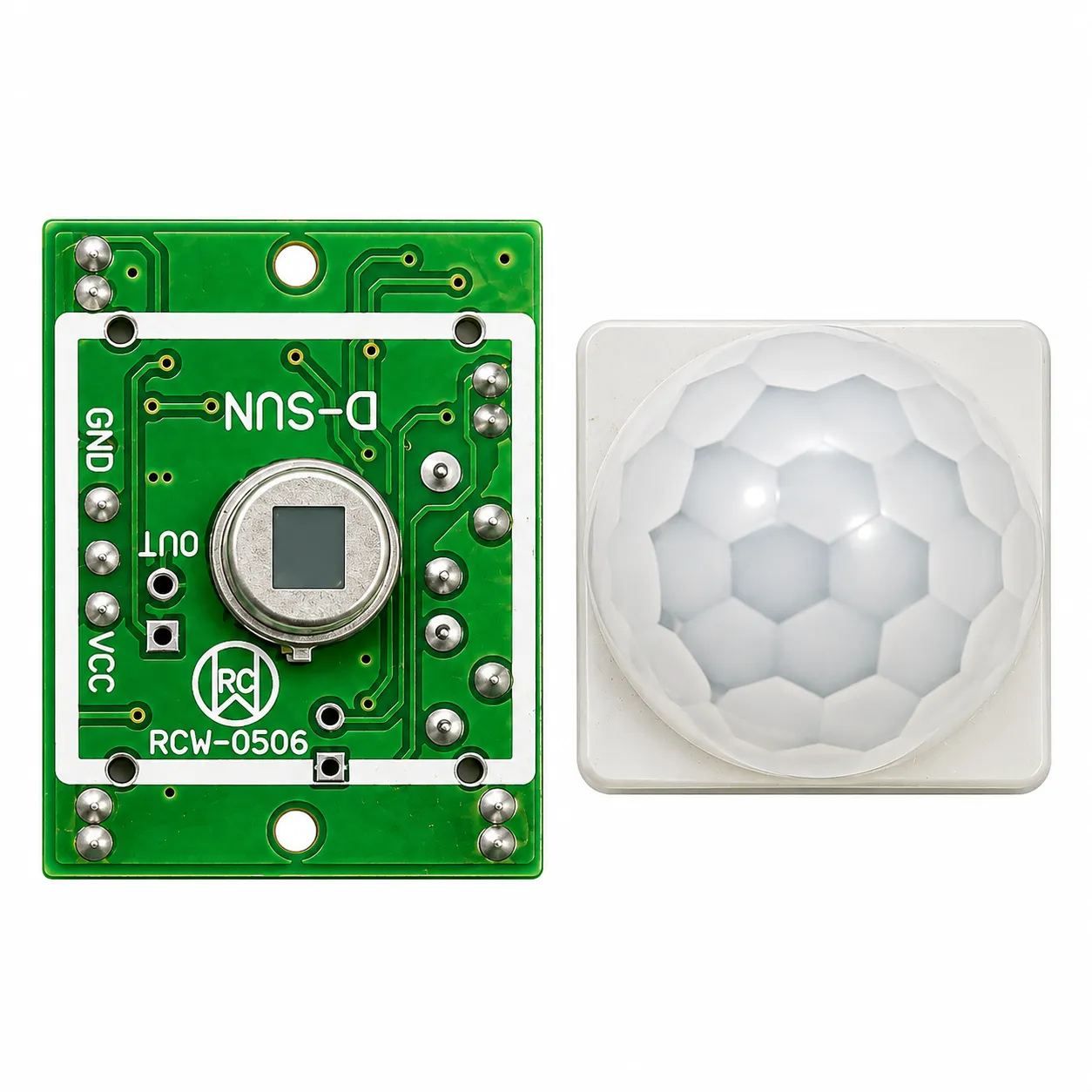
- Connections labelled VCC, OUT and GND
- Contactless detection of moving warm objects
- Suitable for Arduino and compatible microcontrollers
- Ideal for motion-activated lighting, alarms and automation projects
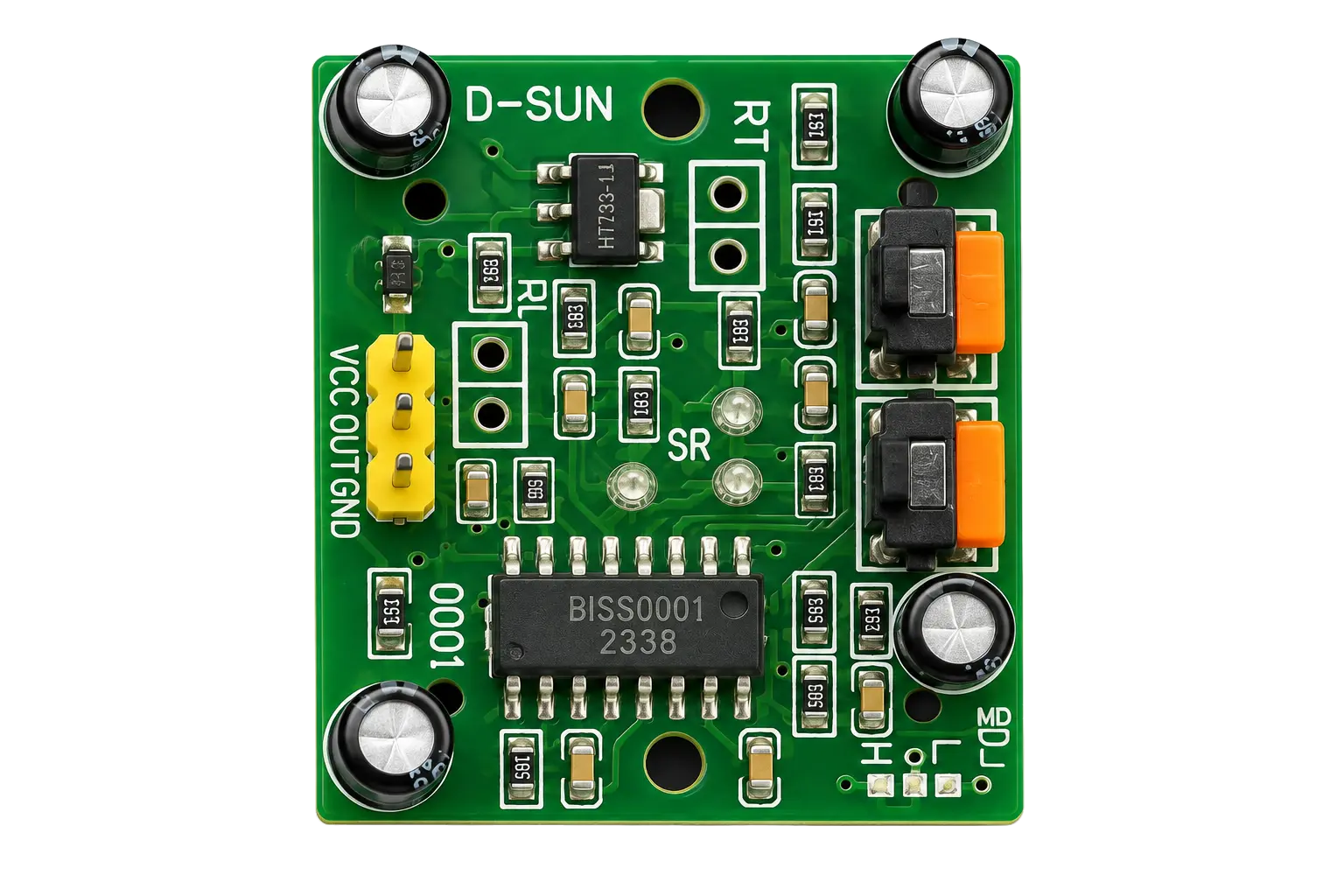
Important: The photographed RCW-0506 board does not show the conventional HC-SR501 sensitivity and delay adjustment potentiometers. Detection range, supply voltage and output timing should be confirmed for this version before purchase.
Package Includes: 1 × PIR Motion Sensor Module – RCW-0506 Green PCB.
Buy online from Yagobotix with shipping across India and same-day delivery or pickup available in Surat.
HC-SR501 PIR Motion Sensor Module – RCW-0506 Green PCB
1. What Is a PIR Motion Sensor Module?
The PIR Motion Sensor Module is an electronic motion detection sensor that detects changes in infrared radiation emitted by people, animals and other warm objects.
The supplied RCW-0506 variant features a green PCB, white Fresnel lens and a pyroelectric infrared sensing element.
It provides a digital output that can be monitored by Arduino, ESP32 or other compatible microcontrollers.
PIR sensors are commonly used in motion-activated lights, security alarm prototypes, automatic notification systems and robotics experiments.
Important: The supplied PCB is marked RCW-0506 / D-SUN. It is an HC-SR501-type PIR motion detection module, but its exact operating characteristics may differ from conventional HC-SR501 boards.
2. What Can You Build With a PIR Motion Sensor?
The PIR Motion Sensor Module can be used in projects such as:
- Arduino motion detection systems
- Motion-activated LED lights
- Human movement detection alarms
- Automatic room-lighting prototypes
- Motion-triggered buzzer alarms
- Security monitoring demonstrations
- Smart home automation projects
- Motion-based electronic counters
- ESP32 motion notification projects
- Robotics activity detection
- Interactive electronics installations
- School science and STEM projects
The sensor is especially useful when an electronic system needs to respond to movement within a monitored area.
3. Who Is It For?
The PIR Motion Sensor Module is suitable for:
- Beginners learning electronics
- School and college students
- Engineering students
- Arduino enthusiasts
- ESP32 and IoT developers
- Robotics hobbyists
- DIY electronics makers
- STEM educators and trainers
- Home automation project developers
It helps students understand infrared sensing, digital signals, motion detection and event-triggered programming.
4. How Does a PIR Motion Sensor Work?
A PIR (Passive Infrared) sensor detects changes in infrared radiation.
People and animals naturally emit infrared energy because of their body temperature.
The PIR sensing element responds when the pattern of infrared radiation reaching it changes.
The white Fresnel lens divides and focuses infrared energy from different regions onto the sensing element.
As a warm object moves across these regions, the changing infrared signal is processed by the module’s electronic circuitry.
Working Principle
Moving Warm Object → Infrared Radiation Change → Fresnel Lens → PIR Sensing Element → Signal Processing → Digital Output
Motion Detected
The digital output typically changes to HIGH when movement is detected.
No Motion
After the configured or internally determined hold period, the output normally returns to LOW when no further qualifying movement is detected.
Important Limitations
- PIR sensors respond primarily to changing infrared patterns rather than measuring object distance.
- A stationary person may not continuously trigger the sensor.
- Detection depends on movement direction, distance, ambient temperature and lens coverage.
- The sensor does not identify the person or object being detected.
- PIR technology is passive and does not transmit infrared light.
5. Technical Specifications
| Specification | Details |
|---|---|
| Product Type | Passive Infrared Motion Sensor Module |
| Sensor Family | HC-SR501 Type |
| Actual PCB Marking | RCW-0506 / D-SUN |
| Sensing Technology | Passive Infrared |
| PCB Colour | Green |
| Lens Type | White Fresnel Dome |
| Output Type | Digital |
| Connection Labels | VCC, OUT, GND |
| Typical Supply for HC-SR501 Family | 5V DC; broader range depends on board |
| Typical Detection Output | HIGH on motion, LOW when inactive |
| Warm-Up | Allow approximately 30–60 seconds initially |
| Detection Range | Depends on module version and environment |
| Detection Angle | Depends on the installed lens |
| Sensitivity Adjustment | Not visibly provided on photographed PCB |
| Delay Adjustment | Not visibly provided on photographed PCB |
| Trigger Mode Jumper | Not visibly provided |
| Mounting | PCB mounting holes |
| Application | Human and animal movement detection |
Technical Notes
The standard HC-SR501 is often specified with adjustable detection sensitivity, delay timing and trigger-mode selection.
However, these features are not visible on the supplied RCW-0506 board.
Do not assume that this variant supports the same adjustment functions without testing.
Exact supply voltage, sensing distance and output hold time should be confirmed against the supplied hardware.
6. PIR Motion Sensor Pinout
The photographed PCB identifies three electrical connections.
| Pin | Function |
|---|---|
| VCC | Positive power supply |
| OUT | Digital motion detection output |
| GND | Ground |
Pin Functions
VCC: Supplies power to the module.
OUT: Provides the motion detection signal to a microcontroller.
GND: Provides the electrical ground connection.
The PCB markings should be used to identify the connections before wiring.
The exact physical connector arrangement and whether a pin header is installed must be checked on the supplied unit.
7. How to Connect the PIR Motion Sensor to Arduino
The PIR Motion Sensor Module can be used with Arduino Uno to detect human movement.
Required Components
- 1 × PIR Motion Sensor Module
- 1 × Arduino Uno
- Jumper wires
- Suitable regulated power supply
Wiring Connections
| PIR Sensor | Arduino Uno |
|---|---|
| VCC | 5V, after confirming module rating |
| OUT | Digital Pin D2 |
| GND | GND |
Connection Procedure
- Identify VCC, OUT and GND on the sensor PCB.
- Confirm the sensor’s supported supply voltage.
- Connect VCC to the appropriate regulated supply.
- Connect GND to Arduino GND.
- Connect OUT to Arduino D2.
- Power the circuit.
- Allow approximately one minute for stabilization.
- Move across the monitored area and observe the output.
Avoid handling or moving the sensor during the initial stabilization period.
8. Arduino Example Code
The following Arduino program reads the sensor’s digital output and displays its motion detection status.
Arduino Code
const int pirPin = 2;

void setup() {
  pinMode(pirPin, INPUT);
  Serial.begin(9600);

  Serial.println("PIR Motion Sensor");
  Serial.println("Allow sensor to stabilize.");
}

void loop() {
  int motionState = digitalRead(pirPin);

  if (motionState == HIGH) {
    Serial.println("Motion Detected");
  } else {
    Serial.println("No Motion Detected");
  }

  delay(500);
}
How to Test the Sensor
- Connect the sensor to Arduino.
- Upload the code using Arduino IDE.
- Open the Serial Monitor.
- Set the baud rate to 9600.
- Allow the PIR sensor to stabilize.
- Move across the sensor’s detection area.
- Observe the motion detection messages.
- Remain still or leave the area and observe when the signal returns to LOW.
If the signal remains HIGH, consider the module’s hold time and retrigger behaviour before treating the sensor as faulty.
9. Beginner Project: Motion-Activated LED Light
Build a motion-activated indicator using the PIR Motion Sensor Module and Arduino Uno.
Components Required
- 1 × PIR Motion Sensor Module
- 1 × Arduino Uno
- 1 × 5mm White LED
- 1 × 330Ω resistor
- Breadboard
- Jumper wires
Wiring Connections
| Component | Arduino Uno |
|---|---|
| PIR VCC | Verified 5V-compatible supply |
| PIR GND | GND |
| PIR OUT | D2 |
| LED Anode | D8 through 330Ω resistor |
| LED Cathode | GND |
Arduino Code
const int pirPin = 2;
const int ledPin = 8;

bool previousMotion = false;

void setup() {
  pinMode(pirPin, INPUT);
  pinMode(ledPin, OUTPUT);

  digitalWrite(ledPin, LOW);

  Serial.begin(9600);

  // Initial PIR stabilization period
  delay(60000);

  Serial.println("Motion Detection Ready");
}

void loop() {
  bool motion = digitalRead(pirPin) == HIGH;

  digitalWrite(ledPin, motion ? HIGH : LOW);

  if (motion != previousMotion) {
    if (motion) {
      Serial.println("Motion Detected - LED ON");
    } else {
      Serial.println("No Motion - LED OFF");
    }

    previousMotion = motion;
  }

  delay(100);
}
Project Working
- The Arduino allows the sensor to stabilize after power-up.
- The PIR sensor monitors changes in infrared radiation.
- When movement is detected, the output goes HIGH.
- Arduino turns the white LED ON.
- When the sensor returns to its inactive state, Arduino turns the LED OFF.
The LED may remain ON for a period after movement stops because the PIR module can maintain its output during an internal hold time.
What Will Students Learn?
- PIR motion detection
- Digital input monitoring
- Event-based programming
- LED output control
- Sensor stabilization
- Infrared sensing fundamentals
10. Related Products
Complete your motion detection project with:
- Arduino Uno R3 Compatible Board
- Arduino Nano Development Board
- ESP32 Development Board
- 5mm White LED
- 5mm Red LED
- 5mm Green LED
- 5mm LED Assorted Pack
- 5V Passive Buzzer
- HW-383 5V 2 Channel Relay Module
- HW-316 12V 4 Channel Relay Module
- IR Obstacle Avoidance Sensor Module
- TTP223 Touch Sensor Module
- LM393 LDR Light Sensor Module
- Breadboard
- Jumper Wires
- Resistors
11. Related Tutorials
Suggested electronics learning topics:
- How to Use a PIR Motion Sensor with Arduino
- PIR Motion Sensor Pinout and Wiring Guide
- How Passive Infrared Motion Detection Works
- How to Build a Motion-Activated LED
- PIR Motion Sensor vs IR Obstacle Sensor
- How to Connect a PIR Sensor to ESP32
- How to Build a Motion Detection Alarm
- How to Reduce False PIR Sensor Triggers
- How to Test a PIR Motion Sensor
- How to Use a PIR Sensor with a Relay Module
12. Frequently Asked Questions
What is a PIR Motion Sensor Module?
A PIR Motion Sensor Module detects changes in infrared radiation caused by moving warm objects such as people or animals.
What does PIR mean?
PIR stands for Passive Infrared.
Is this sensor an HC-SR501?
The photographed board is marked RCW-0506 / D-SUN. It is an HC-SR501-type PIR motion sensor, but it should not be represented as an identical board revision.
What is the difference between HC-SR501 and RCW-0506?
The conventional HC-SR501 commonly provides sensitivity and delay potentiometers, along with a trigger-mode jumper. These controls are not visible on the supplied RCW-0506 board.
Can I use this sensor with Arduino Uno?
Yes, provided the sensor is powered within its supported operating range.
Can I use this sensor with ESP32?
Yes, after confirming the sensor’s output voltage is compatible with ESP32’s 3.3V GPIO inputs.
Can the PIR sensor detect humans?
Yes. PIR sensors are commonly used to detect human movement.
Can it detect animals?
Yes. Moving animals may produce sufficient changes in infrared radiation to activate the sensor.
Can it detect a person standing still?
PIR sensors primarily respond to movement and may not maintain detection of a completely stationary person.
Does it work in darkness?
Yes. PIR sensing does not require visible light.
Does the sensor emit infrared radiation?
No. It is a passive detector.
Can it measure the distance to an object?
No. The sensor provides a motion detection output, not an accurate distance measurement.
Does it have adjustable sensitivity?
No adjustment potentiometer is visible on the photographed RCW-0506 board. Do not assume adjustable sensitivity without confirming the supplied module’s circuitry.
Can I adjust its output delay?
The conventional HC-SR501 often has adjustable delay timing. This feature has not been verified for the RCW-0506 variant shown.
Why does the sensor trigger when first powered on?
PIR modules may produce unstable readings during their initial warm-up period. Allow time for stabilization before testing.
Can it be used for motion-activated lighting?
Yes. A compatible microcontroller can use the sensor output to control LED lighting or other properly interfaced loads.
Can it be connected directly to a household AC bulb?
No. The sensor provides a low-voltage output signal. Mains-powered loads require suitably rated switching hardware and qualified installation.
What is the difference between a PIR sensor and an IR obstacle sensor?
A PIR sensor passively detects changes in infrared radiation, while an IR obstacle sensor typically emits infrared light and detects reflections from nearby objects.
Does the sensor require a separate transmitter?
No. It detects infrared radiation emitted naturally by warm objects.
Where can I buy a PIR Motion Sensor Module in Surat?
You can buy the PIR Motion Sensor Module online from Yagobotix, with same-day delivery and pickup available in Surat.
13. What Is Included?
- 1 × PIR Motion Sensor Module – RCW-0506 Green PCB
The photographed product features:
- PIR sensing element
- White Fresnel lens
- Green circuit board
- VCC, OUT and GND connections
- Mounting holes
Arduino boards, breadboards, jumper wires, LEDs and other accessories are not included.
14. Compatibility
The PIR Motion Sensor Module can be used with suitable electronic controllers, including:
- Arduino Uno
- Arduino Nano
- Arduino Mega
- ESP32
- ESP8266 NodeMCU
- STM32 Development Boards
- Raspberry Pi
- Other compatible GPIO-based microcontrollers
Compatibility Notes
- Verify the module’s supply-voltage limits before powering it.
- Check the digital output voltage before connecting to a 3.3V GPIO.
- Raspberry Pi and ESP32 GPIO inputs must not receive excessive voltage.
- Use appropriate driver circuitry for buzzers, relays, motors or other external loads.
15. Buy PIR Motion Sensor Module Online in India
Build motion-activated electronics projects with the PIR Motion Sensor Module – RCW-0506 Green PCB (HC-SR501 Type) from Yagobotix.
Featuring a passive infrared sensing element, white Fresnel lens and digital motion detection output, this module is suitable for Arduino, ESP32, security alarm prototypes, automatic lighting demonstrations and educational electronics.
Whether you are building a motion-triggered indicator, experimenting with smart home automation or learning passive infrared sensing, this PIR module offers a convenient way to detect movement.
Why Choose Yagobotix?
- PIR motion detection module for electronics projects
- Suitable for compatible Arduino and ESP32 applications
- Components for students, engineers and makers
- Shipping across India
- Same-day delivery available in Surat
- Same-day pickup available in Surat
Same-day services are subject to stock availability, delivery coverage and applicable order cut-off times.
Add the PIR Motion Sensor Module to your cart and start building your next motion detection project with Yagobotix!
Based on 0 reviews
Only logged in customers who have purchased this product may leave a review.
Related products
-
Light & Sound, Sensors
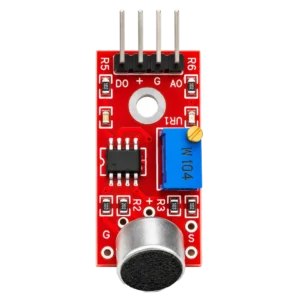
4 Pin Sound Sensor Module – Red PCB (Analog & Digital)
The 4 Pin Sound Sensor Module is a microphone-based sound detection sensor featuring analog and digital outputs, an adjustable detection threshold and a compact red PCB design. It is ideal for sound-activated lights, clap-controlled switches, noise detection experiments and interactive robotics projects.
Key Features:
- Built-in microphone for sound detection
- Analog (AO) and digital (DO) outputs
- Adjustable sound detection threshold
- Red PCB with onboard LED indicators
- Simple 4-pin interface
- Suitable for Arduino, ESP32 and other compatible microcontrollers
Buy the 4 Pin Sound Sensor Module online from Yagobotix with shipping across India and same-day delivery or pickup available in Surat.
SKU: YGB-SEN-SND-04-R -
Sensors
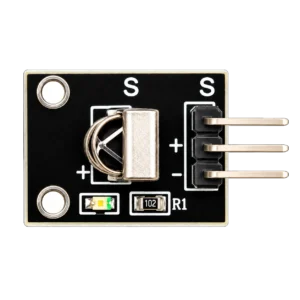
IR Receiver Sensor Module – 38kHz (3 Pin, Black PCB)
The IR Receiver Module – 38kHz (3 Pin, Black PCB) is a compact infrared receiving sensor designed to detect signals transmitted by compatible IR remote controls. It provides a digital signal output that can be decoded by Arduino, ESP32 and other suitable microcontrollers.
Key Features:
- Infrared remote-control signal reception
- Common 38kHz IR receiver design
- 3-pin interface: Signal (S), VCC (+) and GND (−)
- Digital signal output
- Black PCB with metal-shielded IR receiver
- Onboard indicator LED
- Typical operating supply: 3.3–5V DC, receiver-dependent
- Compatible with Arduino and suitable microcontrollers
- Ideal for remote-controlled LEDs, robotics and automation projects
Package Includes: 1 × IR Receiver Sensor Module only.
Important: This product does not include a handheld IR remote control. A compatible remote or infrared transmitter is required to send commands.
Buy the IR Receiver Module online from Yagobotix with shipping across India and same-day delivery or pickup available in Surat.
SKU: YGB-SEN-IR-RCV-03 -
Gas & Environment, Sensors
Flame Sensor Module for Arduino | Fire Detection & Flame Detection Projects
-26%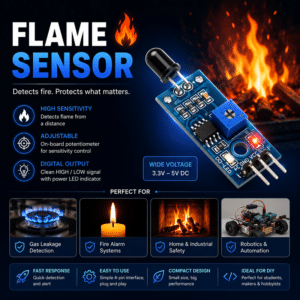 Gas & Environment, Sensors
Flame Sensor Module for Arduino | Fire Detection & Flame Detection Projects
- Detects flame and fire sources using infrared sensing
- Adjustable sensitivity with onboard potentiometer
- Digital output with clear LED indication
- Ideal sensor for beginner STEM and safety-based projects
SKU: ygbs04 -
Gas & Environment, Sensors
Water Level Sensor for Arduino | Water Level Sensor Module | Compatible with Arduino, ESP32 & ESP8266
-26%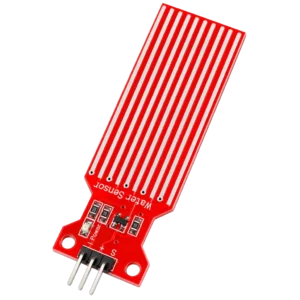 Gas & Environment, Sensors
Water Level Sensor for Arduino | Water Level Sensor Module | Compatible with Arduino, ESP32 & ESP8266
Detect water presence and monitor water levels in your DIY electronics projects with the Water Level Sensor Module. Compatible with Arduino Uno, Nano, ESP32, ESP8266 and other supported microcontroller boards, it is ideal for water detection, tank monitoring, automatic water alarms and IoT projects.
Features:
- Compatible with Arduino, ESP32 and ESP8266
- Easy to connect and use
- Suitable for DIY electronics and robotics projects
- Ideal for water detection and monitoring applications
Order online from Yagobotix with shipping across India, plus same-day delivery and pickup in Surat.
SKU: n/a
There are no reviews yet.