


TTP223 Touch Sensor Module
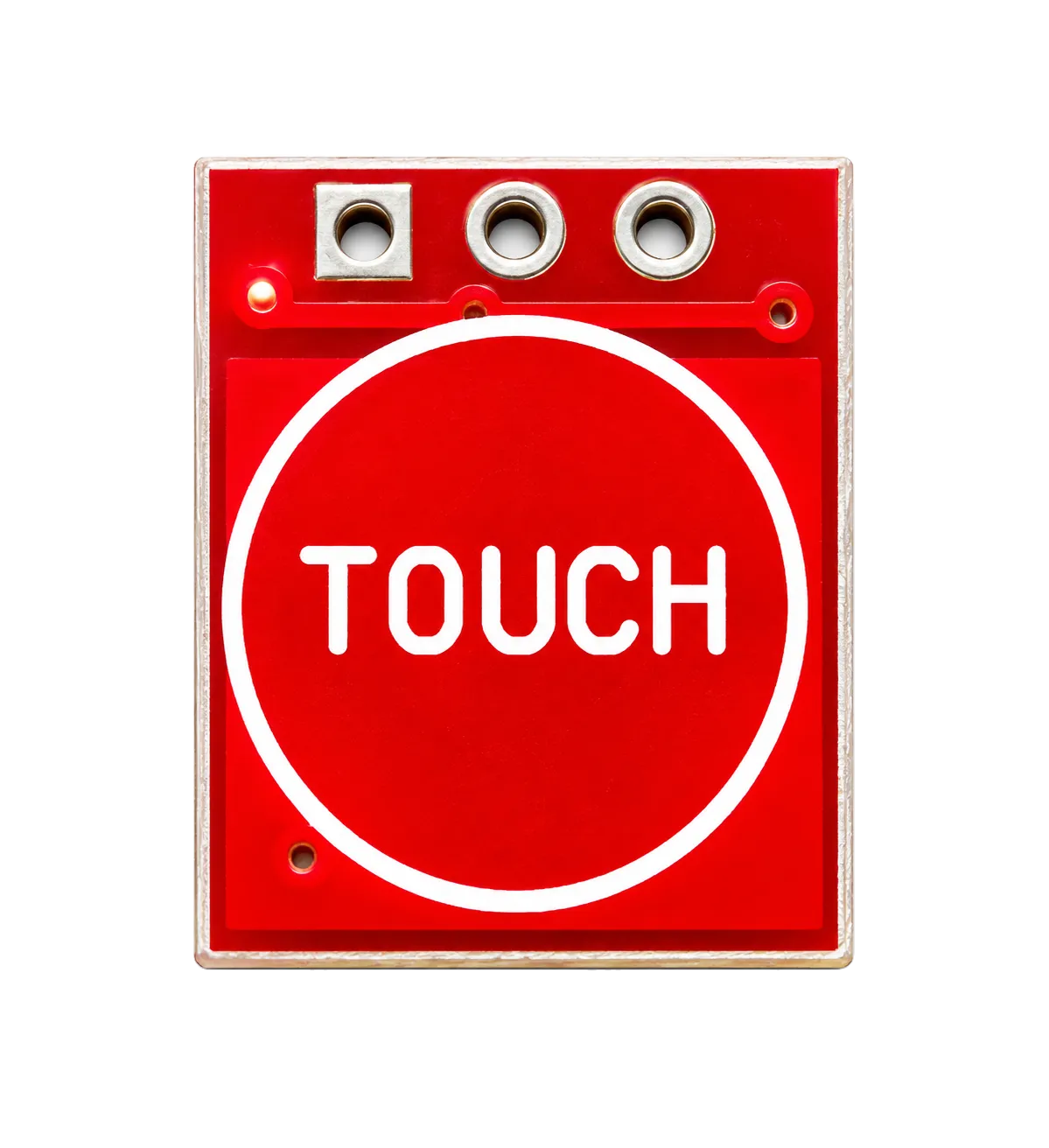
- The TTP223 Touch Sensor Module is a capacitive touch sensor that detects finger contact and provides a digital output signal. This TTP223 Capacitive Touch Sensor is ideal for touch-controlled LEDs, electronic switches, interactive projects and Arduino or ESP32 applications.Features:
- TTP223 capacitive touch sensor IC
- Digital touch detection output
- Compact red PCB design
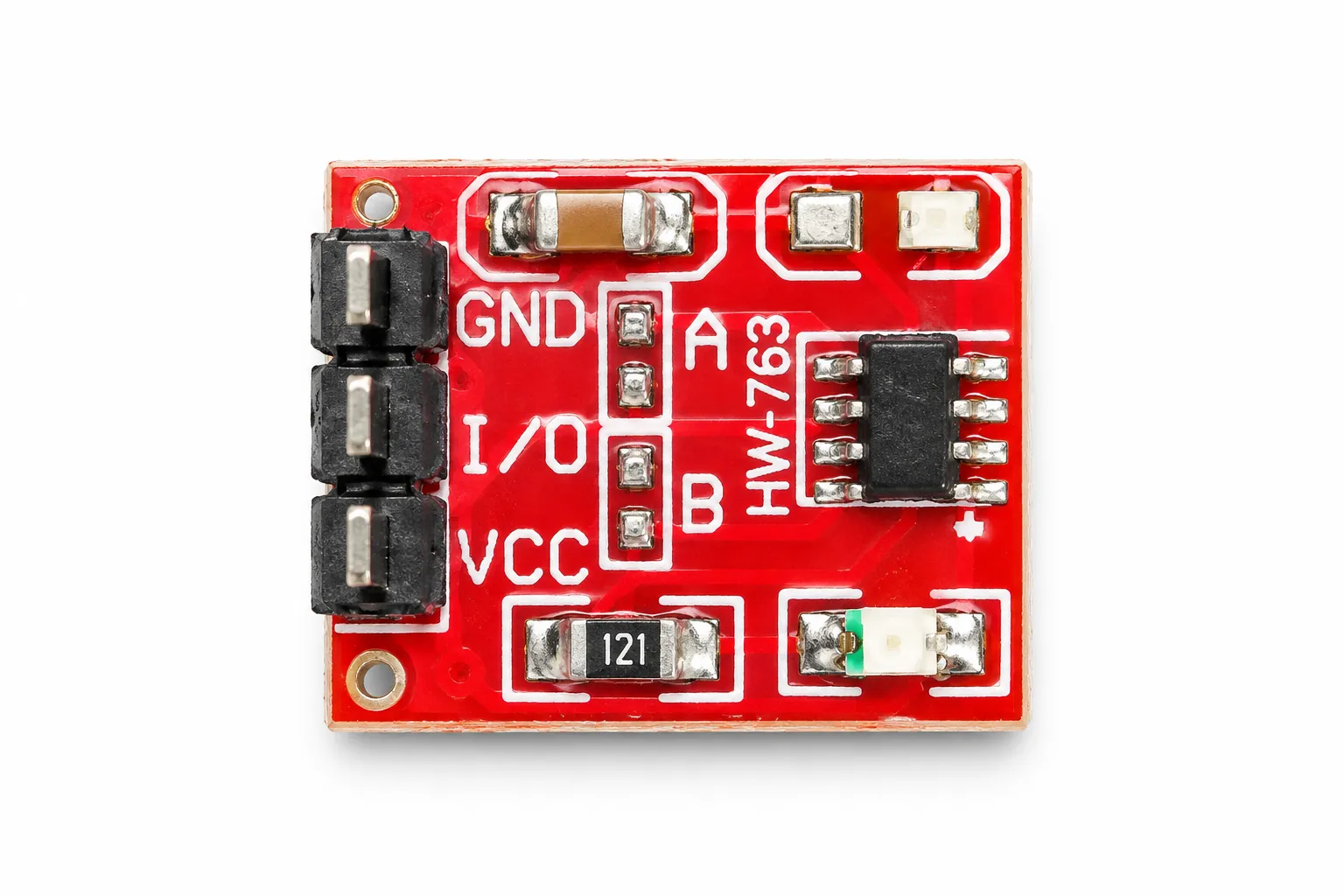
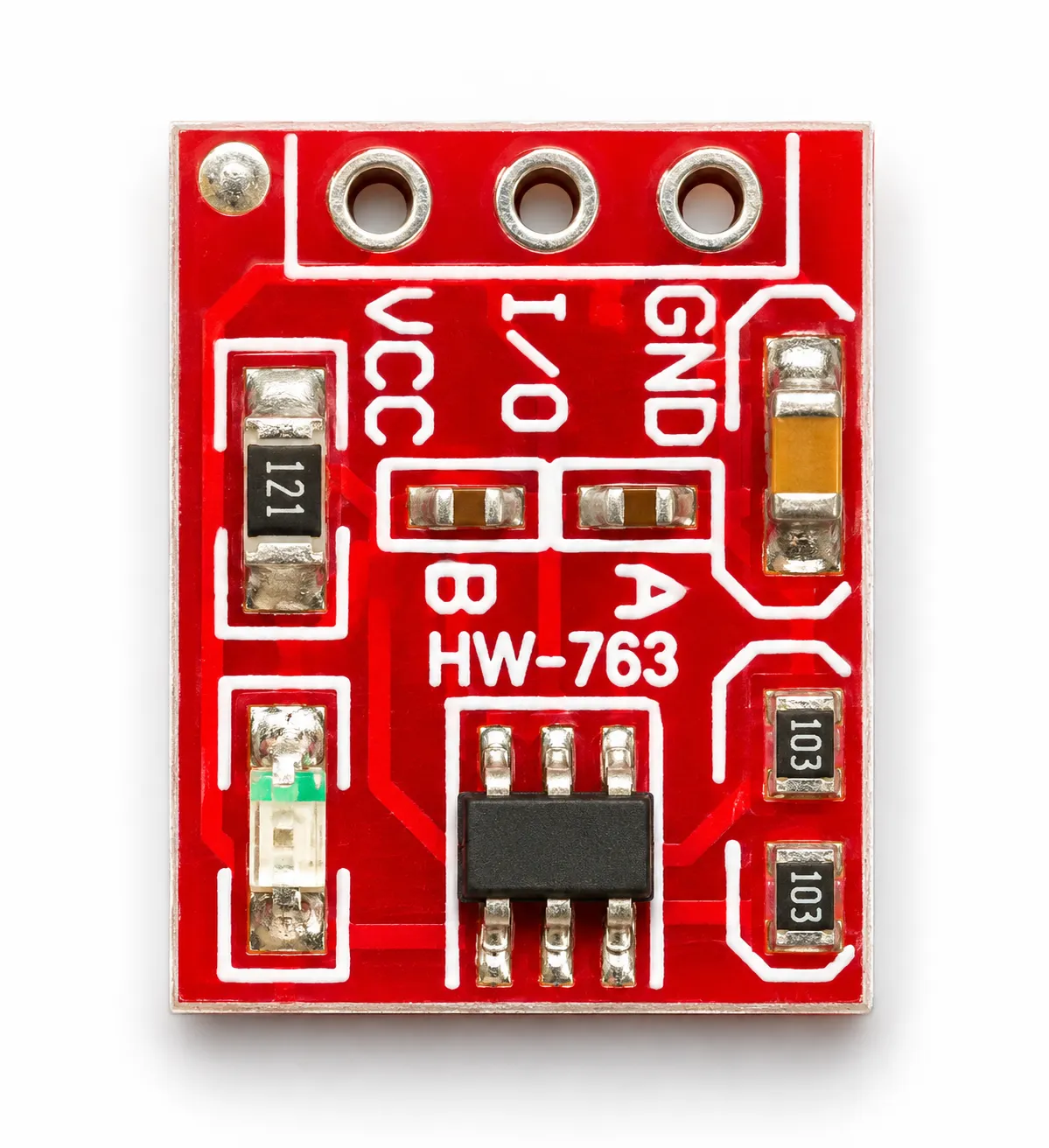
- 3-pin connection: VCC, GND and I/O
- Suitable for Arduino and ESP32 projects
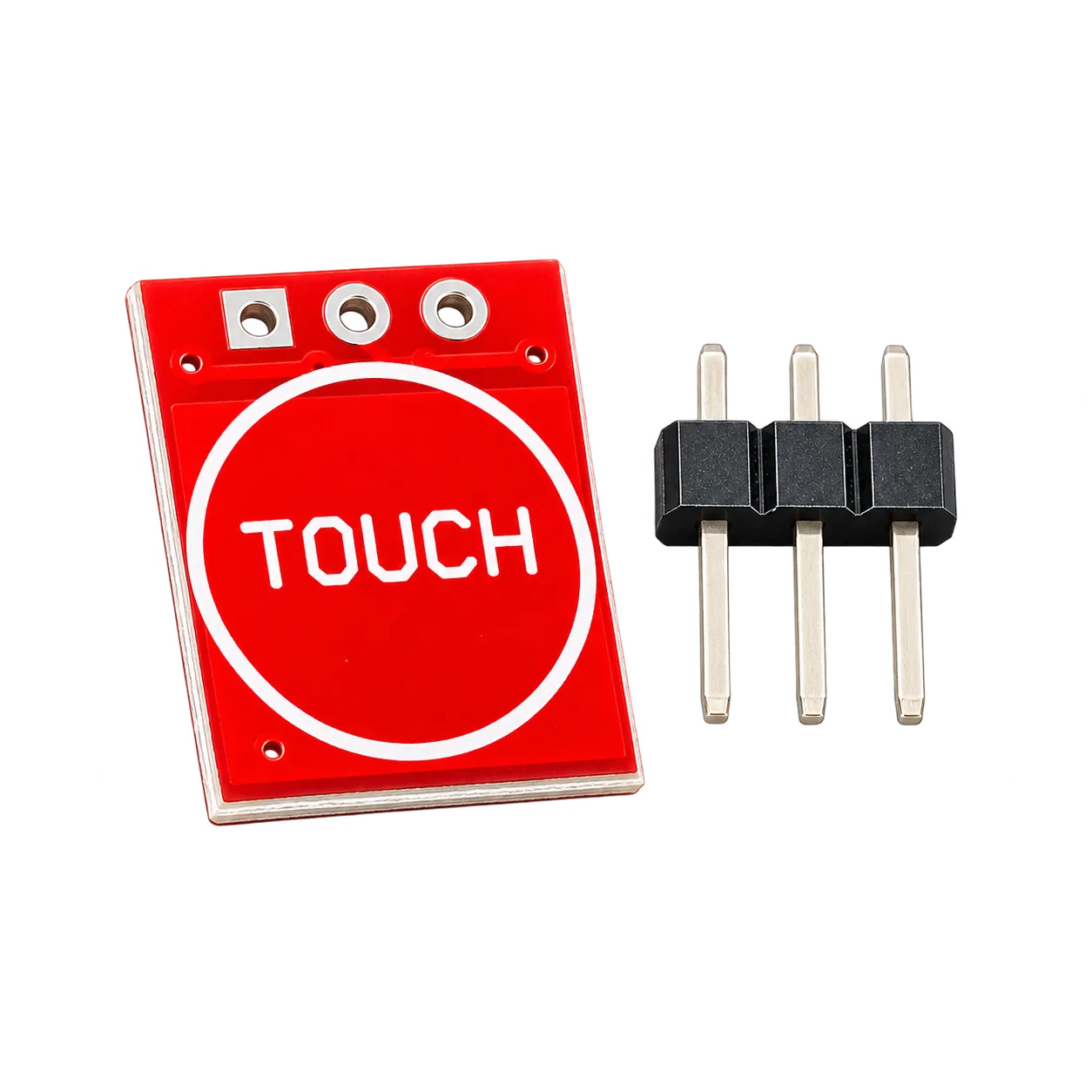
- Available with pre-soldered or unsoldered pin headers
Choose the version that suits your project. Order online from Yagobotix across India, with same-day delivery and pickup available in Surat.
Price range: ₹15.00 through ₹20.00 (incl. GST)
TTP223 Touch Sensor Module
1. What Is a TTP223 Touch Sensor Module?
The TTP223 Touch Sensor Module is a capacitive touch detection module designed to detect finger contact without requiring a mechanical push button.
It uses the TTP223 capacitive touch sensing IC to detect changes in capacitance when a finger touches its sensing surface. The module then provides a digital output signal that can be read by Arduino, ESP32 and other compatible microcontrollers.
The TTP223 Capacitive Touch Sensor is commonly used in electronic switches, touch-controlled devices, interactive projects and DIY electronics applications.
2. What Can You Build With a TTP223 Touch Sensor?
This touch sensor module can be used in:
- Touch-controlled LED lights
- Capacitive touch switches
- Touch-operated electronic devices
- Arduino touch sensor projects
- ESP32 touch control projects
- Interactive electronics projects
- DIY control panels
- Robotics and STEM projects
3. Who Is This TTP223 Sensor For?
The TTP223 Touch Sensor Module is suitable for:
- Students learning electronics
- Engineering students
- Arduino and ESP32 enthusiasts
- Robotics hobbyists
- STEM educators
- DIY electronics makers
- Beginners learning capacitive touch sensing
4. How Does the TTP223 Touch Sensor Work?
The TTP223 uses capacitive sensing technology to detect changes in capacitance when a finger approaches or touches its sensing surface.
When touch is detected, the TTP223 IC changes its digital output state.
A connected microcontroller reads this signal and performs an action, such as switching an LED on or activating an electronic device.
Working principle:
Finger Touch → Capacitive Sensing → TTP223 IC → Digital Output → Microcontroller
5. TTP223 Touch Sensor Technical Specifications
| Specification | Details |
|---|---|
| Product Type | Capacitive Touch Sensor Module |
| Sensor IC | TTP223 |
| PCB Marking | HW-763 |
| PCB Colour | Red |
| Sensing Technology | Capacitive |
| Output Type | Digital |
| Interface | 3-pin |
| Pins | VCC, GND, I/O |
| Touch Surface | Onboard sensing pad |
| Application | Touch detection and electronic switching |
Verify the exact operating voltage and output configuration of your supplied batch before publishing numerical electrical ratings.
6. TTP223 Touch Sensor Pinout
The TTP223 Touch Sensor Module has three connection pins:
| Pin | Function |
|---|---|
| VCC | Power supply |
| GND | Ground |
| I/O | Digital output signal |
Connect the pins according to the labels printed on the actual PCB.
7. How to Connect TTP223 to Arduino
You can connect the TTP223 Capacitive Touch Sensor to an Arduino Uno using three jumper wires.
Required components:
- TTP223 Touch Sensor Module
- Arduino Uno
- Jumper wires
Wiring:
| TTP223 Pin | Arduino Uno |
|---|---|
| VCC | Compatible 5V supply |
| GND | GND |
| I/O | Digital Pin 2 |
Arduino Example Code
const int touchPin = 2;
const int ledPin = 13;

void setup() {
  pinMode(touchPin, INPUT);
  pinMode(ledPin, OUTPUT);
  Serial.begin(9600);
}

void loop() {
  int touchState = digitalRead(touchPin);

  if (touchState == HIGH) {
    digitalWrite(ledPin, HIGH);
    Serial.println("Touch Detected");
  } else {
    digitalWrite(ledPin, LOW);
    Serial.println("No Touch");
  }

  delay(50);
}
This example assumes active-HIGH output. Confirm the actual module configuration before using the code.
8. Beginner Project: Touch-Controlled LED Using TTP223
Build a touch-controlled LED using the TTP223 Touch Sensor Module and Arduino.
Required components:
- TTP223 Touch Sensor
- Arduino Uno
- LED
- 220Ω resistor
- Breadboard
- Jumper wires
Connect the sensor’s I/O pin to Arduino digital pin 2. Connect the LED through a current-limiting resistor to digital pin 13.
When you touch the sensor surface, the Arduino detects the signal and turns on the LED.
9. Related Products
Explore these components for your next electronics project:
- Arduino Uno R3 board
- ESP32 development board
- Breadboard
- Jumper wire kit
- LED and resistor kit
- Active buzzer module
- Relay module
- Push button module
- Sound sensor module
- PIR motion sensor
10. Related Tutorials
Learn more about touch sensors and microcontroller projects:
- How to use a TTP223 Touch Sensor with Arduino
- How to connect a TTP223 Sensor to ESP32
- How to build a touch-controlled LED
- How to make a capacitive touch switch
- How capacitive touch sensing works
- Beginner Arduino sensor projects
11. Frequently Asked Questions
What is a TTP223 Touch Sensor Module?
It is a capacitive touch sensor module that detects finger contact and provides a digital output signal.
Is the TTP223 sensor compatible with Arduino?
Yes. It can be connected to an Arduino digital input pin using its VCC, GND and I/O connections.
Can I use the TTP223 Touch Sensor with ESP32?
Yes, provided the module’s supply voltage and output logic levels are compatible with the ESP32.
Does the TTP223 module have analog output?
No. This module provides a digital output signal.
Does the TTP223 sensor require a push button?
No. It detects finger contact through its capacitive touch surface.
What is the difference between pre-soldered and unsoldered versions?
The pre-soldered version has its three-pin header already attached. The unsoldered version includes the same header separately and requires soldering.
Can the TTP223 be used as an electronic switch?
Yes. It can act as a touch input for controlling LEDs, relays and other suitable electronic circuits through a microcontroller.
12. What Is Included?
Pre-Soldered Version:
- 1 × TTP223 Touch Sensor Module
- 1 × 3-pin header (pre-soldered)
Unsoldered Version:
- 1 × TTP223 Touch Sensor Module
- 1 × 3-pin header (not soldered)
Microcontroller boards, jumper wires and other accessories are not included.
13. TTP223 Compatibility
The TTP223 Touch Sensor Module can be used in projects with:
- Arduino Uno
- Arduino Nano
- Arduino Mega
- ESP32 development boards
- ESP8266 development boards
- Other compatible microcontrollers
Check the electrical specifications before connecting the module to your controller.
14. Buy TTP223 Touch Sensor Module Online in India
Purchase the TTP223 Touch Sensor Module from Yagobotix for your electronics, Arduino and ESP32 projects.
- Online ordering across India
- Same-day delivery in eligible Surat locations
- Same-day pickup available in Surat
- Pre-soldered and unsoldered options available
Same-day services are subject to stock availability, location and order cut-off times.
15. Order Your TTP223 Touch Sensor Module Today!
Add capacitive touch detection to your next electronics project with the TTP223 Touch Sensor Module.
Choose your preferred pin-header option and order online from Yagobotix.
| Weight | 1.5 g |
|---|---|
| Dimensions | 3 × 3 × 1 cm |
| Pin Header Option | Soldered Version, Unsoldered Version |
Based on 0 reviews
Only logged in customers who have purchased this product may leave a review.
Related products
-
Sensors, Gas & Environment
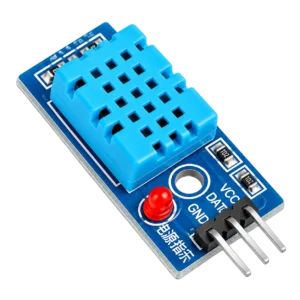
DHT11 Temperature and Humidity Sensor Module – 3 Pin (Blue PCB)
The DHT11 Temperature and Humidity Sensor Module – 3 Pin (Blue PCB) is a digital sensor designed to measure ambient temperature and relative humidity for Arduino, ESP32, ESP8266 and DIY electronics projects.
Featuring a blue DHT11 sensing element, onboard power indicator LED and pre-soldered 3-pin interface, this module is suitable for weather monitoring prototypes, room climate measurement, environmental monitoring and educational electronics.
Key Features:
- DHT11 digital temperature and humidity sensor
- Measures temperature from 0°C to 50°C
- Measures relative humidity from 20% to 90% RH under specified conditions
- Typical temperature accuracy: ±2°C
- Typical humidity accuracy: ±5% RH
- Operating voltage: approximately 3.3–5.5V DC
- Three pins: VCC, DATA and GND
- Single-wire digital communication
- Onboard red power indicator LED
- Pre-soldered 3-pin connection header
- Suitable for Arduino Uno, Nano, ESP32 and ESP8266
- Ideal for indoor environment monitoring and STEM projects
Package Includes: 1 × DHT11 Temperature and Humidity Sensor Module – Blue PCB.
Note: The DHT11 is intended for basic environmental monitoring rather than precision or safety-critical measurements. Allow at least 2 seconds between readings.
Buy the DHT11 Temperature and Humidity Sensor online from Yagobotix with shipping across India and same-day delivery or pickup available in Surat.
SKU: YGB-SEN-DHT11-3P-BLU -
Sensors
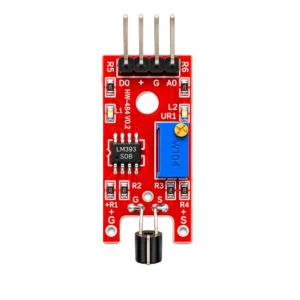
KY-036 Metal Touch Sensor Module – LM393 (4 Pin)
The KY-036 Metal Touch Sensor Module is a compact touch detection sensor featuring a metal touch probe, LM393 comparator and adjustable detection sensitivity. It provides analog and digital outputs for touch-controlled electronics, alarms, interactive projects and microcontroller applications.
Key Features:
- Metal-contact touch detection
- LM393 comparator IC
- Adjustable digital detection threshold
- Analog (AO) and Digital (DO) outputs
- Typical operating voltage: 3.3–5V DC
- Onboard power and touch detection LED indicators
- 4-pin interface with red PCB
- Compatible with Arduino, ESP32 and other suitable microcontrollers
Note: This module detects touch through its exposed metal probe and is different from a TTP223 capacitive touch sensor.
Buy the KY-036 Metal Touch Sensor Module online from Yagobotix with shipping across India and same-day delivery or pickup available in Surat.
SKU: YGB-SEN-KY036 -
Sensors, Distance & Motion
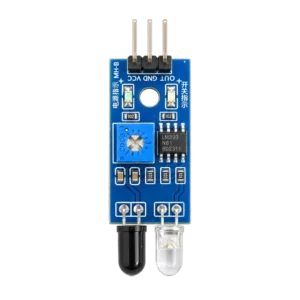
IR Obstacle Avoidance Sensor Module – 3 Pin (Blue PCB)
The IR Obstacle Avoidance Sensor Module – 3 Pin (Blue PCB) is a compact infrared proximity detection sensor designed to detect nearby objects without physical contact. It features an infrared transmitter and receiver, LM393 comparator and adjustable potentiometer for setting the obstacle detection threshold.
Key Features:
- Infrared obstacle and proximity detection
- Blue PCB with 3-pin interface
- IR transmitter and receiver pair
- LM393 comparator IC
- Adjustable detection threshold via potentiometer
- Digital output (OUT)
- Typical operating voltage: 3.3–5V DC
- Typical adjustable detection range: approximately 2–30cm under suitable conditions
- Onboard power and detection indicator LEDs
- Suitable for Arduino, ESP32 and other compatible microcontrollers
- Ideal for obstacle-avoiding robots, object counters and automation projects
Note: Actual detection distance depends on object colour, surface reflectivity, angle, lighting and potentiometer adjustment. The module detects object presence rather than measuring precise distance.
Buy the IR Obstacle Avoidance Sensor Module online from Yagobotix with shipping across India and same-day delivery or pickup available in Surat.
SKU: YGB-SEN-IR-OBS-03 -
Sensors, Distance & Motion
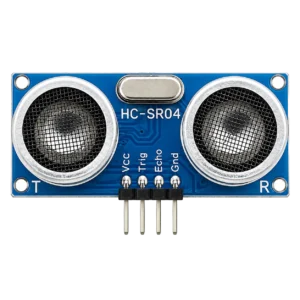
HC-SR04 Ultrasonic Distance Sensor Module – 4 Pin (Blue PCB)
- The HC-SR04 Ultrasonic Sensor Module is a 4-pin, 5V distance-measuring sensor designed to detect nearby objects using ultrasonic sound waves. It is widely used in Arduino, robotics, obstacle detection, distance measurement and DIY electronics projects.Key Features:
- HC-SR04 ultrasonic distance sensor
- Non-contact distance measurement
- Typical measuring range: 2–400 cm
- 40 kHz ultrasonic operating frequency
- 5V DC operating voltage
- Four pins: VCC, Trig, Echo and GND
- Separate ultrasonic transmitter and receiver
- Distance calculation using echo pulse timing
- Suitable for Arduino Uno, Nano, Mega and compatible microcontrollers
- Usable with ESP32 through suitable 5V-to-3.3V Echo level shifting
- Ideal for obstacle-avoiding robots, distance alarms and smart parking prototypes
Package Includes: 1 × HC-SR04 Ultrasonic Distance Sensor Module – Blue PCB.
Note: Actual measurement accuracy depends on the target surface, distance, angle and environmental conditions. The sensor is not waterproof.
Buy the HC-SR04 Ultrasonic Sensor online from Yagobotix with shipping across India and same-day delivery or pickup available in Surat.
SKU: YGB-SEN-HCSR04 - The HC-SR04 Ultrasonic Sensor Module is a 4-pin, 5V distance-measuring sensor designed to detect nearby objects using ultrasonic sound waves. It is widely used in Arduino, robotics, obstacle detection, distance measurement and DIY electronics projects.Key Features:
There are no reviews yet.