


DHT11 Temperature and Humidity Sensor Module – 3 Pin (Blue PCB)
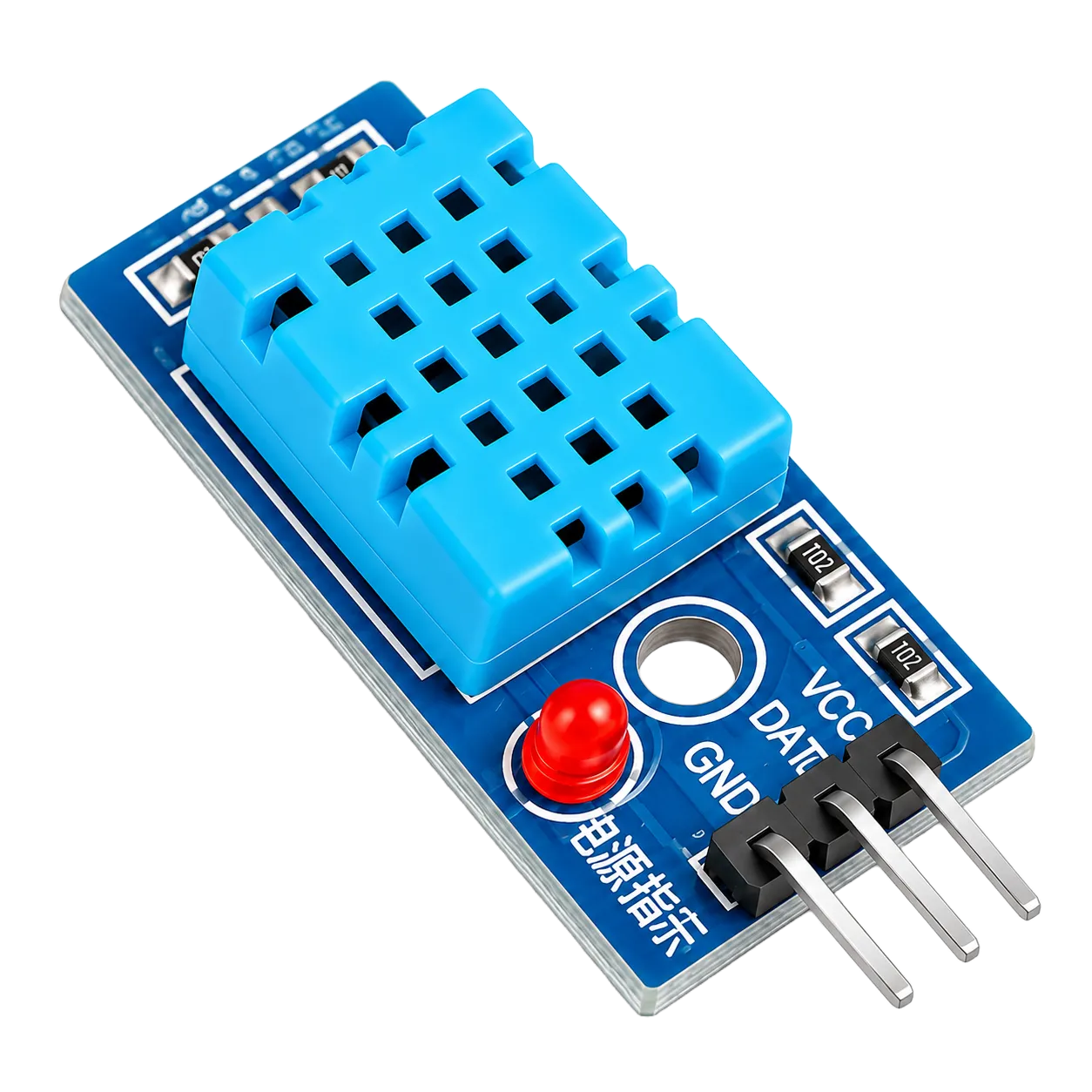
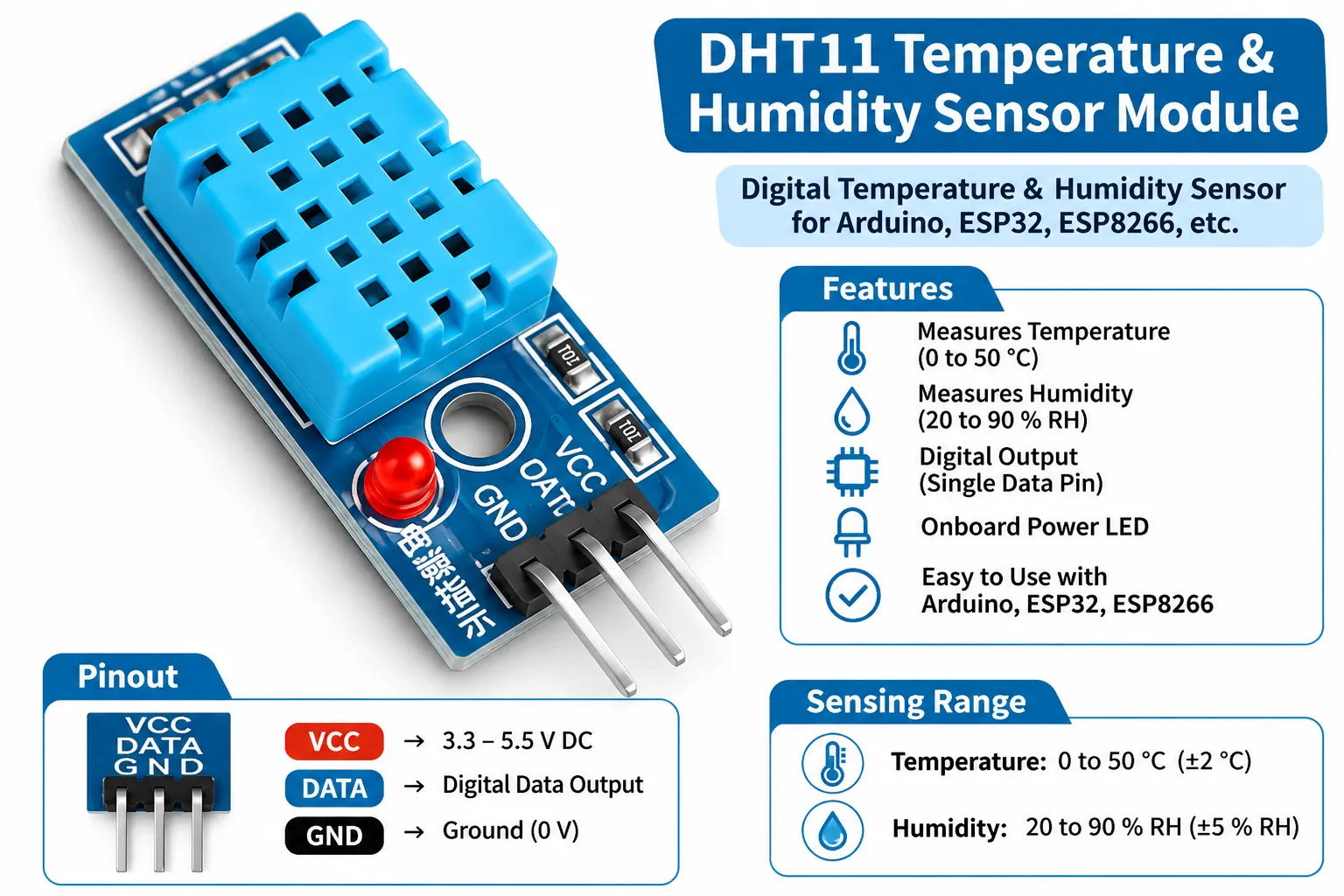
The DHT11 Temperature and Humidity Sensor Module – 3 Pin (Blue PCB) is a digital sensor designed to measure ambient temperature and relative humidity for Arduino, ESP32, ESP8266 and DIY electronics projects.
Featuring a blue DHT11 sensing element, onboard power indicator LED and pre-soldered 3-pin interface, this module is suitable for weather monitoring prototypes, room climate measurement, environmental monitoring and educational electronics.
Key Features:
- DHT11 digital temperature and humidity sensor
- Measures temperature from 0°C to 50°C
- Measures relative humidity from 20% to 90% RH under specified conditions
- Typical temperature accuracy: ±2°C
- Typical humidity accuracy: ±5% RH
- Operating voltage: approximately 3.3–5.5V DC
- Three pins: VCC, DATA and GND
- Single-wire digital communication
- Onboard red power indicator LED
- Pre-soldered 3-pin connection header
- Suitable for Arduino Uno, Nano, ESP32 and ESP8266
- Ideal for indoor environment monitoring and STEM projects
Package Includes: 1 × DHT11 Temperature and Humidity Sensor Module – Blue PCB.
Note: The DHT11 is intended for basic environmental monitoring rather than precision or safety-critical measurements. Allow at least 2 seconds between readings.
Buy the DHT11 Temperature and Humidity Sensor online from Yagobotix with shipping across India and same-day delivery or pickup available in Surat.
DHT11 Temperature and Humidity Sensor Module – 3 Pin (Blue PCB)
1. What Is a DHT11 Temperature and Humidity Sensor?
The DHT11 Temperature and Humidity Sensor is a digital electronic sensor designed to measure ambient air temperature and relative humidity.
It combines a humidity-sensing element, temperature-sensing element and internal signal-processing circuitry to provide calibrated digital measurements.
The DHT11 communicates with a microcontroller through a single digital data line, making it suitable for Arduino, ESP32, ESP8266 and other compatible development boards.
This Yagobotix version features a blue PCB, pre-soldered three-pin header and onboard red power indicator LED.
The module is widely used in environmental monitoring prototypes, classroom experiments, room climate measurement and DIY electronics.
2. What Can You Build With a DHT11 Sensor?
The DHT11 Temperature and Humidity Sensor can be used in projects such as:
- Arduino temperature monitoring systems
- Indoor humidity monitoring
- DIY weather station prototypes
- Room climate monitoring projects
- ESP32 environmental monitoring
- Smart home automation demonstrations
- Temperature and humidity LCD displays
- Data logging experiments
- Greenhouse monitoring demonstrations
- Humidity-based fan control prototypes
- Temperature warning indicators
- IoT environmental dashboards
- STEM educational experiments
- Arduino sensor learning projects
The sensor is especially useful for basic applications that need periodic digital temperature and humidity readings.
3. Who Is It For?
The DHT11 Temperature and Humidity Sensor is suitable for:
- School and college students
- Arduino beginners
- Engineering students
- Robotics hobbyists
- ESP32 and IoT developers
- Electronics enthusiasts
- STEM educators and trainers
- DIY home automation developers
- Embedded systems learners
It is a useful learning component for understanding digital sensors, environmental measurements and microcontroller interfacing.
4. How Does a DHT11 Temperature and Humidity Sensor Work?
The DHT11 combines humidity and temperature sensing elements with internal signal-processing electronics.
Temperature Measurement
The sensor uses an internal temperature-sensitive element to measure ambient temperature.
The measured value is converted into digital data.
Humidity Measurement
The humidity-sensing element responds to changes in relative humidity in the surrounding air.
Internal circuitry processes this response to produce a humidity measurement.
Digital Data Transmission
The DHT11 uses a proprietary single-wire digital communication protocol.
The microcontroller sends a start signal, and the sensor responds with a digital data frame containing temperature and humidity information.
The standard DHT11 communication frame contains 40 bits, including measurement data and a checksum.
Working Principle
Ambient Air → DHT11 Sensing Elements → Internal Signal Processing → Digital DATA Pin → Arduino / ESP32 → Temperature and Humidity Readings
The sensor does not require separate analog-to-digital conversion by the connected microcontroller.
5. Technical Specifications
| Specification | Details |
|---|---|
| Product Type | Digital Temperature and Humidity Sensor Module |
| Sensor Model | DHT11 |
| PCB Colour | Blue |
| Sensor Housing | Blue |
| Operating Voltage | Typically 3.3–5.5V DC |
| Temperature Range | 0°C to 50°C |
| Temperature Accuracy | Typically ±2°C |
| Humidity Range | 20% to 90% RH under specified conditions |
| Humidity Accuracy | Typically ±5% RH |
| Temperature Resolution | Commonly 1°C |
| Humidity Resolution | Commonly 1% RH |
| Interface | Proprietary single-wire digital |
| Data Pins | 1 |
| Total Header Pins | 3 |
| Header Labels | VCC, DATA, GND |
| Recommended Reading Interval | At least 2 seconds |
| Power Indicator | Red LED |
| Pull-up Resistor | Included on typical module versions |
| Header Assembly | Pre-soldered |
| Applications | Environmental monitoring and educational electronics |
Important Technical Notes
- Temperature and humidity specifications are typical published DHT11 reference values.
- Actual performance depends on the sensor revision and operating conditions.
- Relative humidity is expressed as a percentage of saturation at the measured air temperature.
- Do not exceed the supported supply voltage.
- Avoid condensation and direct contact with water.
- Keep the sensor away from strong heat sources when measuring ambient room temperature.
- Avoid placing the sensor directly beside a hot voltage regulator or motor driver.
- The DHT11 is unsuitable for precision temperature calibration, medical monitoring or safety-critical applications.
- A DHT22 or more accurate environmental sensor may be preferable when higher precision is required.
6. DHT11 Sensor Module Pinout
The DHT11 module shown has three connection pins.
| Pin | Function |
|---|---|
| VCC | Positive power supply |
| DATA | Digital temperature and humidity communication |
| GND | Ground |
Pin Functions
VCC: Supplies power to the sensor module.
DATA: Provides digital temperature and humidity measurements using the DHT11 communication protocol.
GND: Connects to the common circuit ground.
When viewing the pictured module with the blue sensor facing upward and the three header pins pointing downward, the pin order is:
GND → DATA → VCC
This is the physical orientation shown in the supplied photograph. Always follow the printed PCB labels when connecting the sensor.
3-Pin vs 4-Pin DHT11
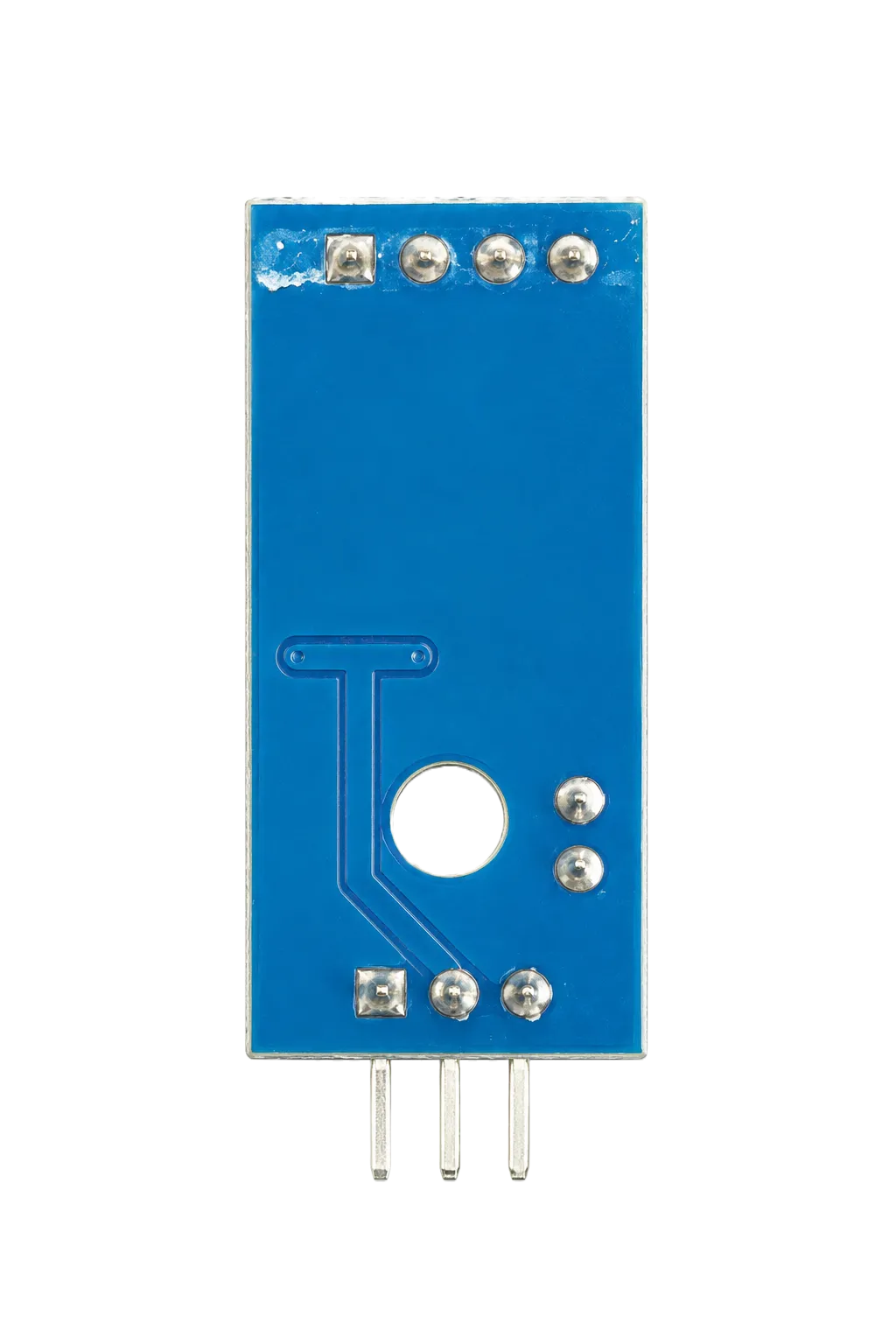
The three-pin module incorporates the DHT11 sensor on a breakout PCB.
The standalone four-pin sensor has an additional unused pin and generally requires an external pull-up resistor on its data line.
The pictured three-pin module commonly includes the required pull-up circuitry.
7. How to Connect DHT11 Sensor to Arduino
The DHT11 Sensor Module can be connected to Arduino Uno using three jumper wires.
Required Components
- 1 × DHT11 Temperature and Humidity Sensor Module
- 1 × Arduino Uno
- 3 × Female-to-Male Jumper Wires
Arduino Wiring
| DHT11 Module | Arduino Uno |
|---|---|
| VCC | 5V |
| DATA | D2 |
| GND | GND |
Connection Procedure
- Identify VCC, DATA and GND on the sensor PCB.
- Connect VCC to Arduino 5V.
- Connect DATA to Arduino digital pin D2.
- Connect GND to Arduino GND.
- Connect Arduino to your computer.
- Install the required DHT sensor library.
- Upload the example program.
- Open the Serial Monitor.
- Observe the temperature and humidity readings.
The sensor should be positioned away from the heat generated by the Arduino board for more representative ambient measurements.
8. Arduino Example Code
The following program reads temperature and relative humidity from the DHT11 and displays the values in Arduino Serial Monitor.
Required Libraries
Install these libraries through Arduino IDE Library Manager:
- DHT sensor library by Adafruit
- Adafruit Unified Sensor
Arduino Code
#include <DHT.h>

#define DHTPIN 2
#define DHTTYPE DHT11

DHT dht(DHTPIN, DHTTYPE);

void setup() {
  Serial.begin(9600);

  dht.begin();

  Serial.println("DHT11 Sensor Ready");
}

void loop() {
  delay(2000);

  float humidity = dht.readHumidity();
  float temperature = dht.readTemperature();

  if (isnan(humidity) || isnan(temperature)) {
    Serial.println("DHT11 reading failed");
    return;
  }

  Serial.print("Temperature: ");
  Serial.print(temperature);
  Serial.println(" °C");

  Serial.print("Humidity: ");
  Serial.print(humidity);
  Serial.println(" % RH");

  Serial.println("----------------");
}
How to Test the Sensor
- Complete the sensor wiring.
- Install the required libraries.
- Upload the Arduino program.
- Open Serial Monitor.
- Select 9600 baud.
- Observe the temperature and humidity readings.
- Change the surrounding conditions slightly and observe the response.
- Avoid breathing directly onto the sensor continuously or exposing it to liquid water.
The program allows two seconds between readings to accommodate the DHT11’s relatively slow measurement rate.
9. Beginner Project: Temperature Warning LED
Build a simple temperature warning system using the DHT11 Sensor Module and Arduino Uno.
Project Objective
Turn on a red LED when the measured room temperature reaches or exceeds 30°C.
Components Required
- 1 × DHT11 Temperature and Humidity Sensor Module
- 1 × Arduino Uno
- 1 × 5mm Red LED
- 1 × 330Ω Resistor
- 1 × Breadboard
- Jumper Wires
Wiring Connections
| Component | Arduino Uno |
|---|---|
| DHT11 VCC | 5V |
| DHT11 DATA | D2 |
| DHT11 GND | GND |
| LED Anode | D8 through 330Ω resistor |
| LED Cathode | GND |
Arduino Code
#include <DHT.h>

#define DHTPIN 2
#define DHTTYPE DHT11

DHT dht(DHTPIN, DHTTYPE);

const int ledPin = 8;
const float temperatureLimit = 30.0;

void setup() {
  Serial.begin(9600);

  pinMode(ledPin, OUTPUT);
  digitalWrite(ledPin, LOW);

  dht.begin();
}

void loop() {
  delay(2000);

  float temperature = dht.readTemperature();
  float humidity = dht.readHumidity();

  if (isnan(temperature) || isnan(humidity)) {
    digitalWrite(ledPin, LOW);
    Serial.println("Sensor reading failed");
    return;
  }

  Serial.print("Temperature: ");
  Serial.print(temperature);
  Serial.println(" C");

  Serial.print("Humidity: ");
  Serial.print(humidity);
  Serial.println(" % RH");

  if (temperature >= temperatureLimit) {
    digitalWrite(ledPin, HIGH);
    Serial.println("Temperature threshold reached");
  } else {
    digitalWrite(ledPin, LOW);
  }
}
Project Working
- Arduino reads temperature and humidity from the DHT11 sensor.
- It compares the measured temperature with a threshold of 30°C.
- When the temperature reaches or exceeds 30°C, the red LED turns ON.
- When the temperature is below 30°C, the LED remains OFF.
- The reading process repeats every two seconds.
What Will Students Learn?
- Temperature measurement
- Relative humidity measurement
- Digital sensor communication
- Arduino sensor libraries
- Threshold-based programming
- LED control
- Basic environmental monitoring
This is an educational indicator circuit, not a certified over-temperature safety alarm.
10. Related Products
Complete your DHT11 sensor projects with:
- Arduino Uno R3 Compatible Board
- Arduino Nano Development Board
- ESP32 Development Board
- ESP8266 NodeMCU
- 16×2 LCD Display
- 16×2 LCD Display with I2C Interface
- I2C LCD Interface Module
- TM1637 4-Digit Seven Segment Display
- 5mm Red LED
- 5mm Green LED
- RGB LED Module
- Passive Buzzer 5V
- HW-383 5V 2 Channel Relay Module
- GL-12 840 Points Solderless Breadboard
- Jumper Wires
- Resistors
11. Related Tutorials
Explore these electronics learning topics:
- How to Connect DHT11 Sensor to Arduino
- DHT11 Temperature and Humidity Sensor Pinout
- How to Measure Temperature Using Arduino
- How to Measure Relative Humidity Using DHT11
- DHT11 Sensor with 16×2 LCD Display
- How to Connect DHT11 to ESP32
- Arduino Room Temperature Monitoring Project
- How to Build a Mini Weather Station
- DHT11 vs DHT22 Temperature Sensor
- How to Display DHT11 Readings on TM1637
- Arduino Temperature Warning LED
- Understanding Relative Humidity
12. Frequently Asked Questions
What is a DHT11 Temperature and Humidity Sensor?
The DHT11 is a digital environmental sensor that measures ambient air temperature and relative humidity.
What does the DHT11 measure?
It measures temperature in degrees Celsius and relative humidity as a percentage.
What is the temperature measuring range?
The typical specified measurement range is 0°C to 50°C.
What is the humidity measuring range?
Common DHT11 specifications state 20% to 90% RH at 25°C, with operating limits varying under other temperature conditions.
What is the temperature accuracy?
Typical published accuracy is approximately ±2°C.
What is the humidity accuracy?
Typical published accuracy is approximately ±5% RH.
What is the operating voltage of DHT11?
This module type typically supports approximately 3.3V to 5.5V DC.
How many pins does this module have?
The supplied blue PCB version has three pins: VCC, DATA and GND.
Is this a standalone 4-pin DHT11 sensor?
No. This listing is for the three-pin breakout module with an attached PCB and power indicator LED.
Does the module come pre-soldered?
Yes. The pictured version includes an installed three-pin header.
Can I use DHT11 with Arduino Uno?
Yes. It is commonly used with Arduino Uno for temperature and humidity monitoring.
Can I use DHT11 with ESP32?
Yes. Use a compatible supply and ensure the DATA pull-up voltage is safe for ESP32’s 3.3V GPIO.
Can I use DHT11 with ESP8266?
Yes. It can be used with ESP8266 through a suitable digital input connection.
Does DHT11 produce analog output?
No. It uses a digital communication protocol.
Does DHT11 use I2C?
No. The DHT11 uses its own single-wire digital timing protocol, not the standard I2C interface.
How frequently can I read the sensor?
Allow at least two seconds between readings for reliable operation.
Does the module require an external resistor?
Common three-pin modules include an onboard data-line pull-up resistor. Verify the actual board if communication fails.
Does it have an onboard LED?
Yes. The photographed module includes a red power indicator LED.
Can I use it for a weather station?
Yes. It is suitable for basic indoor weather monitoring and educational prototypes.
Can I use DHT11 outdoors?
It can only be used outdoors in a suitable protective enclosure that allows airflow while preventing water exposure. Direct rain or condensation can damage the module.
Can it measure water temperature?
No. It is designed to measure ambient air temperature and humidity, not immersion in water.
Can it control a cooling fan?
The DHT11 itself cannot drive a fan. Arduino can read the sensor and control a suitable fan driver or relay in response to the measurement.
Is DHT11 suitable for precision climate monitoring?
No. For projects requiring higher measurement accuracy or a wider operating range, a more advanced sensor should be considered.
Where can I buy a DHT11 Temperature and Humidity Sensor in Surat?
You can purchase the DHT11 Temperature and Humidity Sensor online from Yagobotix, with same-day delivery and pickup available in Surat.
13. What Is Included?
Package Contents:
- 1 × DHT11 Temperature and Humidity Sensor Module – 3 Pin (Blue PCB)
The assembled module includes:
- DHT11 sensing element
- Blue PCB
- Red power indicator LED
- Onboard resistor components
- Pre-soldered 3-pin header
- Mounting hole
Not included:
- Arduino board
- ESP32 board
- Breadboard
- Jumper wires
- LCD display
- Power supply
- USB cable
14. Compatibility
The DHT11 Temperature and Humidity Sensor can be used with compatible microcontrollers, including:
- Arduino Uno
- Arduino Nano
- Arduino Mega
- ESP32 Development Boards
- ESP8266 NodeMCU
- Raspberry Pi
- STM32 Development Boards
- Other compatible digital-input controllers
Compatibility Notes
Arduino Uno / Nano: Connect the digital DATA output to a suitable Arduino digital pin and power the module using an appropriate supply.
ESP32: Use 3.3V-compatible DATA signalling and a suitable power supply.
ESP8266: Use a suitable 3.3V-compatible digital input and DATA pull-up arrangement.
Raspberry Pi: Use a compatible GPIO interface and a DHT11 library designed for the platform.
The module’s DATA pin requires a protocol-compatible software implementation and should not be treated as a simple HIGH/LOW temperature threshold output.
15. Buy DHT11 Temperature and Humidity Sensor Online in India
Build environmental monitoring and IoT projects with the DHT11 Temperature and Humidity Sensor Module – 3 Pin (Blue PCB) from Yagobotix.
Featuring digital temperature and relative humidity measurement, a pre-soldered connection header and onboard power indicator LED, this sensor is suitable for Arduino, ESP32, ESP8266 and educational electronics projects.
Whether you are developing a room temperature monitor, creating a basic weather station or learning environmental sensor interfacing, the DHT11 provides a convenient starting point.
Why Choose Yagobotix?
- DHT11 temperature and humidity sensor module
- Pre-soldered three-pin interface
- Onboard power indicator LED
- Suitable for Arduino and compatible microcontroller projects
- Electronics components for students, makers and engineers
- Shipping across India
- Same-day delivery available in Surat
- Same-day pickup available in Surat
Same-day services are subject to stock availability, delivery coverage and applicable order cut-off times.
Add the DHT11 Temperature and Humidity Sensor Module to your cart and start building your next environmental monitoring project with Yagobotix!
Based on 0 reviews
Only logged in customers who have purchased this product may leave a review.
Related products
-
Gas & Environment, Sensors
Water Level Sensor for Arduino | Water Level Sensor Module | Compatible with Arduino, ESP32 & ESP8266
-26% Gas & Environment, Sensors
Water Level Sensor for Arduino | Water Level Sensor Module | Compatible with Arduino, ESP32 & ESP8266
Detect water presence and monitor water levels in your DIY electronics projects with the Water Level Sensor Module. Compatible with Arduino Uno, Nano, ESP32, ESP8266 and other supported microcontroller boards, it is ideal for water detection, tank monitoring, automatic water alarms and IoT projects.
Features:
- Compatible with Arduino, ESP32 and ESP8266
- Easy to connect and use
- Suitable for DIY electronics and robotics projects
- Ideal for water detection and monitoring applications
Order online from Yagobotix with shipping across India, plus same-day delivery and pickup in Surat.
SKU: n/a -
Sensors, Distance & Motion
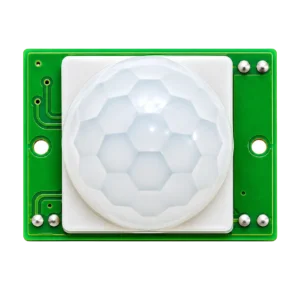
HC-SR501 PIR Motion Sensor Module – RCW-0506 Green PCB
The PIR Motion Sensor Module – RCW-0506 Green PCB (HC-SR501 Type) is a passive infrared sensor designed to detect movement of people and other warm objects by sensing changes in infrared radiation.
Featuring a white Fresnel lens, green PCB and digital output interface, this sensor is suitable for Arduino, ESP32, motion-activated lights, security alarm prototypes and DIY electronics projects.
Key Features:
- Passive Infrared (PIR) motion detection
- RCW-0506 green PCB variant
- HC-SR501-type motion sensing functionality
- White Fresnel lens for infrared detection
- Digital motion detection output (OUT)
- Connections labelled VCC, OUT and GND
- Contactless detection of moving warm objects
- Suitable for Arduino and compatible microcontrollers
- Ideal for motion-activated lighting, alarms and automation projects
Important: The photographed RCW-0506 board does not show the conventional HC-SR501 sensitivity and delay adjustment potentiometers. Detection range, supply voltage and output timing should be confirmed for this version before purchase.
Package Includes: 1 × PIR Motion Sensor Module – RCW-0506 Green PCB.
Buy online from Yagobotix with shipping across India and same-day delivery or pickup available in Surat.
SKU: YGB-SEN-PIR-RCW0506 -
Sensors
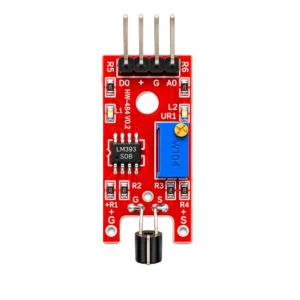
KY-036 Metal Touch Sensor Module – LM393 (4 Pin)
The KY-036 Metal Touch Sensor Module is a compact touch detection sensor featuring a metal touch probe, LM393 comparator and adjustable detection sensitivity. It provides analog and digital outputs for touch-controlled electronics, alarms, interactive projects and microcontroller applications.
Key Features:
- Metal-contact touch detection
- LM393 comparator IC
- Adjustable digital detection threshold
- Analog (AO) and Digital (DO) outputs
- Typical operating voltage: 3.3–5V DC
- Onboard power and touch detection LED indicators
- 4-pin interface with red PCB
- Compatible with Arduino, ESP32 and other suitable microcontrollers
Note: This module detects touch through its exposed metal probe and is different from a TTP223 capacitive touch sensor.
Buy the KY-036 Metal Touch Sensor Module online from Yagobotix with shipping across India and same-day delivery or pickup available in Surat.
SKU: YGB-SEN-KY036 -
Sensors, Distance & Motion
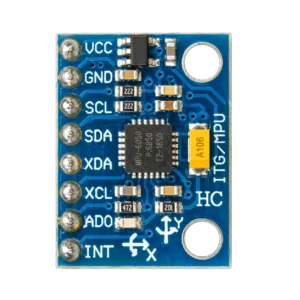
GY-521 MPU6050 6-Axis Gyroscope & Accelerometer Sensor – Pre-Soldered
The GY-521 MPU6050 Sensor – Pre-Soldered is a 6-axis motion tracking module featuring a 3-axis gyroscope and 3-axis accelerometer in a single compact PCB. It communicates through I2C and is suitable for Arduino, ESP32, robotics, tilt sensing, motion detection and orientation measurement projects.
Key Features:
- GY-521 module with MPU-6050 motion sensor
- 3-axis accelerometer + 3-axis gyroscope
- 6 Degrees of Freedom (6-DoF)
- Pre-soldered 8-pin header for convenient connections
- I2C communication interface
- Typical GY-521 supply: 3.3V–5V DC
- Default I2C address: 0x68
- Alternative I2C address: 0x69
- Accelerometer measurement ranges: ±2g, ±4g, ±8g and ±16g
- Gyroscope measurement ranges: ±250, ±500, ±1000 and ±2000°/s
- On-chip temperature sensing
- Suitable for Arduino, ESP32 and compatible microcontrollers
- Ideal for balancing robots, tilt detection and motion-tracking prototypes
Package Includes: 1 × GY-521 MPU6050 6-Axis Sensor Module with pre-soldered header.
Note: The breakout board commonly includes a voltage regulator, but the MPU6050 IC uses 3.3V logic. Verify I2C voltage compatibility when using 5V microcontrollers.
Order online from Yagobotix with shipping across India and same-day delivery or pickup available in Surat.
SKU: YGB-SEN-GY521-MPU6050-PS
There are no reviews yet.