


Water Level Sensor for Arduino | Water Level Sensor Module | Compatible with Arduino, ESP32 & ESP8266
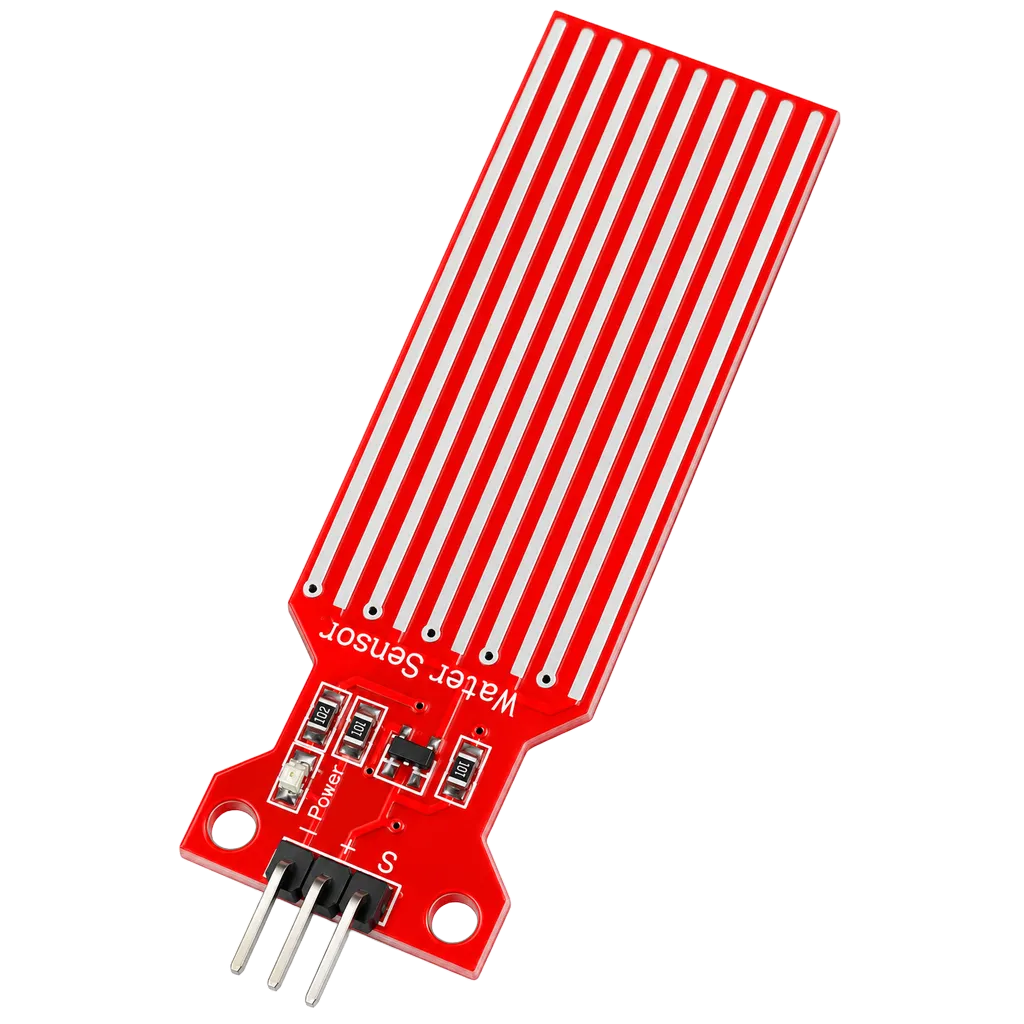
Detect water presence and monitor water levels in your DIY electronics projects with the Water Level Sensor Module. Compatible with Arduino Uno, Nano, ESP32, ESP8266 and other supported microcontroller boards, it is ideal for water detection, tank monitoring, automatic water alarms and IoT projects.
Features:
- Compatible with Arduino, ESP32 and ESP8266
- Easy to connect and use
- Suitable for DIY electronics and robotics projects
- Ideal for water detection and monitoring applications
Order online from Yagobotix with shipping across India, plus same-day delivery and pickup in Surat.
₹29.00 ₹39.00 (incl. GST)
Water Level Sensor for Arduino | Water Level Detection Module
Monitor water presence and experiment with liquid-level detection using the Water Level Sensor for Arduino. This compact sensor module is designed for electronics experiments, STEM education, DIY water monitoring and Arduino-based projects.
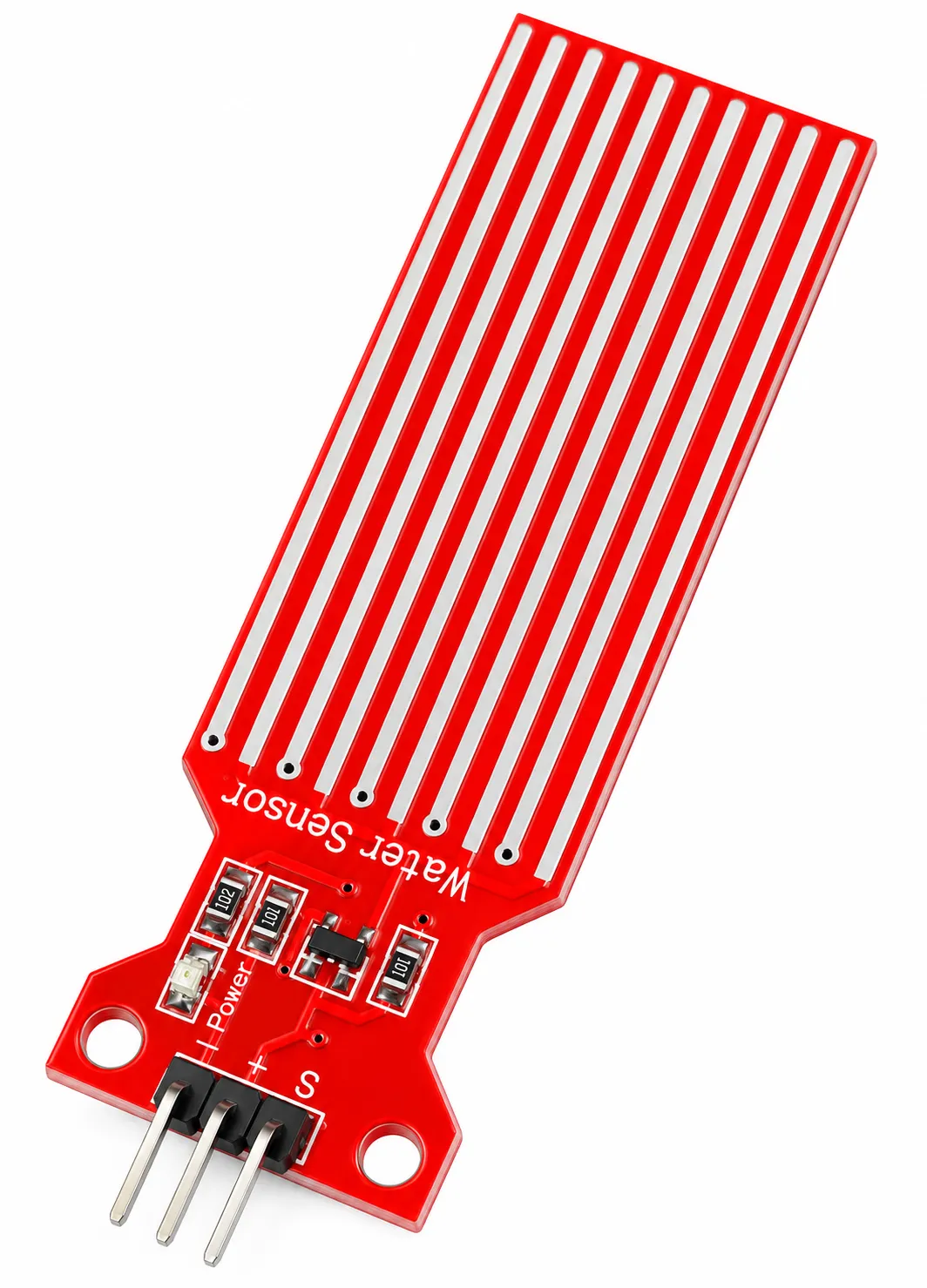
Its exposed conductive tracks detect changes in electrical conductivity when they come into contact with water. The sensor produces an analog signal that a compatible microcontroller can read to estimate the relative water level or detect water presence.
Whether you’re building a water level indicator, a water alarm prototype or a smart irrigation experiment, this module is a simple starting point for learning sensor interfacing.
1. What is Water Level Sensor for Arduino?
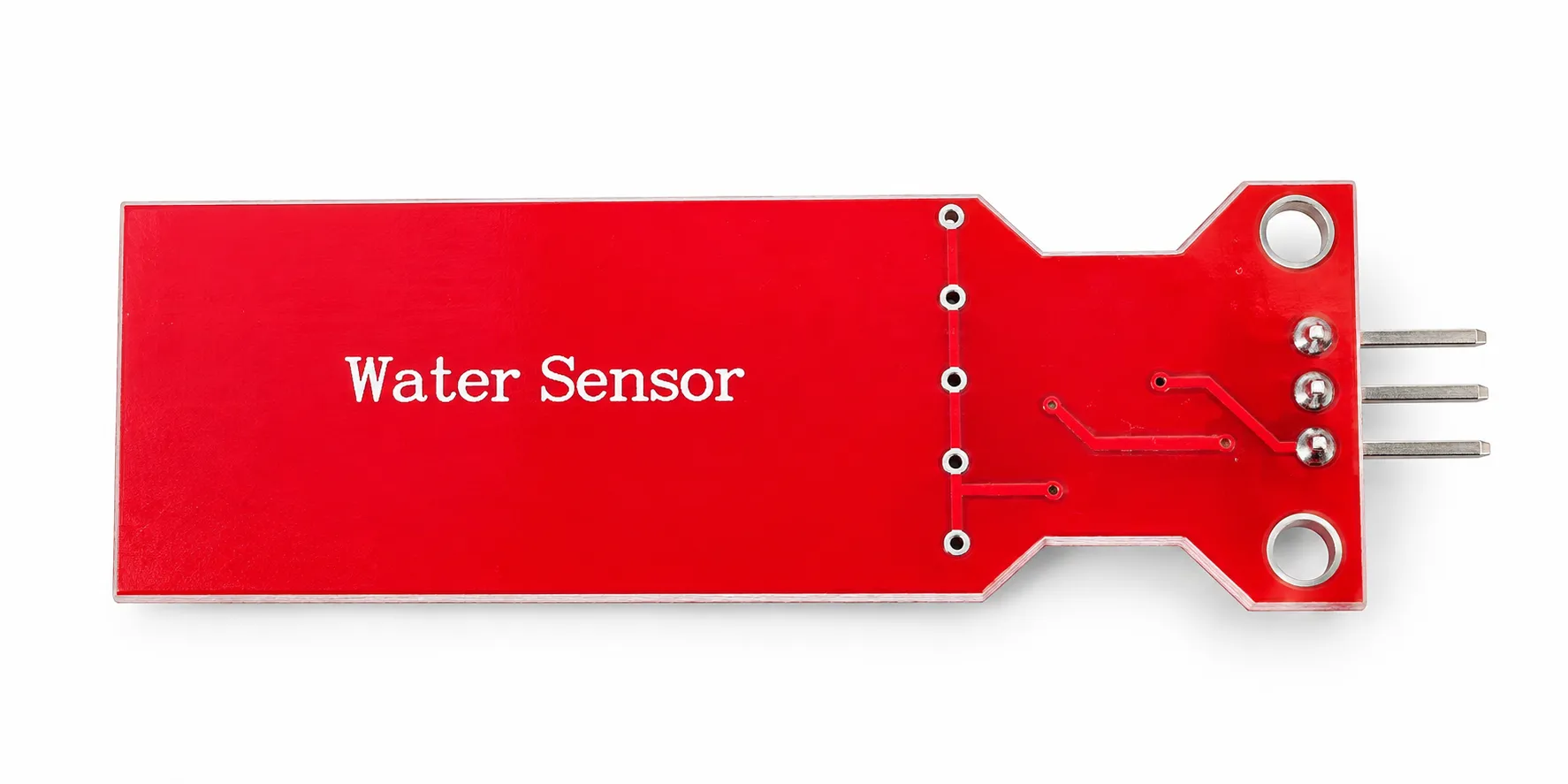
The Water Level Sensor Module is an electronic sensor designed to detect water and estimate its relative level using conductive sensing tracks printed on a PCB.
When water contacts the sensing area, the electrical conductivity between the tracks changes. The module converts this change into an analog output that can be read by Arduino and other compatible microcontrollers.
It is suitable for learning electronics, experimenting with water detection and developing small automation prototypes.
2. What can you build with it?
Use this sensor in projects such as:
- Water level indicator
- Water presence detection system
- Water overflow alert prototype
- Arduino water alarm
- Rainwater detection experiment
- Water leakage detection prototype
- Smart irrigation experiments
- Water monitoring demonstrations
- School and college electronics projects
- STEM and robotics projects
Note: This PCB sensor is best suited to small-scale experiments. It is not a substitute for a rugged, long-term tank-level sensor.
3. Who is it for?
Beginners: Learn how sensors produce analog readings.
Students: Build science, electronics and Arduino projects.
Robotics learners: Add water detection to experimental systems.
Makers: Test water monitoring and automation ideas.
Teachers and trainers: Demonstrate conductivity, analog inputs and sensor calibration.
4. How does it work?
The sensor works using electrical conductivity.
When water touches the exposed conductive tracks, the electrical resistance between them changes. The resulting analog output varies with the amount of contact and the conductivity of the liquid.
The Arduino reads this output and uses your program to decide what action to take.
Basic working process:
Water contacts sensor → Conductivity changes → Analog signal changes → Arduino reads the value → Program triggers an action.
For example, you can program an Arduino to turn on an LED or buzzer when the sensor reading crosses a threshold.
Actual readings depend on water conductivity, immersion depth, sensor condition and calibration.
5. Technical specifications
| Specification | Details |
|---|---|
| Sensor type | Conductive water detection sensor |
| Operating voltage | Typically 3–5V DC |
| Operating current | Typically below 20mA |
| Output type | Analog |
| Interface | 3-pin connection |
| Sensing method | Conductivity-based |
| Detection area | Approximately 40 × 16 mm on common versions |
| Compatible boards | Arduino and other compatible ADC-equipped boards |
| Applications | Water detection, level indication and educational projects |
Specifications are typical of common PCB-style water level sensors. Confirm the exact voltage, current and dimensions of your supplied module before listing them as guaranteed specifications.
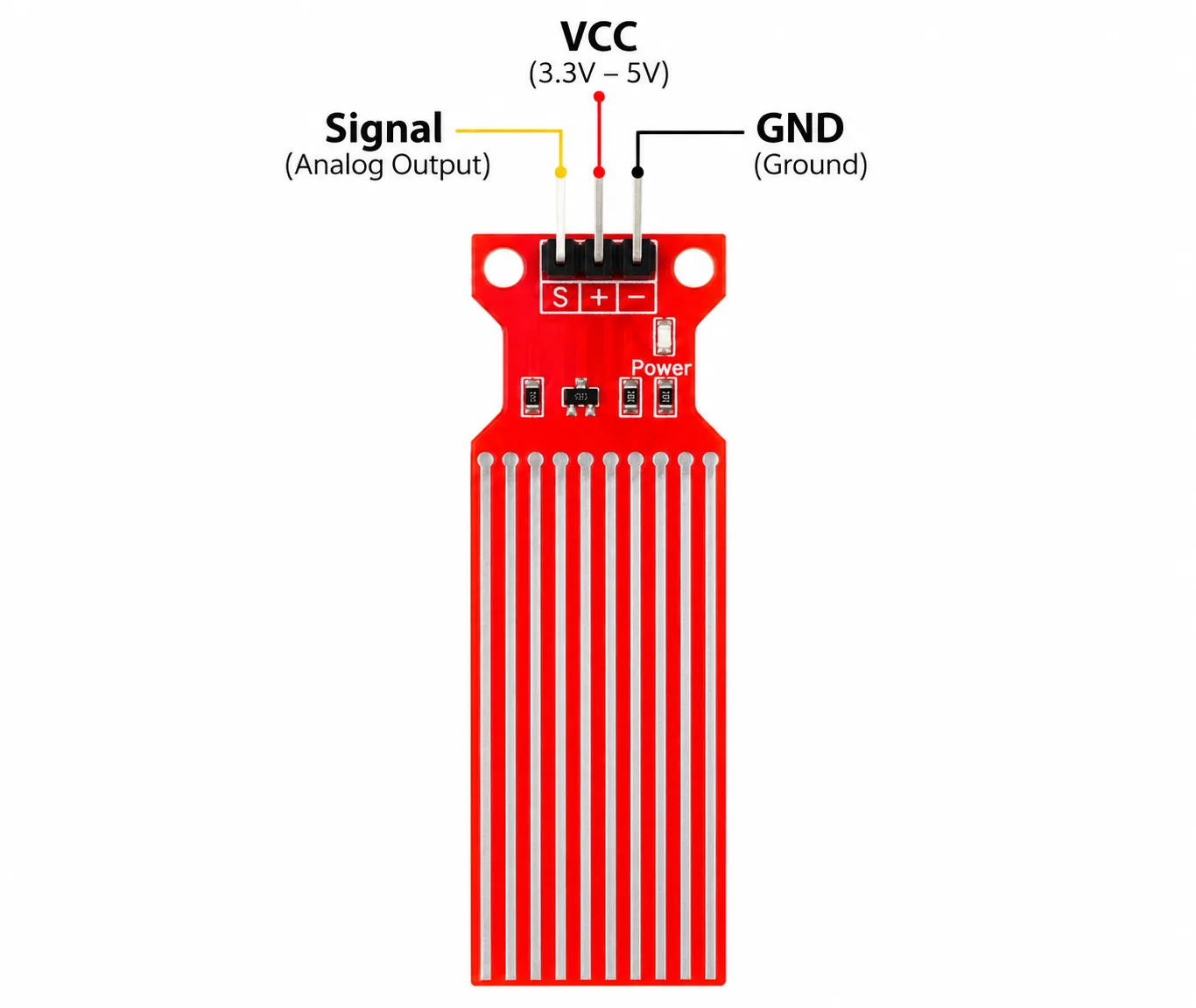
6. Pinout
The common three-pin version uses the following connections:
| Pin | Function |
|---|---|
| S | Analog signal output |
| + | Positive supply (VCC) |
| − | Ground (GND) |
- S: Sends the sensor reading to an analog input.
- +: Connects to a suitable power supply.
- −: Connects to ground.
Check the labels printed on your specific module before wiring it.
7. Wiring diagram
Water Level Sensor to Arduino Uno
| Water level sensor | Arduino Uno |
|---|---|
| S | A0 |
| + | 5V |
| − | GND |
Connection summary: Signal → A0, VCC → 5V, GND → GND.
Power the sensor only while taking measurements where practical. Prolonged exposure to electrical current can corrode its conductive tracks and reduce its lifespan.
Do not immerse the connector or electronic portions of the board unless the product is specifically designed for immersion.
8. Example Arduino code
Read water level sensor values
const int waterSensor = A0;

void setup() {
  Serial.begin(9600);
}

void loop() {
  int waterValue = analogRead(waterSensor);

  Serial.print("Water sensor reading: ");
  Serial.println(waterValue);

  delay(500);
}
How to use the code
- Connect the sensor to Arduino Uno.
- Upload the program using Arduino IDE.
- Open Serial Monitor and select 9600 baud.
- Observe the reading with the sensor dry.
- Carefully introduce water to the sensing tracks and compare readings.
Use your own measured values to calibrate the sensor. Do not assume a universal reading for an empty or full container.
9. Beginner project: Arduino water level alert
Build a simple water detection alert using the sensor and an Arduino.
Components required:
- 1 × Arduino Uno compatible board
- 1 × Water Level Sensor Module
- 1 × LED
- 1 × 220Ω resistor
- Jumper wires
- Breadboard
Connections:
- Sensor S → A0
- Sensor + → 5V
- Sensor − → GND
- LED anode → D8 through a 220Ω resistor
- LED cathode → GND
Example code
const int waterSensor = A0;
const int ledPin = 8;
const int threshold = 300;

void setup() {
  pinMode(ledPin, OUTPUT);
  Serial.begin(9600);
}

void loop() {
  int reading = analogRead(waterSensor);

  Serial.println(reading);

  if (reading > threshold) {
    digitalWrite(ledPin, HIGH);
  } else {
    digitalWrite(ledPin, LOW);
  }

  delay(200);
}
Important: The threshold of 300 is only an example. Check your sensor’s readings and adjust the threshold accordingly. If your sensor readings decrease when water is introduced, reverse the comparison.
This project demonstrates analog readings, threshold-based decisions and output control.
10. Related products
Enhance your water detection project with these components:
- Arduino Uno R3 Compatible Programmable Board
- Breadboard
- Jumper Wire Kit
- LED and Resistor Kit
- Active Buzzer Module
- LCD Display Module
- Relay Module
- Water Pump
- Soil Moisture Sensor
- Rain Detection Sensor
- ESP32 Development Board
For a beginner setup, pair the water level sensor with an Arduino Uno, breadboard, jumper wires, LED and resistors.
Important: Use an appropriate driver circuit when controlling a pump or other high-current load. Do not power a pump directly from an Arduino I/O pin.
11. Related tutorials
Recommended Yagobotix tutorials:
- How to Use a Water Level Sensor with Arduino
- Arduino Water Level Indicator Project
- Build a Water Detection Alarm with Arduino
- How to Read Analog Sensor Values in Arduino
- Arduino LED Control for Beginners
- Build a Water Monitoring Prototype
- Analog Sensors Explained for Beginners
These topics can link the product page to educational content and help customers discover relevant components.
12. Frequently asked questions
What does a water level sensor do?
It detects water contact and, in suitable designs, provides a signal that can be used to estimate relative water level.
Is this water level sensor compatible with Arduino Uno?
Yes. The common analog version connects to an Arduino analog input such as A0.
What is its operating voltage?
Common versions operate at 3–5V DC. Confirm the specification of your exact module.
Does it have analog output?
Yes. The standard three-pin PCB version provides an analog signal output.
Can I use it with ESP32?
Generally, yes. Connect the signal to a suitable ADC input and ensure the signal voltage never exceeds the ESP32’s permitted input voltage.
Can it measure the exact water level in a tank?
Not directly in calibrated units. It provides a relative reading that depends on immersion, conductivity and sensor placement. It is not a precision tank-depth instrument.
Can it control a water pump?
It can provide input to an Arduino-based pump-control prototype. Use a suitable relay or motor driver and appropriate electrical protection.
Can I leave it immersed in water permanently?
That is not recommended for this exposed-track sensor. Continuous wetting and electrical current can cause corrosion. Power it intermittently and dry it after use.
Can it detect oil or other liquids?
Its performance depends on the liquid’s electrical conductivity. It is primarily intended for water-based experiments and is not suitable for reliably detecting every liquid.
Is it suitable for a real household overflow safety system?
Do not rely on this low-cost experimental sensor as the sole protection against flooding or water damage. Use a properly rated sensor and a suitable control system for real-world safety applications.
Where can I buy a water level sensor in Surat?
You can buy water level sensor in surat from our website “Yagobotix.com”. we provide same day delivery.
13. What is included?
Package contents:
- 1 × Water Level Sensor Module
Arduino board, breadboard, jumper wires, LEDs and other components used in the example projects are not included unless explicitly stated in the product listing.
14. Compatibility
The sensor can be used with compatible development boards that support analog input, including:
- Arduino Uno
- Arduino Nano
- Arduino Mega
- ESP32, with suitable signal-voltage precautions
- Other microcontrollers with compatible analog inputs
Compatibility depends on the board’s input voltage limits and ADC configuration. Check these requirements before connecting the sensor.
15. Start your next water detection project
Bring your electronics ideas to life with the Water Level Sensor for Arduino from Yagobotix.
Experiment with water detection, monitor analog sensor readings and build educational projects such as water indicators and alert systems.
Add the Water Level Sensor to your cart and start building with Yagobotix today!
Same-Day Delivery & Pickup in Surat
Need a Water Level Sensor Module urgently for your electronics or robotics project?
Yagobotix offers same-day delivery and same-day pickup in Surat, Gujarat, so you don’t have to wait for standard shipping.
- Same-day delivery: Available for eligible Surat locations.
- Same-day pickup: Place your order online and collect it from our Surat location.
- Online ordering: Browse and order electronics components directly from Yagobotix.
Same-day service is subject to product availability, order confirmation, location and applicable order cut-off times.
Order your Water Level Sensor Module today!
Based on 0 reviews
Only logged in customers who have purchased this product may leave a review.
Related products
-
Sensors, Distance & Motion
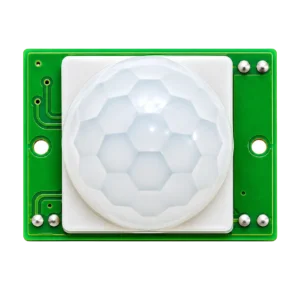
HC-SR501 PIR Motion Sensor Module – RCW-0506 Green PCB
The PIR Motion Sensor Module – RCW-0506 Green PCB (HC-SR501 Type) is a passive infrared sensor designed to detect movement of people and other warm objects by sensing changes in infrared radiation.
Featuring a white Fresnel lens, green PCB and digital output interface, this sensor is suitable for Arduino, ESP32, motion-activated lights, security alarm prototypes and DIY electronics projects.
Key Features:
- Passive Infrared (PIR) motion detection
- RCW-0506 green PCB variant
- HC-SR501-type motion sensing functionality
- White Fresnel lens for infrared detection
- Digital motion detection output (OUT)
- Connections labelled VCC, OUT and GND
- Contactless detection of moving warm objects
- Suitable for Arduino and compatible microcontrollers
- Ideal for motion-activated lighting, alarms and automation projects
Important: The photographed RCW-0506 board does not show the conventional HC-SR501 sensitivity and delay adjustment potentiometers. Detection range, supply voltage and output timing should be confirmed for this version before purchase.
Package Includes: 1 × PIR Motion Sensor Module – RCW-0506 Green PCB.
Buy online from Yagobotix with shipping across India and same-day delivery or pickup available in Surat.
SKU: YGB-SEN-PIR-RCW0506 -
Sensors
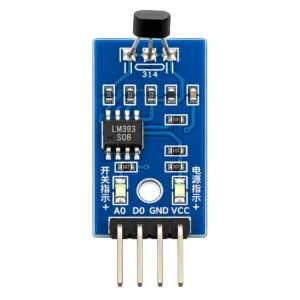
LM393 Hall Effect Sensor Module – 4 Pin
The Hall Effect Sensor Module is a compact magnetic detection sensor featuring an LM393 comparator that detects the presence of a nearby magnetic field without physical contact. It is ideal for rotation counting, motor speed measurement, magnetic position detection and robotics projects.
Key Features:
- Semiconductor-based Hall effect sensing
- LM393 voltage comparator
- Contactless magnetic detection
- Digital detection output
- Compact blue PCB with 4-pin interface
- Onboard power and detection LED indicators
- Suitable for Arduino, ESP32 and other compatible microcontroller circuits
Buy the Hall Effect Sensor Module online from Yagobotix with shipping across India and same-day delivery or pickup available in Surat.
SKU: YGB-SEN-HALL-04 -
Sensors, Distance & Motion
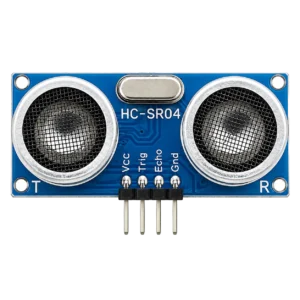
HC-SR04 Ultrasonic Distance Sensor Module – 4 Pin (Blue PCB)
- The HC-SR04 Ultrasonic Sensor Module is a 4-pin, 5V distance-measuring sensor designed to detect nearby objects using ultrasonic sound waves. It is widely used in Arduino, robotics, obstacle detection, distance measurement and DIY electronics projects.Key Features:
- HC-SR04 ultrasonic distance sensor
- Non-contact distance measurement
- Typical measuring range: 2–400 cm
- 40 kHz ultrasonic operating frequency
- 5V DC operating voltage
- Four pins: VCC, Trig, Echo and GND
- Separate ultrasonic transmitter and receiver
- Distance calculation using echo pulse timing
- Suitable for Arduino Uno, Nano, Mega and compatible microcontrollers
- Usable with ESP32 through suitable 5V-to-3.3V Echo level shifting
- Ideal for obstacle-avoiding robots, distance alarms and smart parking prototypes
Package Includes: 1 × HC-SR04 Ultrasonic Distance Sensor Module – Blue PCB.
Note: Actual measurement accuracy depends on the target surface, distance, angle and environmental conditions. The sensor is not waterproof.
Buy the HC-SR04 Ultrasonic Sensor online from Yagobotix with shipping across India and same-day delivery or pickup available in Surat.
SKU: YGB-SEN-HCSR04 - The HC-SR04 Ultrasonic Sensor Module is a 4-pin, 5V distance-measuring sensor designed to detect nearby objects using ultrasonic sound waves. It is widely used in Arduino, robotics, obstacle detection, distance measurement and DIY electronics projects.Key Features:
-
Sensors, Pre-Soldered Electronic Modules, Special Sensors
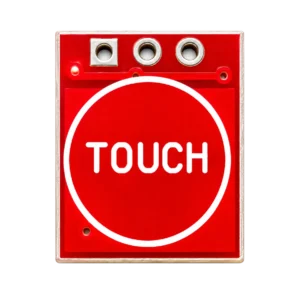
TTP223 Touch Sensor Module
- The TTP223 Touch Sensor Module is a capacitive touch sensor that detects finger contact and provides a digital output signal. This TTP223 Capacitive Touch Sensor is ideal for touch-controlled LEDs, electronic switches, interactive projects and Arduino or ESP32 applications.Features:
- TTP223 capacitive touch sensor IC
- Digital touch detection output
- Compact red PCB design
- 3-pin connection: VCC, GND and I/O
- Suitable for Arduino and ESP32 projects
- Available with pre-soldered or unsoldered pin headers
Choose the version that suits your project. Order online from Yagobotix across India, with same-day delivery and pickup available in Surat.
SKU: ygbs05 - The TTP223 Touch Sensor Module is a capacitive touch sensor that detects finger contact and provides a digital output signal. This TTP223 Capacitive Touch Sensor is ideal for touch-controlled LEDs, electronic switches, interactive projects and Arduino or ESP32 applications.Features:
There are no reviews yet.