


Magnetic Reed Switch Sensor Module – 4 Pin
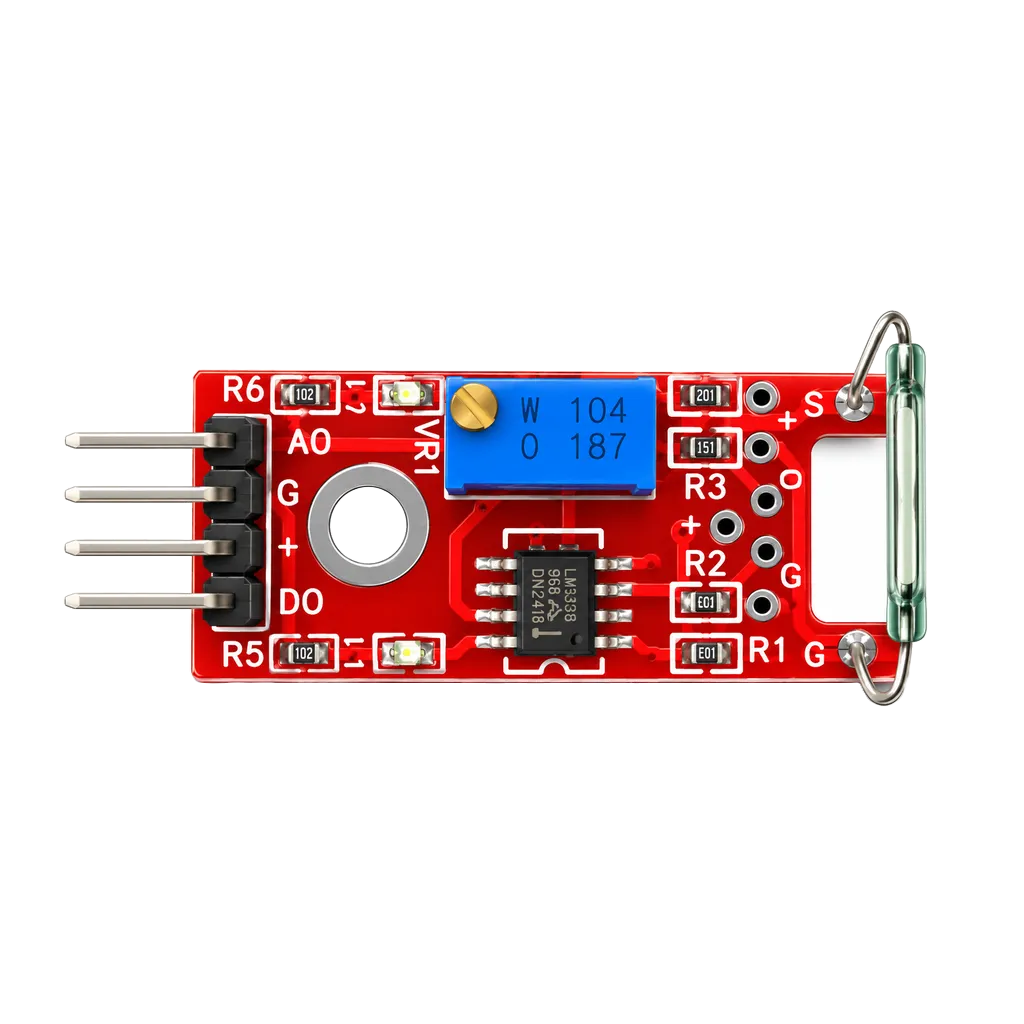
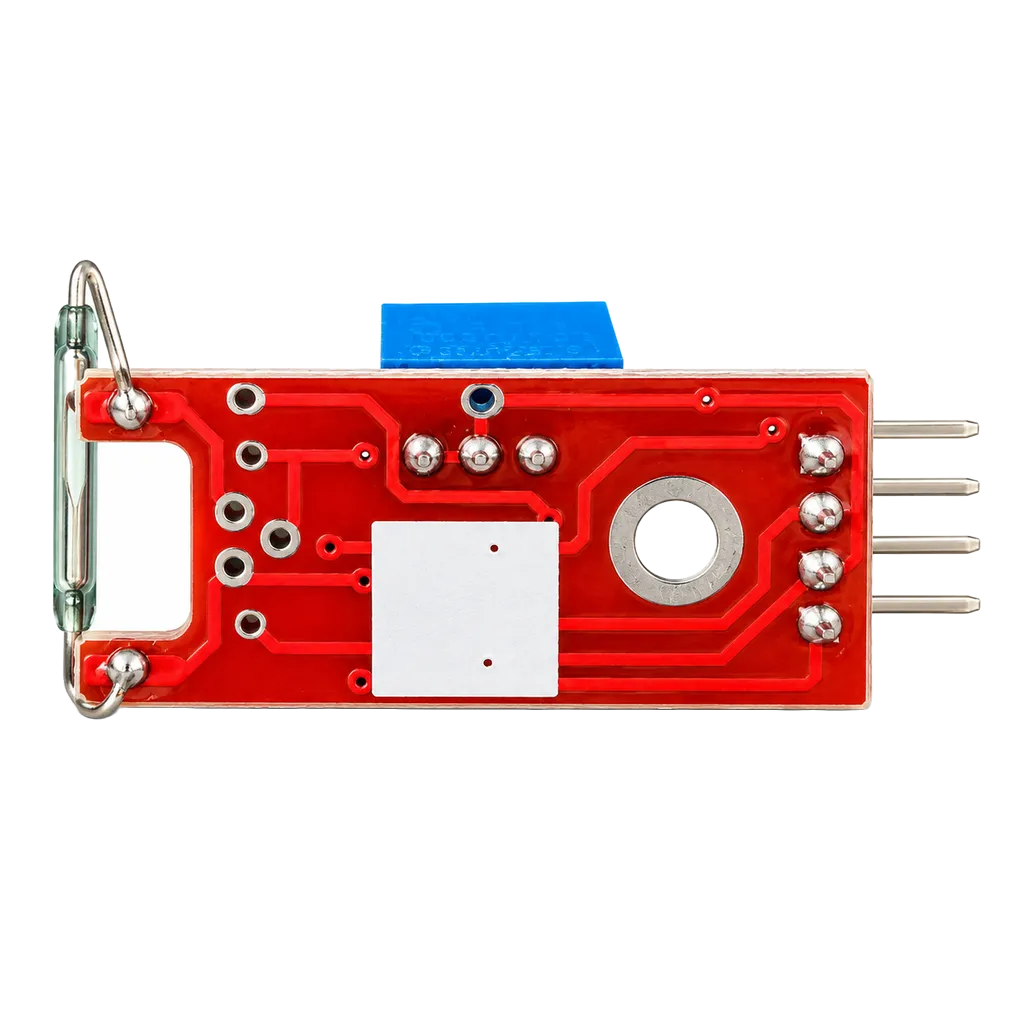
The Magnetic Reed Switch Sensor is a compact magnetic detection module designed to detect the presence or absence of a nearby magnet. Featuring a glass reed switch, analog and digital outputs and an adjustable detection threshold, it is ideal for door monitoring, contactless switching, position detection and DIY electronics projects.
Key Features:
- Glass-encapsulated magnetic reed switch
- Analog (AO) and digital (DO) outputs
- Adjustable digital detection threshold
- Compact red PCB design
- Simple 4-pin interface
- Onboard LED indicators
- Suitable for Arduino, ESP32 and other compatible microcontrollers
Buy the Magnetic Reed Switch Sensor online from Yagobotix with shipping across India and same-day delivery or pickup available in Surat.
₹65.00 (incl. GST)
Magnetic Reed Switch Sensor Module – 4 Pin
1. What Is a Magnetic Reed Switch Sensor?
The Magnetic Reed Switch Sensor is an electronic detection module designed to detect the presence or absence of a magnetic field using a glass-encapsulated reed switch.
When a suitable magnet approaches the sensing element, the internal electrical contacts change their state. This change can be detected by a microcontroller to perform various automated actions.
The module features analog and digital outputs, an onboard comparator circuit and an adjustable potentiometer.
It is commonly used in door monitoring prototypes, contactless switches, position detection systems, robotics and DIY electronics projects.
2. What Can You Build With a Magnetic Reed Switch Sensor?
This magnetic detection module is suitable for applications such as:
- Door opening detection systems
- Window monitoring projects
- Magnetic security alarm prototypes
- Contactless electronic switches
- Robot position detection
- Wheel rotation counters
- Bicycle speed measurement prototypes
- Magnetic proximity detection
- Smart home automation projects
- IoT-based door monitoring
- Educational electronics and STEM projects
3. Who Is It For?
The Magnetic Reed Switch Sensor is suitable for:
- Beginners learning electronics
- School and engineering students
- Arduino and ESP32 enthusiasts
- Robotics hobbyists
- IoT project developers
- STEM educators and trainers
- DIY electronics makers
It is particularly useful for learning about magnetic fields, mechanical contacts, digital inputs and electronic automation.
4. How Does a Magnetic Reed Switch Sensor Work?
A reed switch contains flexible ferromagnetic contacts enclosed inside a sealed glass tube.
When a suitable magnetic field is applied, the contacts of a normally open reed switch move towards each other and complete the electrical circuit.
When the magnet is removed, the contacts return to their original position.
The onboard comparator circuit processes the change in electrical state and provides a digital output.
The module also features an analog output that can be used to observe voltage changes in the sensor circuit.
Working principle:
Magnet Approaches → Reed Switch Activates → Signal Processing → Microcontroller → Action
Unlike a linear Hall effect sensor, a reed switch primarily detects a switching event rather than continuously measuring magnetic field strength.
5. Technical Specifications
| Specification | Details |
|---|---|
| Product Type | Magnetic Reed Switch Sensor Module |
| Reference Model | KY-025 Type |
| Sensing Element | Glass-encapsulated reed switch |
| Detection Method | Magnetic field activation |
| Operating Voltage | Typically 3.3–5V DC |
| Output Type | Analog and Digital |
| Analog Output | AO |
| Digital Output | DO |
| Number of Pins | 4 |
| Pin Labels | AO, G, +, DO |
| Adjustment | Onboard potentiometer |
| Indicators | Onboard LEDs |
| PCB Colour | Red |
| Mounting | PCB mounting hole |
| Detection Type | Contactless magnetic detection |
| Application | Position detection and magnetic switching |
The operating voltage is a reference specification for comparable modules. Detection distance depends on the magnet’s strength, orientation and the sensor’s activation characteristics.
6. Magnetic Reed Switch Sensor Pinout
The Magnetic Reed Switch Sensor features four connection pins.
| Pin | Function |
|---|---|
| AO | Analog voltage output |
| G | Ground (GND) |
| + | Positive power supply (VCC) |
| DO | Digital detection output |
The digital output is suitable for detecting magnetic switching events.
The analog output provides a voltage related to the sensor circuit’s state and should not be interpreted as a calibrated magnetic field measurement.
Always follow the pin labels printed on the actual PCB.
7. How to Connect a Magnetic Reed Switch Sensor to Arduino
The Magnetic Reed Switch Sensor can be connected to an Arduino Uno using four jumper wires.
Required components:
- Magnetic Reed Switch Sensor Module
- Arduino Uno
- Permanent magnet
- Jumper wires
Wiring connections:
| Magnetic Reed Switch Sensor | Arduino Uno |
|---|---|
| AO | Analog Pin A0 |
| G | GND |
| + | Compatible 5V supply |
| DO | Digital Pin D2 |
After connecting the module, bring a suitable magnet near the glass reed switch and observe the sensor output.
Adjust the onboard potentiometer if necessary to obtain reliable digital switching.
Avoid allowing the magnet to strike the glass sensing element.
8. Arduino Example Code
The following program reads the analog and digital outputs of the Magnetic Reed Switch Sensor and displays their values in the Arduino Serial Monitor.
const int reedDigitalPin = 2;
const int reedAnalogPin = A0;

void setup() {
  pinMode(reedDigitalPin, INPUT);
  Serial.begin(9600);
}

void loop() {
  int digitalValue = digitalRead(reedDigitalPin);
  int analogValue = analogRead(reedAnalogPin);

  Serial.print("Analog: ");
  Serial.print(analogValue);

  Serial.print(" | Digital: ");
  Serial.println(digitalValue);

  delay(100);
}
How to test the sensor:
- Connect the sensor to Arduino.
- Upload the program using Arduino IDE.
- Open the Serial Monitor at 9600 baud.
- Bring a magnet near the reed switch.
- Observe the changes in the analog and digital readings.
- Remove the magnet and observe the output again.
The digital output may be active HIGH or active LOW depending on the module’s circuit and adjustment.
9. Beginner Project: Magnetic Door Opening Alarm
Build a simple door monitoring prototype using the Magnetic Reed Switch Sensor and Arduino.
Components required:
- 1 × Magnetic Reed Switch Sensor Module
- 1 × Arduino Uno
- 1 × Permanent magnet
- 1 × 5mm Red LED
- 1 × 330Ω resistor
- Breadboard
- Jumper wires
Wiring connections:
- Sensor DO → Arduino D2
- Sensor + → Compatible 5V supply
- Sensor G → Arduino GND
- LED anode → Arduino D8 through a 330Ω resistor
- LED cathode → Arduino GND
Mount the sensor on the door frame and the magnet on the moving door.
When the door is closed, the magnet should be positioned close enough to activate the reed switch. When the door opens, the magnet moves away and the sensor changes its state.
Example Arduino code:
const int reedPin = 2;
const int ledPin = 8;

// Example logic: change to HIGH
// if your module uses opposite polarity.
const int magnetDetectedState = LOW;

void setup() {
  pinMode(reedPin, INPUT);
  pinMode(ledPin, OUTPUT);
  Serial.begin(9600);
}

void loop() {
  bool doorClosed =
    digitalRead(reedPin) == magnetDetectedState;

  if (doorClosed) {
    digitalWrite(ledPin, LOW);
    Serial.println("Door Closed");
  } else {
    digitalWrite(ledPin, HIGH);
    Serial.println("Door Open");
  }

  delay(100);
}
Verify the actual output polarity using the previous sensor test before running this project.
A 5V Passive Buzzer with suitable driving circuitry can also be added to generate an audible alert.
This project teaches magnetic detection, digital inputs, conditional programming and electronic alarms. It is intended as an educational prototype rather than a certified security system.
10. Related Products
Complete your electronics project with:
- Arduino Uno R3 Compatible Programmable Board
- ESP32 Development Board
- 5V Passive Buzzer
- SW-420 Vibration Sensor Module
- TTP223 Touch Sensor Module
- 4 Pin Sound Sensor Module
- RGB LED Module
- Common Cathode RGB LED
- MAX7219 8×8 LED Matrix Module
- TM1637 4 Digit Display
- Breadboard
- Jumper Wires
11. Related Tutorials
Explore these electronics learning topics:
- How to Use a Magnetic Reed Switch Sensor with Arduino
- How to Build a Magnetic Door Opening Alarm
- How to Connect a Reed Switch Sensor to ESP32
- Reed Switch vs Hall Effect Sensor
- Understanding Magnetic Proximity Detection
- How to Build a Magnetic Rotation Counter
- Analog vs Digital Sensor Outputs
- How to Build an IoT Door Monitoring System
12. Frequently Asked Questions
What is a Magnetic Reed Switch Sensor?
It is an electronic sensor module that detects a nearby magnetic field using a glass-encapsulated mechanical reed switch.
Does a magnetic reed switch require physical contact with a magnet?
No. The reed switch responds to a suitable magnetic field without requiring direct physical contact with the magnet.
What is the difference between a reed switch and a Hall effect sensor?
A reed switch uses mechanical electrical contacts activated by a magnetic field. A Hall effect sensor uses semiconductor technology to detect magnetic fields without moving contacts.
Can I use a Magnetic Reed Switch Sensor with Arduino?
Yes. The module can be connected to Arduino using its analog or digital output pins.
Can I use this sensor with ESP32?
Yes, provided the supply voltage and output voltage levels are compatible with the ESP32’s GPIO and ADC inputs.
What is the purpose of the onboard potentiometer?
The potentiometer allows adjustment of the module’s electronic detection threshold. It does not directly change the mechanical properties of the reed switch.
Can this sensor detect the distance of a magnet?
Not accurately. The activation distance depends on the magnet’s strength, orientation and sensor characteristics.
Can this sensor detect ordinary metal objects?
A reed switch primarily responds to magnetic fields. It does not function as a general-purpose metal detector.
Can I use a reed switch sensor to count wheel rotations?
Yes. A magnet attached to a rotating wheel can activate the reed switch as it passes nearby. Appropriate mounting, signal debouncing and speed limitations must be considered.
Can this sensor measure magnetic field strength?
No. It is primarily a magnetic switching sensor and is not designed for calibrated magnetic field measurements.
Can I use this sensor in a door security project?
Yes. It is suitable for educational door monitoring and security alarm prototypes.
Where can I buy a Magnetic Reed Switch Sensor in Surat?
You can purchase the Magnetic Reed Switch Sensor online from Yagobotix with same-day delivery and pickup available in Surat.
13. What Is Included?
- 1 × Magnetic Reed Switch Sensor Module – Red PCB (4 Pin)
Magnets, microcontroller boards, buzzers, LEDs, breadboards and jumper wires are not included.
14. Compatibility
The Magnetic Reed Switch Sensor can be used in suitable electronic projects involving:
- Arduino Uno
- Arduino Nano
- Arduino Mega
- ESP32 Development Boards
- ESP8266 NodeMCU
- Raspberry Pi
- STM32 Development Boards
- Other compatible microcontrollers
- Custom electronic circuits
Verify the operating voltage and output signal levels before connecting the module to a 3.3V microcontroller.
Do not connect a 5V output directly to GPIO or ADC inputs that are not 5V tolerant.
Raspberry Pi requires an external ADC when using the analog output.
15. Buy Magnetic Reed Switch Sensor Online in India
Add contactless magnetic detection to your next electronics project with the Magnetic Reed Switch Sensor from Yagobotix.
Featuring a glass-encapsulated reed switch, analog and digital outputs and an adjustable detection threshold, this module is suitable for door monitoring, position detection, robotics, IoT applications and educational electronics projects.
Order online with shipping across India and same-day delivery or pickup available in Surat, subject to stock availability and applicable order cut-off times.
Add to cart and start building your next electronics project with Yagobotix!
Based on 0 reviews
Only logged in customers who have purchased this product may leave a review.
Related products
-
Sensors, Distance & Motion
HC-SR04 Ultrasonic Distance Sensor Module – 4 Pin (Blue PCB)
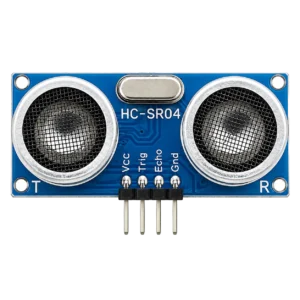
- The HC-SR04 Ultrasonic Sensor Module is a 4-pin, 5V distance-measuring sensor designed to detect nearby objects using ultrasonic sound waves. It is widely used in Arduino, robotics, obstacle detection, distance measurement and DIY electronics projects.Key Features:
- HC-SR04 ultrasonic distance sensor
- Non-contact distance measurement
- Typical measuring range: 2–400 cm
- 40 kHz ultrasonic operating frequency
- 5V DC operating voltage
- Four pins: VCC, Trig, Echo and GND
- Separate ultrasonic transmitter and receiver
- Distance calculation using echo pulse timing
- Suitable for Arduino Uno, Nano, Mega and compatible microcontrollers
- Usable with ESP32 through suitable 5V-to-3.3V Echo level shifting
- Ideal for obstacle-avoiding robots, distance alarms and smart parking prototypes
Package Includes: 1 × HC-SR04 Ultrasonic Distance Sensor Module – Blue PCB.
Note: Actual measurement accuracy depends on the target surface, distance, angle and environmental conditions. The sensor is not waterproof.
Buy the HC-SR04 Ultrasonic Sensor online from Yagobotix with shipping across India and same-day delivery or pickup available in Surat.
SKU: YGB-SEN-HCSR04 - The HC-SR04 Ultrasonic Sensor Module is a 4-pin, 5V distance-measuring sensor designed to detect nearby objects using ultrasonic sound waves. It is widely used in Arduino, robotics, obstacle detection, distance measurement and DIY electronics projects.Key Features:
-
Sensors, Distance & Motion
GY-521 MPU6050 6-Axis Gyroscope & Accelerometer Sensor – Pre-Soldered
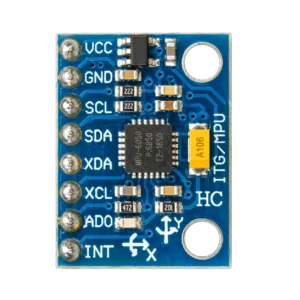
The GY-521 MPU6050 Sensor – Pre-Soldered is a 6-axis motion tracking module featuring a 3-axis gyroscope and 3-axis accelerometer in a single compact PCB. It communicates through I2C and is suitable for Arduino, ESP32, robotics, tilt sensing, motion detection and orientation measurement projects.
Key Features:
- GY-521 module with MPU-6050 motion sensor
- 3-axis accelerometer + 3-axis gyroscope
- 6 Degrees of Freedom (6-DoF)
- Pre-soldered 8-pin header for convenient connections
- I2C communication interface
- Typical GY-521 supply: 3.3V–5V DC
- Default I2C address: 0x68
- Alternative I2C address: 0x69
- Accelerometer measurement ranges: ±2g, ±4g, ±8g and ±16g
- Gyroscope measurement ranges: ±250, ±500, ±1000 and ±2000°/s
- On-chip temperature sensing
- Suitable for Arduino, ESP32 and compatible microcontrollers
- Ideal for balancing robots, tilt detection and motion-tracking prototypes
Package Includes: 1 × GY-521 MPU6050 6-Axis Sensor Module with pre-soldered header.
Note: The breakout board commonly includes a voltage regulator, but the MPU6050 IC uses 3.3V logic. Verify I2C voltage compatibility when using 5V microcontrollers.
Order online from Yagobotix with shipping across India and same-day delivery or pickup available in Surat.
SKU: YGB-SEN-GY521-MPU6050-PS -
Sensors, Distance & Motion
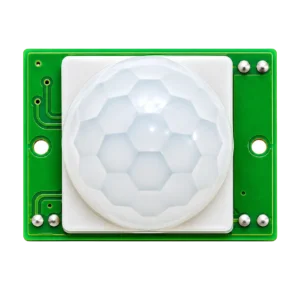
HC-SR501 PIR Motion Sensor Module – RCW-0506 Green PCB
The PIR Motion Sensor Module – RCW-0506 Green PCB (HC-SR501 Type) is a passive infrared sensor designed to detect movement of people and other warm objects by sensing changes in infrared radiation.
Featuring a white Fresnel lens, green PCB and digital output interface, this sensor is suitable for Arduino, ESP32, motion-activated lights, security alarm prototypes and DIY electronics projects.
Key Features:
- Passive Infrared (PIR) motion detection
- RCW-0506 green PCB variant
- HC-SR501-type motion sensing functionality
- White Fresnel lens for infrared detection
- Digital motion detection output (OUT)
- Connections labelled VCC, OUT and GND
- Contactless detection of moving warm objects
- Suitable for Arduino and compatible microcontrollers
- Ideal for motion-activated lighting, alarms and automation projects
Important: The photographed RCW-0506 board does not show the conventional HC-SR501 sensitivity and delay adjustment potentiometers. Detection range, supply voltage and output timing should be confirmed for this version before purchase.
Package Includes: 1 × PIR Motion Sensor Module – RCW-0506 Green PCB.
Buy online from Yagobotix with shipping across India and same-day delivery or pickup available in Surat.
SKU: YGB-SEN-PIR-RCW0506 -
Sensors, Distance & Motion
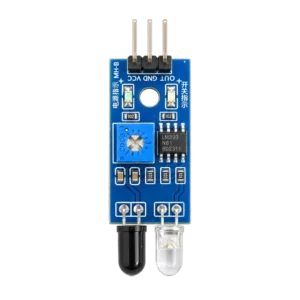
IR Obstacle Avoidance Sensor Module – 3 Pin (Blue PCB)
The IR Obstacle Avoidance Sensor Module – 3 Pin (Blue PCB) is a compact infrared proximity detection sensor designed to detect nearby objects without physical contact. It features an infrared transmitter and receiver, LM393 comparator and adjustable potentiometer for setting the obstacle detection threshold.
Key Features:
- Infrared obstacle and proximity detection
- Blue PCB with 3-pin interface
- IR transmitter and receiver pair
- LM393 comparator IC
- Adjustable detection threshold via potentiometer
- Digital output (OUT)
- Typical operating voltage: 3.3–5V DC
- Typical adjustable detection range: approximately 2–30cm under suitable conditions
- Onboard power and detection indicator LEDs
- Suitable for Arduino, ESP32 and other compatible microcontrollers
- Ideal for obstacle-avoiding robots, object counters and automation projects
Note: Actual detection distance depends on object colour, surface reflectivity, angle, lighting and potentiometer adjustment. The module detects object presence rather than measuring precise distance.
Buy the IR Obstacle Avoidance Sensor Module online from Yagobotix with shipping across India and same-day delivery or pickup available in Surat.
SKU: YGB-SEN-IR-OBS-03
There are no reviews yet.