


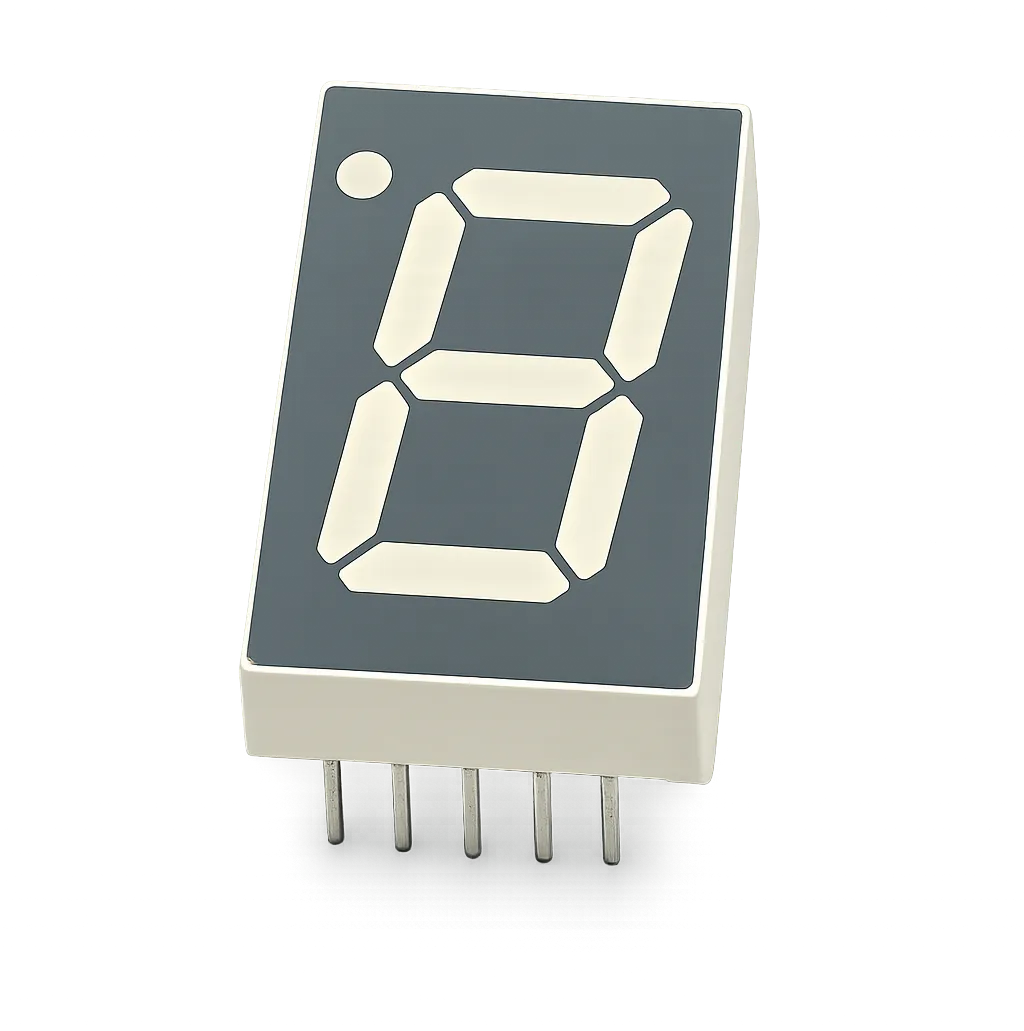
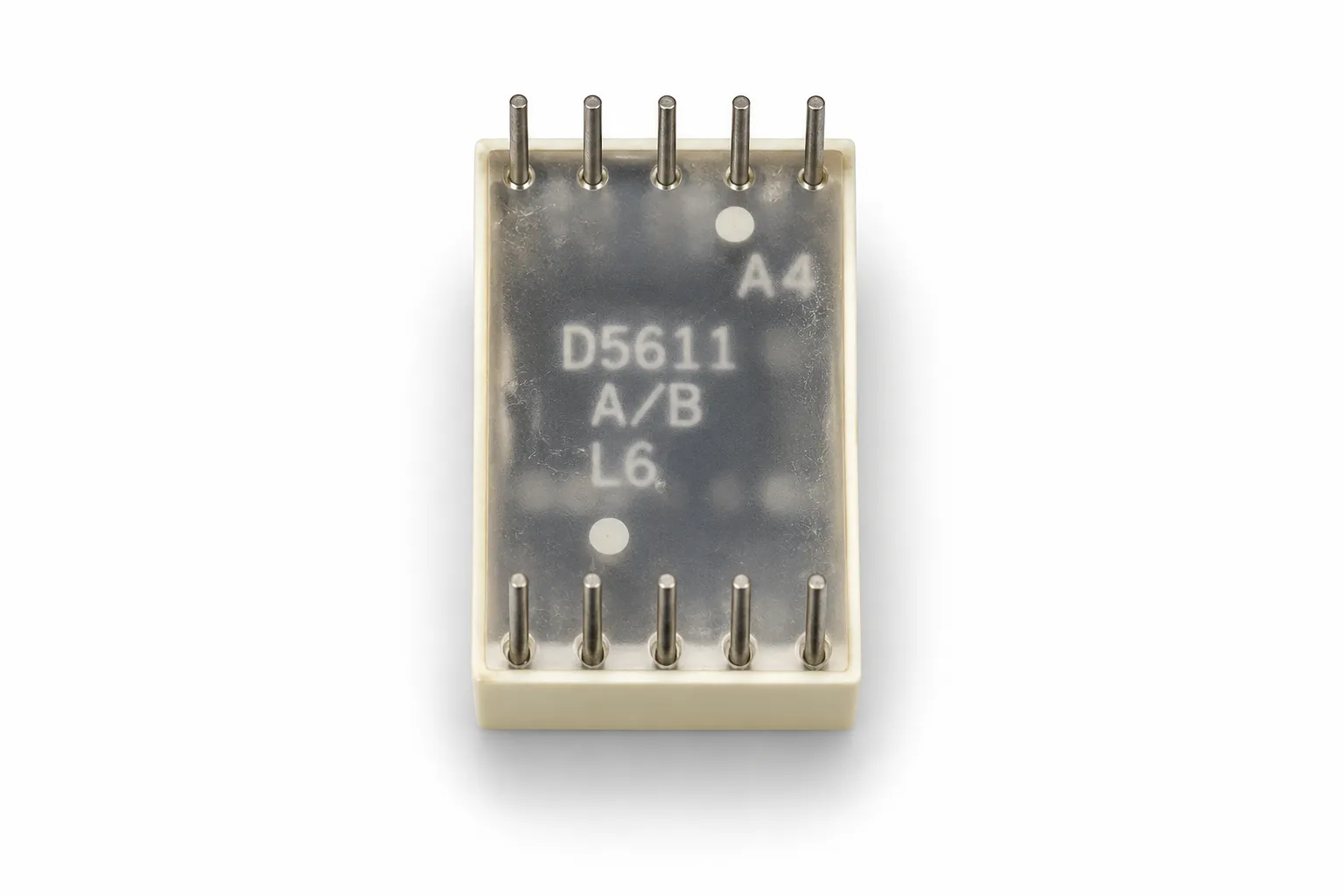
Single Digit 7 Segment Display – 0.56 Inch Red Common Cathode
The Single Digit 7 Segment Display is a compact 0.56-inch red LED display with a common cathode configuration. Featuring seven individually controlled LED segments and a decimal point, it is ideal for displaying numbers, counters and numeric information in electronic circuits.
Key Features:
- Single-digit 7-segment LED display
- 0.56-inch digit height
- Red LED illumination
- Common cathode (CC) configuration
- 10-pin through-hole design
- Suitable for Arduino, ESP32 and custom PCB projects
- Ideal for digital counters, timers and numeric indicators
Buy the Single Digit 7 Segment Display online from Yagobotix with shipping across India and same-day delivery or pickup available in Surat.
₹10.00 (incl. GST)
Single Digit 7 Segment Display – 0.56 Inch Red Common Cathode
1. What Is a Single Digit 7 Segment Display?
The Single Digit 7 Segment Display is an electronic LED component designed to display numerical digits from 0 to 9 and selected letters and symbols.
It features seven individually controlled LED segments and an additional decimal point. By illuminating different combinations of these segments, the display produces different numbers.
This 0.56-inch display features red LED illumination, a common cathode configuration and a 10-pin through-hole package.
2. What Can You Build With a Single Digit 7 Segment Display?
This display is suitable for various electronics projects, including:
- Digital counters
- Electronic dice
- Countdown timers
- Digital scoreboards
- Numeric indicators
- Arduino display projects
- ESP32 display projects
- Electronic measuring instruments
- Custom PCB circuits
- Educational electronics projects
3. Who Is It For?
The Single Digit 7 Segment Display is suitable for:
- Beginners learning electronics
- School and engineering students
- Arduino and ESP32 enthusiasts
- Robotics hobbyists
- PCB designers
- STEM educators
- DIY electronics makers
4. How Does a 7 Segment Display Work?
A seven-segment display consists of seven LED segments labelled A, B, C, D, E, F and G, along with a decimal point (DP).
Each segment can be illuminated individually to create different numbers.
In a common cathode display, the negative terminals of the internal LEDs share a common electrical connection.
The common cathode connects to GND, while individual segments illuminate when a suitable positive voltage is applied through current-limiting resistors.
For example:
- Number 1: Segments B and C
- Number 2: Segments A, B, D, E and G
- Number 0: Segments A, B, C, D, E and F
- Number 8: All seven segments
5. Technical Specifications
| Specification | Details |
|---|---|
| Product Type | Single Digit 7 Segment Display |
| Display Technology | LED |
| Number of Digits | 1 |
| Digit Height | 0.56 inch (14.22 mm) |
| LED Colour | Red |
| Configuration | Common Cathode (CC) |
| Number of Segments | 7 + Decimal Point |
| Number of Pins | 10 |
| Pin Arrangement | 5 pins on each side |
| Mounting Type | Through-hole |
| Driver IC | Not included |
| Control Method | Individual segment control |
| Application | Numeric displays and digital electronics |
Use suitable current-limiting resistors when operating the display.
6. Single Digit 7 Segment Display Pinout
The display uses ten physical terminals for controlling its LED segments, decimal point and common cathode connections.
| Segment | Function |
|---|---|
| A | Top horizontal segment |
| B | Upper-right vertical segment |
| C | Lower-right vertical segment |
| D | Bottom horizontal segment |
| E | Lower-left vertical segment |
| F | Upper-left vertical segment |
| G | Middle horizontal segment |
| DP | Decimal point |
| COM | Common cathode connection |
Identify the physical terminal numbers using the manufacturer’s datasheet or a multimeter in diode-test mode before connecting the display.
7. How to Connect a 7 Segment Display to Arduino
The common cathode seven-segment display can be controlled using Arduino digital output pins.
Wiring connections:
| Display Segment | Arduino Uno |
|---|---|
| A | D2 |
| B | D3 |
| C | D4 |
| D | D5 |
| E | D6 |
| F | D7 |
| G | D8 |
| DP | D9 (optional) |
| Common Cathode | GND |
Connect a separate current-limiting resistor in series with each LED segment.
For a basic 5V Arduino demonstration, 470Ω resistors are a practical starting point, subject to the display’s electrical specifications.
Unlike a TM1637 display module, this standalone display requires individual segment connections or an external display driver.
8. Arduino Example Code
The following code displays numbers from 0 to 9 on a common cathode seven-segment display.
const int segmentPins[7] = {
  2, 3, 4, 5, 6, 7, 8
};

// Segment order: A, B, C, D, E, F, G

const byte digits[10][7] = {
  {1,1,1,1,1,1,0}, // 0
  {0,1,1,0,0,0,0}, // 1
  {1,1,0,1,1,0,1}, // 2
  {1,1,1,1,0,0,1}, // 3
  {0,1,1,0,0,1,1}, // 4
  {1,0,1,1,0,1,1}, // 5
  {1,0,1,1,1,1,1}, // 6
  {1,1,1,0,0,0,0}, // 7
  {1,1,1,1,1,1,1}, // 8
  {1,1,1,1,0,1,1}  // 9
};

void setup() {
  for (int i = 0; i < 7; i++) {
    pinMode(segmentPins[i], OUTPUT);
  }
}

void loop() {
  for (int number = 0; number < 10; number++) {
    for (int i = 0; i < 7; i++) {
      digitalWrite(
        segmentPins[i], digits[number][i]
      );
    }
    delay(1000);
  }
}
This program displays each number for one second before moving to the next number.
9. Beginner Project: Arduino Digital Counter
Build a simple digital counter using the Single Digit 7 Segment Display.
Components required:
- 1 × Single Digit 7 Segment Display
- 1 × Arduino Uno
- 1 × Tactile Push Button Switch
- 7 × Suitable current-limiting resistors
- Breadboard
- Jumper wires
Connect the display segments to Arduino digital pins D2 through D8.
Connect the push button between digital pin D10 and GND, using the Arduino’s internal pull-up resistor.
Program the Arduino to increase the displayed number whenever the button is pressed. After reaching 9, the counter returns to 0.
Use button debouncing to prevent multiple counts from a single press.
This project teaches digital inputs, LED segment control, arrays and programming logic.
10. Related Products
Complete your electronics project with:
- Arduino Uno R3 Compatible Board
- ESP32 Development Board
- TM1637 4-Digit 7-Segment Display Module
- 6x6x5mm Tactile Push Button Switch
- TTP223 Touch Sensor Module
- 8 Pin Slide Switch
- Resistors
- Breadboard
- Jumper Wires
- 74HC595 Shift Register IC
11. Related Tutorials
Explore these electronics project ideas:
- How to Connect a 7 Segment Display to Arduino
- Common Anode vs Common Cathode Displays
- How to Build an Arduino Digital Counter
- DIY Electronic Dice Using Arduino
- How to Control a 7 Segment Display Using ESP32
- Understanding Seven-Segment Display Pinouts
- How to Use a 74HC595 Shift Register
12. Frequently Asked Questions
What is a Single Digit 7 Segment Display?
It is an LED display component that uses seven individually controlled segments to display numerical digits and selected characters.
What is the size of this display?
The digit height is 0.56 inch, approximately 14.22 mm.
Is this a common anode or common cathode display?
This product features a common cathode configuration.
What colour does this display produce?
The display produces red LED illumination.
How many pins does this display have?
It has ten physical pins, arranged in two rows of five pins each.
Can I use a 7 segment display with Arduino?
Yes. It can be connected to Arduino digital output pins using suitable current-limiting resistors.
Can I use this display with ESP32?
Yes. Use appropriate current-limiting resistors and ensure that the circuit operates within the ESP32’s GPIO voltage and current limits.
Does it require resistors?
Yes. Each independently driven LED segment requires suitable current limiting.
Does it have a built-in display driver?
No. This is a standalone LED display component. It can be controlled directly through suitable digital outputs or an external display driver.
What numbers can this display show?
It can display numbers from 0 to 9, selected letters, symbols and a decimal point.
Where can I buy a 7 segment display in Surat?
You can order the Single Digit 7 Segment Display online from Yagobotix with same-day delivery and pickup available in Surat.
13. What Is Included?
- 1 × Single Digit 7 Segment Display – 0.56 Inch Red Common Cathode
Resistors, microcontroller boards, display drivers, breadboards and jumper wires are not included.
14. Compatibility
The Single Digit 7 Segment Display can be used in suitable circuits involving:
- Arduino Uno
- Arduino Nano
- Arduino Mega
- ESP32
- ESP8266
- Raspberry Pi
- Compatible LED display driver ICs
- Custom PCB designs
- Standalone digital electronics circuits
Appropriate current-limiting resistors and compatible driving circuits are required.
15. Buy Single Digit 7 Segment Display Online in India
Add numeric display functionality to your next electronics project with the Single Digit 7 Segment Display from Yagobotix.
Its compact 0.56-inch digit size, red LED illumination and common cathode design make it suitable for counters, indicators and educational electronics projects.
Order online with shipping across India and same-day delivery or pickup available in Surat, subject to stock availability and applicable order cut-off times.
Add to cart and start building your next electronics project with Yagobotix!
Based on 0 reviews
Only logged in customers who have purchased this product may leave a review.
Related products
-
Display Modules, Modules
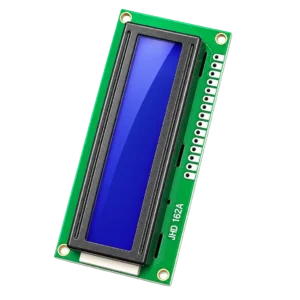
16×2 LCD Display Module – Blue Backlight (Without I2C)
The 16×2 LCD Display Module (Without I2C) is a character LCD designed to display 16 characters per row across 2 lines. Featuring a blue backlight, a 16-pin parallel interface and an HD44780-compatible controller design, it is suitable for Arduino, microcontroller projects, electronic meters and DIY displays.
Key Features:
- 16 characters × 2 lines
- Blue backlight with light-coloured characters
- Standard 16-pin parallel interface
- Supports 4-bit and 8-bit communication
- Typical 5V operating supply
- Suitable for Arduino and compatible microcontrollers
- Ideal for sensor readings, counters, timers and electronics projects
Package Includes: 1 × 16×2 LCD Display Module only.
Important: I2C adapter, external contrast potentiometer and connecting wires are not included. The display uses a parallel interface unless an optional I2C adapter is fitted.
Order from Yagobotix with shipping across India and same-day delivery or pickup available in Surat.
SKU: YGB-DIS-LCD1602 -
Modules, Display Modules
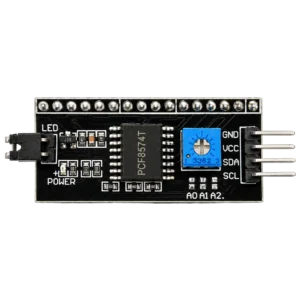
I2C Interface Adapter Module for 16×2/20×4 LCD
The I2C LCD Adapter Module is a serial interface converter designed for compatible 16×2 and 20×4 character LCD displays. It reduces the number of microcontroller connections required by allowing the LCD to communicate using an I2C interface.
Key Features:
- I2C interface for compatible character LCDs
- Common PCF8574-based design
- 4-pin connection: GND, VCC, SDA and SCL
- Onboard LCD contrast adjustment potentiometer
- Simplifies Arduino LCD wiring
- Compatible with 16×2 and 20×4 HD44780-type LCD modules
- Suitable for Arduino and other compatible microcontrollers
Package Includes: 1 × I2C LCD Interface Adapter Module only.
Important: The LCD display is NOT included. Soldering may be required to attach the adapter to your existing LCD.
Buy the I2C LCD Adapter Module online from Yagobotix, with shipping across India and same-day delivery or pickup available in Surat.
SKU: YGB-DIS-I2C-LCD -
Modules, Power Modules
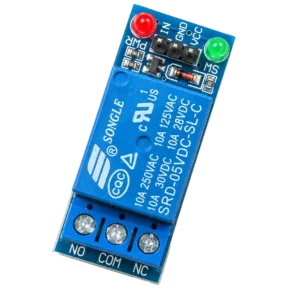
5V Single Channel Relay Module – Low Level Trigger (Blue PCB)
The 5V Single Channel Relay Module – Low Level Trigger (Blue PCB) is an electromechanical switching module designed for Arduino, robotics, automation and DIY electronics projects. Featuring an SRD-05VDC-SL-C relay, a 5V DC coil, active-LOW trigger input and NO/COM/NC screw terminals, it allows a microcontroller to control a separate electrical circuit.
Key Features:
- Single-channel 5V relay module
- CW-020 blue PCB design
- SRD-05VDC-SL-C electromechanical relay
- Low-level trigger (active LOW)
- 3 control pins: IN, GND and VCC
- 3 screw terminals: Normally Open (NO), Common (COM) and Normally Closed (NC)
- SPDT switching contact arrangement
- Relay marked up to 10A at 250V AC and 10A at 30V DC for specified load conditions
- Onboard red power indicator LED
- Onboard green relay status indicator LED
- Suitable for Arduino Uno, Nano and compatible control circuits
- Useful for low-voltage automation, DC lighting and switching experiments
Package Includes: 1 × 5V Single Channel Relay Module – Low Level Trigger (Blue PCB).
Important: The 5V rating refers to the relay module’s control supply, not the voltage supplied to the connected load. The relay contacts act as an isolated switch and do not generate output power.
For educational projects, use appropriately protected low-voltage DC loads. Household AC mains wiring requires qualified installation and suitable electrical protection.
Buy the 5V Single Channel Relay Module online from Yagobotix, with shipping across India and local delivery options in Surat.
SKU: YGB-REL-1CH-5V-LOW-BLU -
Modules, Communication Modules
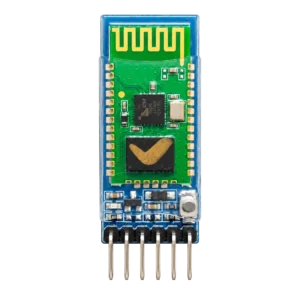
HC-05 Bluetooth Module – 6 Pin Wireless Serial Communication
The HC-05 Bluetooth Module – 6 Pin is a wireless serial communication module designed to connect Arduino, microcontrollers and compatible Android devices using Bluetooth Classic technology. It features an integrated PCB antenna, UART communication interface, onboard status LED and configuration push button.
Key Features:
- HC-05 Bluetooth wireless serial communication module
- Bluetooth Classic 2.0 + EDR with Serial Port Profile (SPP)
- 6-pin interface: STATE, RXD, TXD, GND, VCC and EN
- Breakout board supply voltage: 3.6–6V DC
- 3.3V UART logic levels
- Typical default data-mode baud rate: 9600
- AT command configuration support, depending on firmware
- Master/slave functionality on supported HC-05 firmware
- Integrated PCB antenna and Bluetooth status LED
- Onboard push button for configuration on supported board versions
- Suitable for Arduino Uno, Nano, Mega and compatible controllers
- Ideal for Bluetooth-controlled robots, wireless LED control and serial communication projects
Important: Use a voltage divider or logic-level shifter between a 5V Arduino TX output and the HC-05 RXD input. This module uses Bluetooth Classic, not Bluetooth Low Energy (BLE), and is generally unsuitable for standard iPhone/iPad serial-control applications.
Package Includes: 1 × HC-05 Bluetooth Module – 6 Pin (Blue PCB).
Buy the HC-05 Bluetooth Module online from Yagobotix with shipping across India and same-day delivery or pickup available in Surat.
SKU: YGB-COM-HC05-6P
There are no reviews yet.