


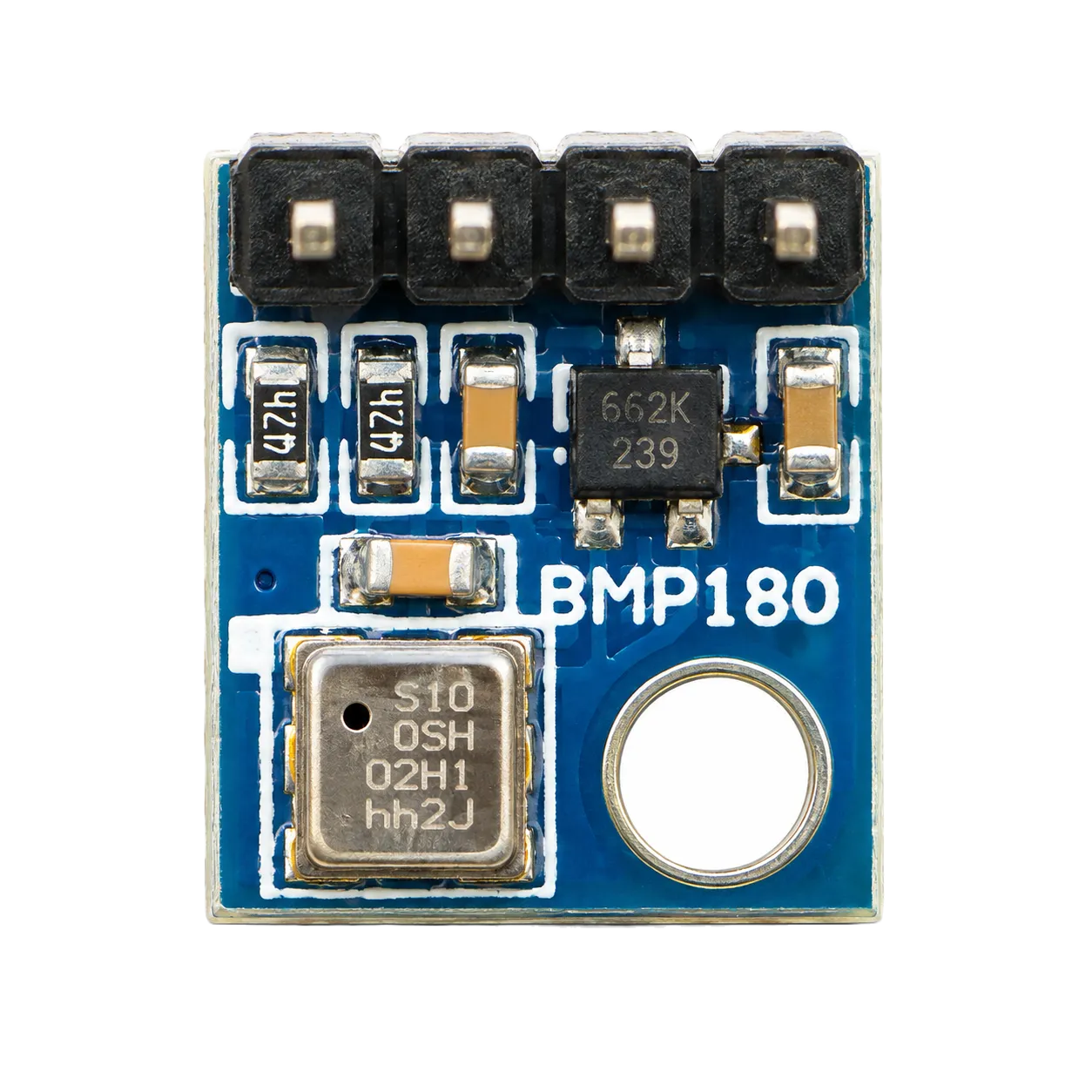
BMP180 Barometric Pressure Sensor Module – GY-68 (Blue PCB)
The BMP180 Barometric Pressure Sensor Module – GY-68 (Blue PCB) is a compact digital sensor designed to measure atmospheric pressure and temperature using I2C communication. It can also be used to calculate approximate altitude based on atmospheric pressure.
Featuring a Bosch BMP180 sensing IC, four-pin interface and compact blue PCB, this module is suitable for Arduino, ESP32, Raspberry Pi, weather monitoring and DIY electronics projects.
Key Features:
- BMP180 digital barometric pressure sensor
- GY-68 blue PCB breakout module
- Atmospheric pressure measuring range: 300–1100 hPa
- Temperature measurement for sensor compensation and monitoring
- Approximate altitude calculation using atmospheric pressure
- I2C digital communication interface
- Fixed 7-bit I2C address: 0x77
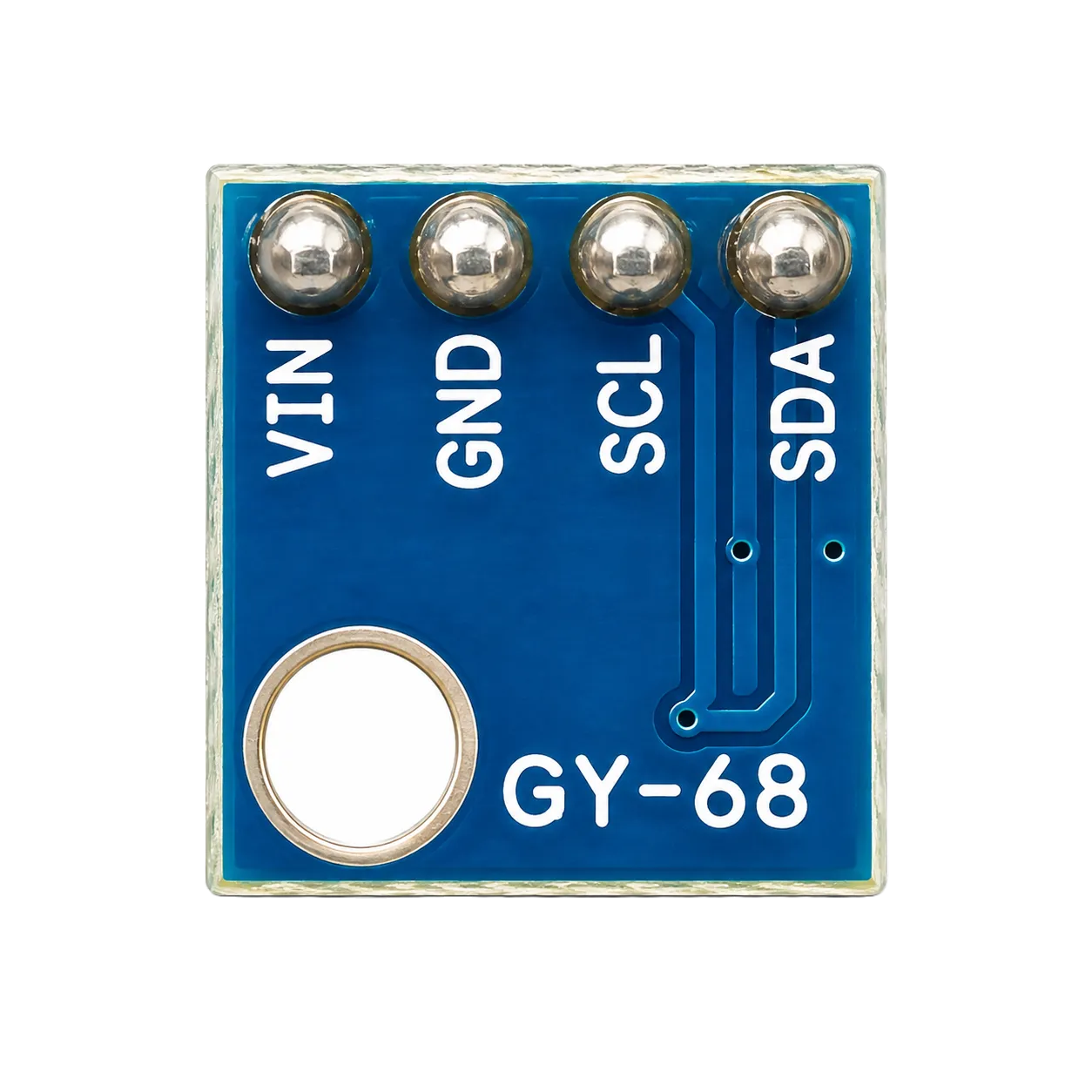
- Four connection pins: VIN, GND, SCL and SDA
- Compact, lightweight PCB design
- Onboard voltage regulation circuitry on the pictured module
- Suitable for Arduino and compatible microcontrollers
- Useful for mini weather stations, IoT projects and STEM learning
Package Includes: 1 × BMP180 Barometric Pressure Sensor Module – GY-68 (Blue PCB).
Note: The module measures pressure and temperature directly. Altitude is calculated from pressure and requires a suitable reference pressure for meaningful accuracy. The BMP180 does not measure relative humidity.
The breakout board’s safe power-input and I2C logic levels should be verified before connecting it to a 5V or 3.3V controller.
Buy the BMP180 Barometric Pressure Sensor online from Yagobotix with shipping across India and local delivery options in Surat.
BMP180 Barometric Pressure Sensor Module – GY-68 (Blue PCB)
1. What Is a BMP180 Barometric Pressure Sensor?
The BMP180 Barometric Pressure Sensor is a digital environmental sensor designed to measure atmospheric pressure and temperature.
This GY-68 breakout module features a BMP180 sensing IC mounted on a compact blue printed circuit board with a four-pin I2C connection interface.
The sensor uses pressure measurements to monitor atmospheric conditions and can estimate altitude when an appropriate reference pressure is provided.
It is commonly used in Arduino weather stations, IoT environmental monitoring, altitude estimation, robotics experiments and embedded electronics.
The BMP180 is a pressure and temperature sensor, not a humidity sensor.
2. What Can You Build With a BMP180 Sensor?
The BMP180 Barometric Pressure Sensor is suitable for projects such as:
- Arduino weather station
- Atmospheric pressure monitoring system
- DIY digital barometer
- Approximate altitude meter
- ESP32 environmental monitoring
- IoT weather dashboard
- Pressure data logger
- Indoor weather monitoring
- Temperature monitoring experiments
- Atmospheric pressure trend analysis
- Educational altitude calculation
- Raspberry Pi environmental monitoring
- STEM science experiments
- I2C communication demonstrations
- Microcontroller sensor projects
These applications use the sensor’s digital pressure readings and temperature measurements.
3. Who Is It For?
The BMP180 Sensor Module is suitable for:
- School and college students
- Electronics engineering students
- Arduino beginners
- Robotics enthusiasts
- IoT developers
- Embedded systems learners
- DIY electronics makers
- STEM educators
- Weather monitoring hobbyists
The module is particularly useful for understanding atmospheric pressure, temperature compensation, I2C communication and altitude calculations.
4. How Does a BMP180 Barometric Pressure Sensor Work?
The BMP180 uses a microelectromechanical pressure-sensing element to detect changes in atmospheric pressure.
The sensor measures pressure using an internal pressure-sensitive structure and processes the measurement electronically.
It also measures temperature, which is used to compensate pressure readings.
Pressure Measurement
The sensor detects the surrounding atmospheric pressure and converts it into a digital reading.
Pressure is commonly displayed in hectopascals (hPa) or millibars (mbar).
Temperature Measurement
The BMP180 measures temperature to support compensated pressure readings. This temperature value is also available to the connected controller.
Altitude Estimation
Atmospheric pressure generally decreases as altitude increases.
A controller can estimate altitude using the measured pressure and an assumed or known reference pressure.
I2C Communication
The BMP180 communicates using the I2C serial interface.
The connected controller reads the sensor’s calibration data and measurement registers to obtain compensated pressure and temperature values.
Working Principle
Atmospheric Pressure → BMP180 Sensing Element → Digital Processing → I2C Interface → Arduino / ESP32 → Pressure and Temperature Readings
Altitude is then estimated mathematically using pressure data.
5. Technical Specifications
| Specification | Details |
|---|---|
| Product Type | Barometric Pressure Sensor Module |
| Sensor IC | BMP180 |
| Breakout Board | GY-68 |
| PCB Colour | Blue |
| Pressure Range | 300–1100 hPa |
| Temperature Measurement Range | −40°C to +85°C |
| Interface | I2C |
| I2C Address | 0x77 (7-bit) |
| Number of Header Positions | 4 |
| Header Labels | VIN, GND, SCL, SDA |
| BMP180 Sensor Supply | 1.8–3.6V, per sensor datasheet |
| Breakout Supply | Depends on onboard regulator and module revision |
| Atmospheric Pressure Measurement | Yes |
| Temperature Measurement | Yes |
| Humidity Measurement | No |
| Altitude Measurement | Calculated, not directly measured |
| Calibration | Factory calibration data stored in sensor |
| Mounting Hole | Present |
| PCB Dimensions | Not verified |
| Package Quantity | 1 module |
Important Technical Notes
- The BMP180 IC operates at low voltage; it must not be connected directly to 5V.
- The pictured GY-68 board contains an additional regulator IC. The regulator’s exact output and supported VIN range should be checked on the actual stock.
- Some GY-68 breakout boards accept 3.3V–5V input, but this must not be assumed for every revision.
- I2C SDA and SCL signal levels must be compatible with the controller.
- Pressure range and temperature range describe different operating specifications.
- Estimated altitude depends on reference atmospheric pressure and weather conditions.
- The BMP180 does not measure humidity.
- It is not a certified aviation instrument or a safety-critical pressure sensor.
6. BMP180 GY-68 Sensor Module Pinout
The module has four connection points.
| Pin | Function |
|---|---|
| VIN | Module power input |
| GND | Ground |
| SCL | I2C serial clock |
| SDA | I2C serial data |
VIN
Supplies electrical power to the breakout board.
GND
Connects to the controller’s common ground.
SCL
Carries the I2C clock signal from the controller.
SDA
Carries I2C data between the sensor and controller.
Physical Pin Order
The rear PCB photograph shows the pin labels in this sequence:
VIN → GND → SCL → SDA
Always follow the printed labels on the physical module rather than relying on wire colours.
7. How to Connect BMP180 Sensor to Arduino Uno
The BMP180 can communicate with Arduino Uno using the I2C interface.
Required Components
- 1 × BMP180 GY-68 Sensor Module
- 1 × Arduino Uno
- 4 × Suitable Jumper Wires
- USB cable
- Arduino IDE
Arduino Wiring
| BMP180 GY-68 | Arduino Uno |
|---|---|
| VIN | Verified suitable supply, commonly 3.3V or 5V on regulated boards |
| GND | GND |
| SCL | A5 / SCL |
| SDA | A4 / SDA |
Connection Procedure
- Inspect the module and identify VIN, GND, SCL and SDA.
- Verify the breakout board’s supply voltage and I2C pull-up arrangement.
- Connect VIN to the appropriate supply.
- Connect GND to Arduino GND.
- Connect SCL to Arduino A5.
- Connect SDA to Arduino A4.
- Install the required BMP085/BMP180-compatible library.
- Upload the Arduino program.
- Open Serial Monitor.
- Observe atmospheric pressure and temperature readings.
The Arduino Uno uses A4 and A5 for its hardware I2C interface.
8. Arduino Example Code for BMP180
Use the Adafruit BMP085 Library, which supports BMP180 sensors.
Required Library
Install Adafruit BMP085 Library through Arduino IDE Library Manager, along with any dependencies requested by the installer.
Arduino Code
#include <Wire.h>
#include <Adafruit_BMP085.h>

Adafruit_BMP085 bmp;

void setup() {
  Serial.begin(9600);

  if (!bmp.begin()) {
    Serial.println("BMP180 not detected");

    while (1) {
      delay(100);
    }
  }

  Serial.println("BMP180 Sensor Ready");
}

void loop() {
  float temperature = bmp.readTemperature();

  int32_t pressure = bmp.readPressure();

  Serial.print("Temperature: ");
  Serial.print(temperature);
  Serial.println(" C");

  Serial.print("Pressure: ");
  Serial.print(pressure / 100.0);
  Serial.println(" hPa");

  Serial.println("----------------");

  delay(2000);
}
Expected Output
The Serial Monitor displays temperature in degrees Celsius and atmospheric pressure in hectopascals.
Actual readings vary with location, weather and environmental conditions.
Troubleshooting
If the sensor is not detected:
- Check power supply compatibility.
- Check GND.
- Verify SCL and SDA connections.
- Confirm that the I2C address is 0x77.
- Check the I2C pull-up arrangement.
- Run an I2C address scanner.
- Verify that the library supports BMP180.
9. Beginner Project: Arduino Digital Barometer
Project Objective
Build a basic atmospheric pressure monitor with Arduino and the BMP180 sensor.
Components Required
- 1 × BMP180 GY-68 Sensor Module
- 1 × Arduino Uno
- 1 × 16×2 LCD Display with I2C Interface
- Jumper Wires
- USB cable
- Suitable power supply
Project Connections
The BMP180 connects to Arduino’s I2C interface.
The I2C LCD can share the same SCL and SDA bus if its address differs from 0x77, the electrical voltage levels are compatible, and the pull-up resistors are suitable.
Project Working
- The BMP180 measures atmospheric pressure.
- Arduino receives pressure data through I2C.
- The program converts the pressure reading to hPa.
- The LCD displays the pressure.
- The sensor continues providing readings at regular intervals.
- Users can observe pressure changes over time.
What Will Students Learn?
- Atmospheric pressure
- Digital sensor operation
- I2C communication
- Arduino sensor libraries
- Pressure units
- LCD interfacing
- Basic environmental monitoring
Additional Learning Activity
Record atmospheric pressure periodically and graph the values.
Discuss how weather conditions and altitude influence pressure readings.
10. Related Products
Complete your BMP180 projects with:
- Arduino Uno R3 Compatible Board
- Arduino Nano Development Board
- ESP32 Development Board
- ESP8266 NodeMCU
- 16×2 LCD Display
- I2C LCD Interface Module
- 16×2 LCD Display with I2C Interface
- DHT11 Temperature and Humidity Sensor
- TM1637 4-Digit Seven Segment Display
- GL-12 840 Points Solderless Breadboard
- Jumper Wires
- OLED Display Module, if available
- Compatible Power Supply Module
11. Related Tutorials
Explore these electronics learning topics:
- How to Connect BMP180 Sensor to Arduino
- BMP180 Sensor Pinout Explained
- How to Measure Atmospheric Pressure
- I2C Communication Using Arduino
- BMP180 Sensor with ESP32
- How to Build an Arduino Weather Station
- How to Calculate Altitude Using BMP180
- Pressure Measurement Units: Pa and hPa
- BMP180 vs BMP280 Sensors
- BMP180 vs BME280 Sensors
- How to Connect Multiple I2C Modules
- Arduino Pressure Data Logging
12. Frequently Asked Questions
What is a BMP180 Barometric Pressure Sensor?
The BMP180 is a digital sensor used to measure atmospheric pressure and temperature.
What is the GY-68 module?
GY-68 is a breakout PCB design commonly used with BMP180 pressure sensors.
What does the BMP180 measure?
It measures atmospheric pressure and temperature.
Can it measure altitude?
It can estimate altitude from pressure readings when an appropriate reference pressure is supplied.
Does it measure humidity?
No. The BMP180 does not measure relative humidity.
What is the pressure measurement range?
300–1100 hPa.
What is the temperature measurement range?
The BMP180 datasheet specifies −40°C to +85°C for its temperature measurement function.
What communication protocol does it use?
I2C.
What is the I2C address of BMP180?
The fixed 7-bit address is 0x77.
How many pins does this module have?
Four: VIN, GND, SCL and SDA.
Does it have an analog output?
No. Measurements are available digitally over I2C.
Can it be used with Arduino Uno?
Yes, when the breakout power and I2C electrical connections are compatible.
Can it work with Arduino Nano?
Yes. Standard Nano boards support I2C using A4 and A5.
Can it work with ESP32?
Yes. Use suitable 3.3V-compatible power and I2C connections.
Can it work with Raspberry Pi?
Yes. It can communicate over the Raspberry Pi’s I2C interface using a compatible library and electrical configuration.
Can I connect the BMP180 IC directly to 5V?
No. The bare BMP180 sensor IC is a low-voltage device.
Can the GY-68 module accept 5V?
Many regulated GY-68 boards can, but the specific board revision and regulator arrangement must be verified.
Is the BMP180 suitable for a weather station?
Yes. It is commonly used for weather station prototypes and pressure monitoring.
Is BMP180 the same as BMP280?
No. They are different sensors with different specifications and register interfaces.
Is BMP180 the same as BME280?
No. The BME280 also measures humidity, whereas BMP180 does not.
Can it determine exact altitude?
No. Altitude calculations depend on air pressure and reference conditions, so the result is an estimate.
Can I use two BMP180 modules on the same I2C bus?
Not directly using the same bus address. Both use the fixed address 0x77, so separate buses or an I2C multiplexer are needed.
Does it require soldering?
The photographed module shows a four-position header fitted to the PCB. Verify the actual supplied header configuration before publishing the package description.
Where can I buy a BMP180 Sensor in Surat?
You can order the BMP180 GY-68 Sensor Module online from Yagobotix, with shipping across India and available local delivery options in Surat.
13. What Is Included?
Package Includes:
- 1 × BMP180 Barometric Pressure Sensor Module – GY-68 (Blue PCB)
The module features:
- BMP180 pressure-sensing IC
- Blue GY-68 PCB
- Onboard supporting electronic components
- Four connection positions
- Mounting hole
Not Included:
- Arduino board
- ESP32 development board
- Breadboard
- Jumper wires
- LCD display
- Power supply
- USB cable
14. Compatibility
The BMP180 GY-68 module is suitable for microcontrollers with compatible I2C interfaces.
Arduino Uno
Uses A4 for SDA and A5 for SCL.
Arduino Nano
Standard ATmega328P Nano boards use A4 for SDA and A5 for SCL.
Arduino Mega
Uses SDA pin 20 and SCL pin 21.
ESP32
Common ESP32 development board examples use GPIO21 for SDA and GPIO22 for SCL, although pins can be configured differently.
ESP8266 NodeMCU
Common software configurations use D2 (GPIO4) for SDA and D1 (GPIO5) for SCL.
Raspberry Pi
Uses the appropriate 3.3V I2C interface with a compatible BMP180 software library.
Important Compatibility Note
Verify breakout-board power regulation and I2C signal levels before connecting any 5V controller or mixing I2C devices operating at different voltages.
15. Buy BMP180 Barometric Pressure Sensor Online in India
Build environmental monitoring and weather station projects with the BMP180 Barometric Pressure Sensor Module – GY-68 (Blue PCB) from Yagobotix.
Featuring digital atmospheric pressure measurement, temperature sensing and an I2C communication interface, the BMP180 is suitable for Arduino, ESP32, Raspberry Pi and educational electronics applications.
Whether you are developing a DIY digital barometer, estimating altitude or learning microcontroller sensor communication, the BMP180 provides a compact solution for atmospheric pressure measurement.
Why Choose Yagobotix?
- BMP180 digital pressure sensor module
- GY-68 blue PCB
- Four-pin I2C interface
- Suitable for compatible Arduino projects
- Useful for weather monitoring and STEM education
- Shipping across India
- Local delivery options in Surat
Local delivery availability depends on order coverage, stock and applicable cut-off times.
Add the BMP180 Barometric Pressure Sensor Module to your cart and begin building your next environmental monitoring project with Yagobotix!
Based on 0 reviews
Only logged in customers who have purchased this product may leave a review.
Related products
-
Sensors
KY-024 Linear Magnetic Hall Effect Sensor Module – Red (4 Pin)
The KY-024 Linear Magnetic Hall Effect Sensor Module is a 4-pin magnetic field detection module featuring an LM393 comparator, analog and digital outputs, and an adjustable detection threshold. Its linear Hall sensing element responds to changes in magnetic field strength and polarity, making it suitable for Arduino, ESP32, robotics and DIY electronics projects.
Key Features:
- Linear Hall effect magnetic sensing
- LM393 comparator IC
- Analog (AO) and digital (DO) outputs
- Adjustable digital detection threshold
- Typical operating voltage: 3.3–5V DC
- Onboard power and output indicator LEDs
- 4-pin interface with red PCB
- Suitable for magnetic proximity, position detection and rotational experiments
Note: A permanent magnet is required for magnetic detection experiments and is not included.
Buy the KY-024 Linear Magnetic Hall Effect Sensor Module online from Yagobotix with shipping across India and same-day delivery or pickup available in Surat.
SKU: YGB-SEN-KY024 -
Sensors, Gas & Environment
DHT11 Temperature and Humidity Sensor Module – 3 Pin (Blue PCB)
The DHT11 Temperature and Humidity Sensor Module – 3 Pin (Blue PCB) is a digital sensor designed to measure ambient temperature and relative humidity for Arduino, ESP32, ESP8266 and DIY electronics projects.
Featuring a blue DHT11 sensing element, onboard power indicator LED and pre-soldered 3-pin interface, this module is suitable for weather monitoring prototypes, room climate measurement, environmental monitoring and educational electronics.
Key Features:
- DHT11 digital temperature and humidity sensor
- Measures temperature from 0°C to 50°C
- Measures relative humidity from 20% to 90% RH under specified conditions
- Typical temperature accuracy: ±2°C
- Typical humidity accuracy: ±5% RH
- Operating voltage: approximately 3.3–5.5V DC
- Three pins: VCC, DATA and GND
- Single-wire digital communication
- Onboard red power indicator LED
- Pre-soldered 3-pin connection header
- Suitable for Arduino Uno, Nano, ESP32 and ESP8266
- Ideal for indoor environment monitoring and STEM projects
Package Includes: 1 × DHT11 Temperature and Humidity Sensor Module – Blue PCB.
Note: The DHT11 is intended for basic environmental monitoring rather than precision or safety-critical measurements. Allow at least 2 seconds between readings.
Buy the DHT11 Temperature and Humidity Sensor online from Yagobotix with shipping across India and same-day delivery or pickup available in Surat.
SKU: YGB-SEN-DHT11-3P-BLU -
Sensors
LM393 Hall Effect Sensor Module – 4 Pin
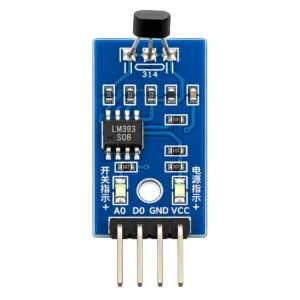
The Hall Effect Sensor Module is a compact magnetic detection sensor featuring an LM393 comparator that detects the presence of a nearby magnetic field without physical contact. It is ideal for rotation counting, motor speed measurement, magnetic position detection and robotics projects.
Key Features:
- Semiconductor-based Hall effect sensing
- LM393 voltage comparator
- Contactless magnetic detection
- Digital detection output
- Compact blue PCB with 4-pin interface
- Onboard power and detection LED indicators
- Suitable for Arduino, ESP32 and other compatible microcontroller circuits
Buy the Hall Effect Sensor Module online from Yagobotix with shipping across India and same-day delivery or pickup available in Surat.
SKU: YGB-SEN-HALL-04 -
Sensors, Distance & Motion
HC-SR501 PIR Motion Sensor Module – RCW-0506 Green PCB
The PIR Motion Sensor Module – RCW-0506 Green PCB (HC-SR501 Type) is a passive infrared sensor designed to detect movement of people and other warm objects by sensing changes in infrared radiation.
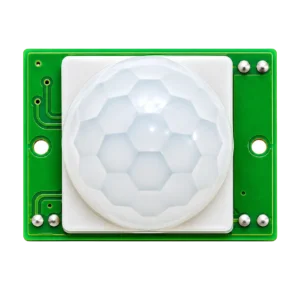
Featuring a white Fresnel lens, green PCB and digital output interface, this sensor is suitable for Arduino, ESP32, motion-activated lights, security alarm prototypes and DIY electronics projects.
Key Features:
- Passive Infrared (PIR) motion detection
- RCW-0506 green PCB variant
- HC-SR501-type motion sensing functionality
- White Fresnel lens for infrared detection
- Digital motion detection output (OUT)
- Connections labelled VCC, OUT and GND
- Contactless detection of moving warm objects
- Suitable for Arduino and compatible microcontrollers
- Ideal for motion-activated lighting, alarms and automation projects
Important: The photographed RCW-0506 board does not show the conventional HC-SR501 sensitivity and delay adjustment potentiometers. Detection range, supply voltage and output timing should be confirmed for this version before purchase.
Package Includes: 1 × PIR Motion Sensor Module – RCW-0506 Green PCB.
Buy online from Yagobotix with shipping across India and same-day delivery or pickup available in Surat.
SKU: YGB-SEN-PIR-RCW0506
There are no reviews yet.